Introduction
This guide will show you how to replace the front cover of the camera. This is useful both if you're replacing the front cover, or needing to gain access to other components in the camera such as the top cover.
Note that the Phillips #000 screwdriver is marked as an optional tool as you can always use the JIS #000 screwdriver in its place (JIS screwdrivers won't damage Phillips head screws).
What you need
-
-
Before beginning, remove the battery and SD card from the camera.
-
Remove the eyepiece.
-
Using a pair of tweezers, unclip each side of the eyepiece from the bottom while providing light pressure upwards on the eyepiece with your thumb.
-
Remove the battery door.
-
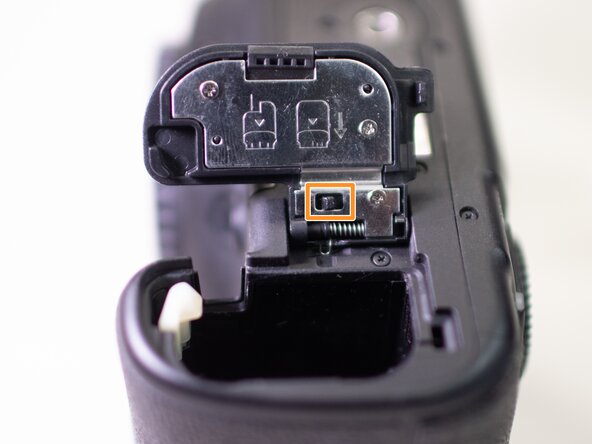
Open the battery door and disengage the hinge spring.
-
While holding the spring back, pull off the battery door.
 Ask FixBot
-
-
-
Using a plastic spudger tool, peel off the rubber grip on the left side of the camera.
-
On the Left side of the camera, underneath where the rubber grip was, remove the following screws:
-
Two M1.7x5.0mm Phillips #000 screws.
-
One M1.7x5.0mm Phillips #000 screw.
-
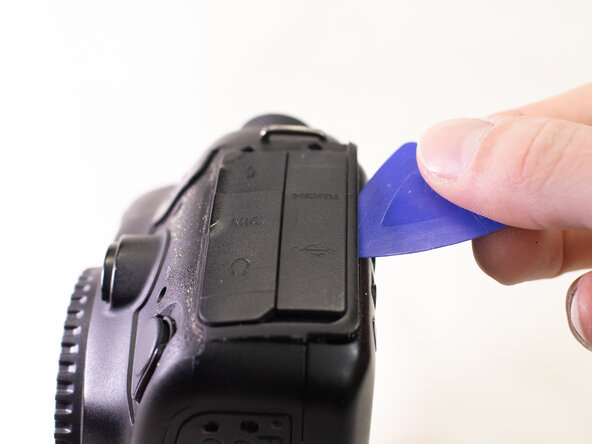
Pry off the plastic interface cover.
-
-
-
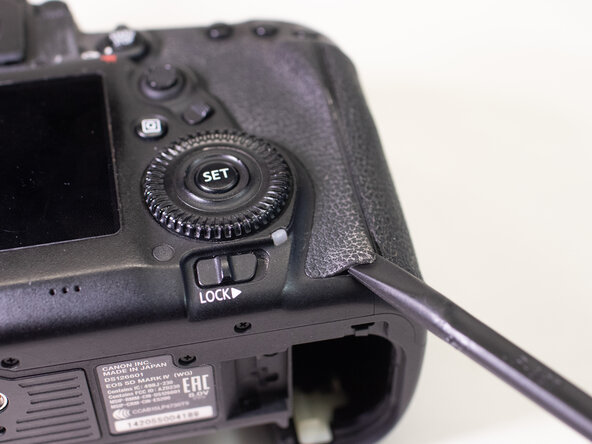
With a plastic spudger tool, peel off the rubber grip on the backside of the camera.
-
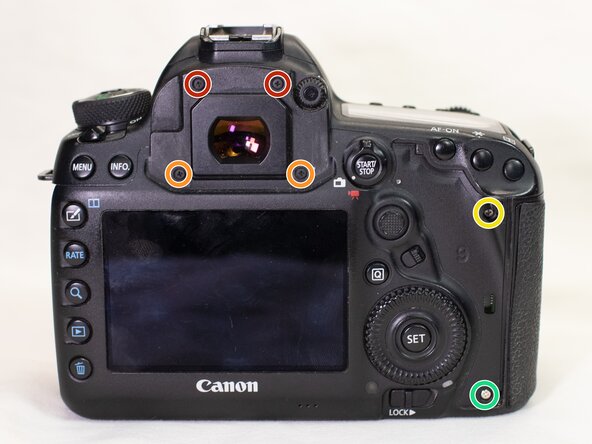
On the backside of the camera, remove the following screws:
-
Two M1.7x4.5mm JIS #000 screws.
-
Two M1.7x6.0mm JIS #000 screws.
-
One M1.7x9.0 JIS #000 screw.
-
One M1.7x4.5mm Phillips #000 screw.
-
-
-
-
On the bottom of the camera, remove the following screws:
-
Three M1.7x2.5mm JIS #000 screws.
-
Slightly lift up the back cover from the camera, using a plastic spudger or opening tool as needed.
-
Carefully pry up the ribbon cable attaching the screen to the main PCB board using a plastic spudger.
-
With the cable disconnected, you can finish lifting off the back cover from the camera.
-
-
-
Using a plastic spudger tool, peel off the right rubber grip.
-
On the front of the camera, remove the following screws:
-
One M1.7x5.0mm Phillips #000 screw.
-
Two M1.7x2.8mm Phillips #000 screws.
-
Two M1.7x5.5mm JIS #000 screws.
-
Two M1.7x7.0mm Phillips #000 screws.
-
-
-
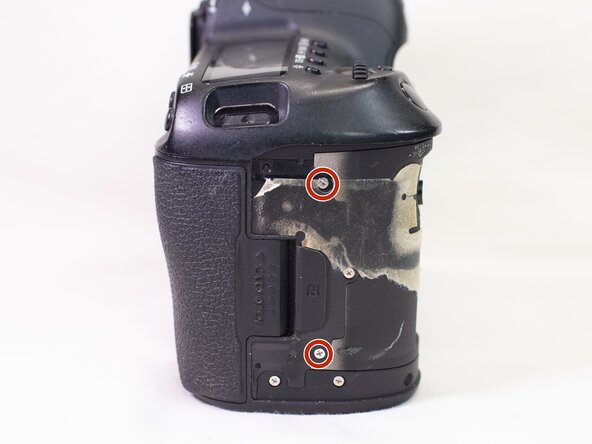
On the right side of the camera, remove the following screws:
-
Two M1.7x4.0mm Phillips #000 screws.
-
On the bottom of the camera, remove the following screw:
-
One M1.7x5.5mm JIS #000 screw.
-
-
-
With a plastic spudger tool, carefully remove the two cables that connects the front cover to the main PCB board.
-
Pull the front cover off the camera body, using a plastic spudger or opening tools as needed.
-









To reassemble your device, follow these instructions in reverse order.
Attached Documents

