Free Shipping on Domestic Orders $75+

Canon EOS 300 Side Panel with Lever Replacement

Views: 1.2K

View statistics:

Past 24 Hours:
3
Past 7 Days:
21
Past 30 Days:
92
All Time:
1,237
Comments: 0

No one has left comments on this guide. Will you be first?

Go to guide comments
Completed: 0

No one has marked this guide "completed." Will you be the first?

Favorites: 0

No one has favorited (and subscribed to) this guide. Will you be the first?

Time Required: 5 minutes
Difficulty: Moderate
Canon EOS 300 Side Panel with Lever Replacement

Introduction

Go to step 1 ↓

This guide removes the side panel of the camera, allowing for repairs on the side lever.

What you need

Tools

    1. Canon EOS 300 Side Panel with Lever Replacement, Batteries: step 1, image 1 of 3 Canon EOS 300 Side Panel with Lever Replacement, Batteries: step 1, image 2 of 3 Canon EOS 300 Side Panel with Lever Replacement, Batteries: step 1, image 3 of 3
      • Open up the battery door.

      Ask FixBot

      Add Comment

    2. Canon EOS 300 Side Panel with Lever Replacement: step 2, image 1 of 2 Canon EOS 300 Side Panel with Lever Replacement: step 2, image 2 of 2
      • Remove the batteries from the camera by sliding them out into your palm.

      Ask FixBot

      Add Comment

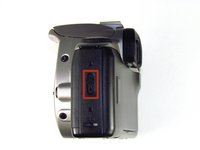
    1. Canon EOS 300 Side Panel with Lever Replacement, Side Panel with Lever: step 3, image 1 of 2 Canon EOS 300 Side Panel with Lever Replacement, Side Panel with Lever: step 3, image 2 of 2
      • Release the side latch to open the back panel.

      Ask FixBot

      Add Comment

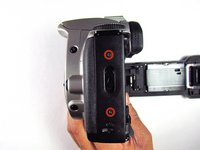
    2. Canon EOS 300 Side Panel with Lever Replacement: step 4, image 1 of 2 Canon EOS 300 Side Panel with Lever Replacement: step 4, image 2 of 2
      • Remove the two black 4.5mm screws above and below the latch.

      Ask FixBot

      Add Comment

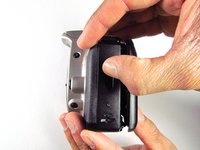
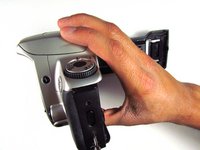
    3. Canon EOS 300 Side Panel with Lever Replacement: step 5, image 1 of 2 Canon EOS 300 Side Panel with Lever Replacement: step 5, image 2 of 2
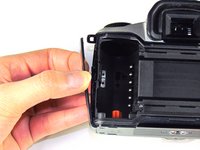
      • Using your finger, carefully pry open the side panel from the top of camera.

      • Pull panel downwards to remove.

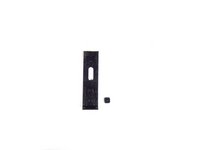
      • Make sure to keep track of the small black piece of rubber under the latch.

      Ask FixBot

      Add Comment

Conclusion

To reassemble your device, follow these instructions in reverse order.

Cancel: I did not complete this guide.

Jordan Tang

Member since: 01/24/14

608 Reputation

5 Guides authored

Team

Cal Poly, Team 6-20, Maness Winter 2014 Member of Cal Poly, Team 6-20, Maness Winter 2014

CPSU-MANESS-W14S6G20

4 Members

132 Guides authored

0 Guide Comments

Add Comment

View Statistics:

Past 24 Hours: 3

Past 7 Days: 21

Past 30 Days: 92

All Time: 1,237