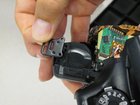
Canon EOS 30 Strap Loops Replacement

Alexander Gonzalez and 6 other contributors
Last updated on Jun 11, 2015
Views: 3.3K
View statistics:
- Past 24 Hours:
- 0
- Past 7 Days:
- 9
- Past 30 Days:
- 37
- All Time:
- 3,278
Comments: 0
No one has left comments on this guide. Will you be first?
Go to guide commentsCompleted: 2 3
2 people have marked this guide "completed." Will you be next?
3 people have marked this guide "completed." Including you — great job!
Favorites: 1 2
1 person has favorited (and subscribed to) this guide. Will you be next?
2 people have favorited (and subscribed to) this guide — including you!
Featured Guide
This guide has been found to be exceptionally cool by the iFixit staff.
Introduction
Go to step 1 ↓The strap loops can be safely accessed and removed.
What you need
Tools

-
-
-
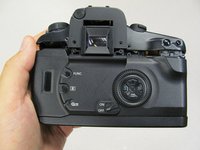
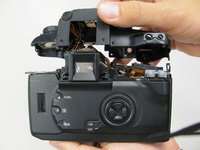
Remove the four 4.3 mm black screws near the bottom corners of the eyepiece at the back of the camera.
-
-
-
-
-
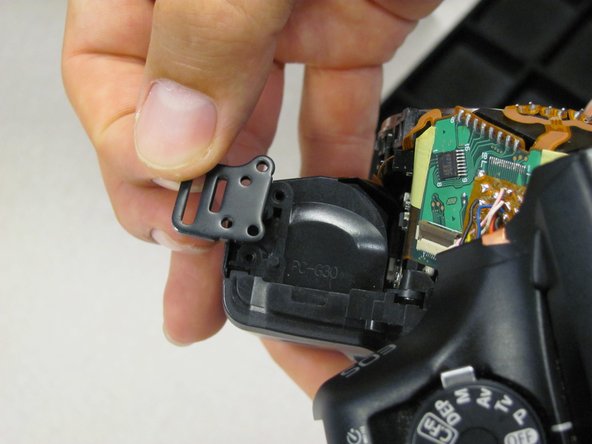
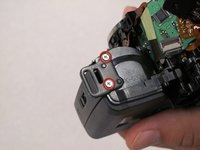
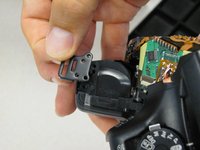
Remove two 5.9 mm silver screws on top of camera to detach left strap loop (opposite grip).
-
-
-
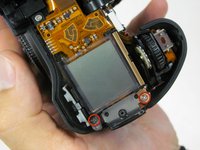
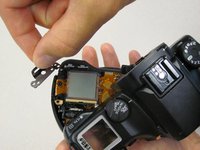
Remove one 8.5 mm silver screw (front) and one 5.45 mm silver screw (back) to remove strap loop near LCD screen.
-
-

 Ask FixBot





To reassemble your device, follow these instructions in reverse order.
Cancel: I did not complete this guide.
2 other people completed this guide.

Team

Cal Poly, Team 8-8, Regan Spring 2011 Member of Cal Poly, Team 8-8, Regan Spring 2011
CPSU-REGAN-S11S8G8
5 Members
132 Guides authored
