Free Shipping on Domestic Orders $75+

Canon ELPH Z3 Camera Image Sensor Replacement

What you need

    1. Canon ELPH Z3 Camera Image Sensor Replacement, Shutter Button: step 1, image 1 of 3 Canon ELPH Z3 Camera Image Sensor Replacement, Shutter Button: step 1, image 2 of 3 Canon ELPH Z3 Camera Image Sensor Replacement, Shutter Button: step 1, image 3 of 3
      • Unscrew the 7 4.1mm screws around the camera using a PH000 screwdriver.

      Ask FixBot

      Add Comment

    2. Canon ELPH Z3 Camera Image Sensor Replacement: step 2, image 1 of 3 Canon ELPH Z3 Camera Image Sensor Replacement: step 2, image 2 of 3 Canon ELPH Z3 Camera Image Sensor Replacement: step 2, image 3 of 3
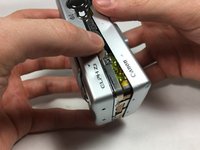
      • Split the front and back coverings of the camera.

      • Remove the back covering completely.

      • This allows for easier access to the shutter button carrier.

      Ask FixBot

      Add Comment

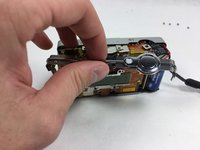
    3. Canon ELPH Z3 Camera Image Sensor Replacement: step 3, image 1 of 2 Canon ELPH Z3 Camera Image Sensor Replacement: step 3, image 2 of 2
      • Slide the shutter button carrier off of the camera.

      • Notice shutter button is on the right hand side of the carrier.

      Ask FixBot

      Add Comment

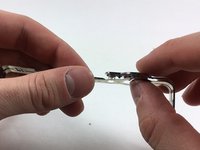
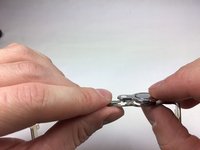
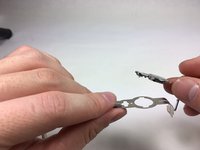
    4. Canon ELPH Z3 Camera Image Sensor Replacement: step 4, image 1 of 3 Canon ELPH Z3 Camera Image Sensor Replacement: step 4, image 2 of 3 Canon ELPH Z3 Camera Image Sensor Replacement: step 4, image 3 of 3
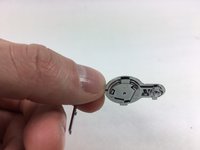
      • Press upward on the shutter button from the underside of the carrier by using your thumb.

      • Separate the shutter button from the carrier.

      Ask FixBot

      Add Comment

    1. Canon ELPH Z3 Camera Image Sensor Replacement, Rear Screen: step 5, image 1 of 2 Canon ELPH Z3 Camera Image Sensor Replacement, Rear Screen: step 5, image 2 of 2
      • Pull apart the front and back coverings of the camera.

      • Remove the back covering completely to gain access of the rear screen.

      Ask FixBot

      Add Comment

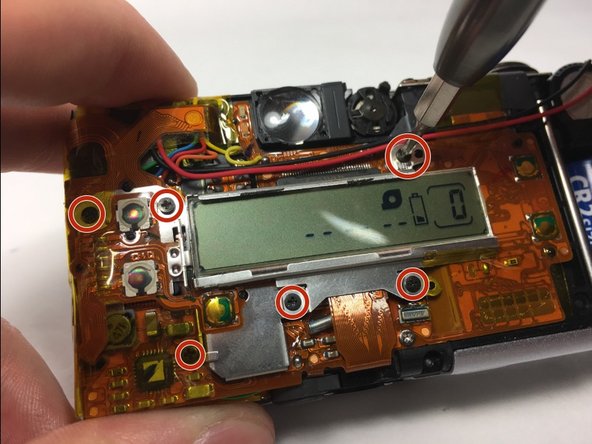
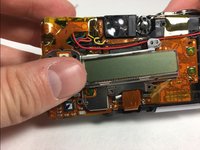
    2. Canon ELPH Z3 Camera Image Sensor Replacement: step 6, image 1 of 3 Canon ELPH Z3 Camera Image Sensor Replacement: step 6, image 2 of 3 Canon ELPH Z3 Camera Image Sensor Replacement: step 6, image 3 of 3
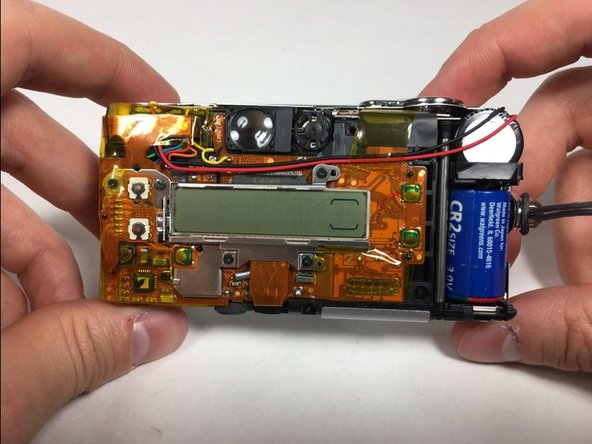
      • Unscrew the 6 4.1mm screws that are holding the back screen in place by using the PH000 screwdriver.

      • This step may require for you to pull back tape to gain access to some screws.

      Ask FixBot

      Add Comment

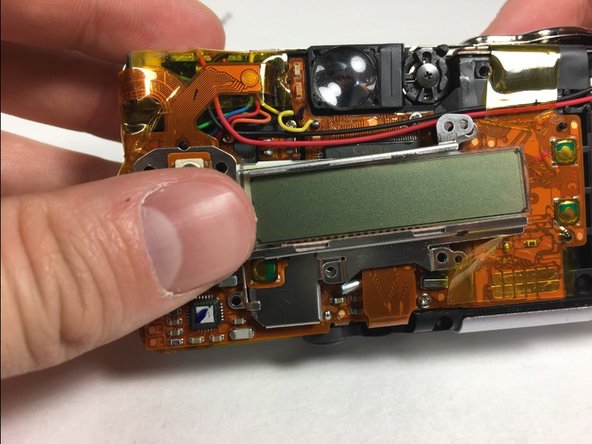
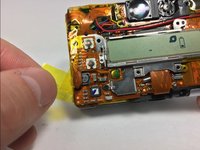
    3. Canon ELPH Z3 Camera Image Sensor Replacement: step 7, image 1 of 2 Canon ELPH Z3 Camera Image Sensor Replacement: step 7, image 2 of 2
      • Pull the yellow tape away from the side that is attached to the back screen.

      • Remove the back screen.

      Ask FixBot

      Add Comment

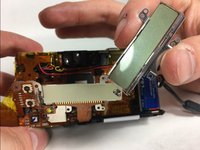
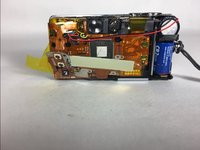
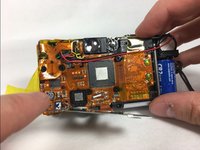
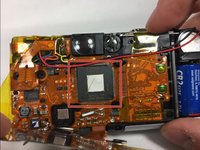
    1. Canon ELPH Z3 Camera Image Sensor Replacement, Image Sensor: step 8, image 1 of 3 Canon ELPH Z3 Camera Image Sensor Replacement, Image Sensor: step 8, image 2 of 3 Canon ELPH Z3 Camera Image Sensor Replacement, Image Sensor: step 8, image 3 of 3
      • Pull away back screen base to reveal the image sensor.

      • Remove image sensor using a set of pliers.

      Ask FixBot

      Add Comment

Conclusion

To reassemble your device, follow these instructions in reverse order.

Cancel: I did not complete this guide.

Katy Skillings

Member since: 10/21/16

1 Reputation

2 Guides authored

Team

UMass Dartmouth, Team 1-7, Catania Fall 2016 Member of UMass Dartmouth, Team 1-7, Catania Fall 2016

UMASSD-CATANIA-F16S1G7

3 Members

60 Guides authored

0 Guide Comments

Add Comment

View Statistics:

Past 24 Hours: 1

Past 7 Days: 3

Past 30 Days: 20

All Time: 614