Free Shipping on Domestic Orders $75+

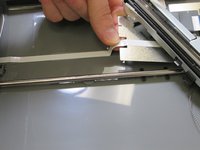
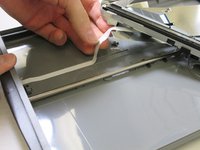
CanoScan LiDE 35 Square Port Removal

Views: 1.5K

View statistics:

Past 24 Hours:
2
Past 7 Days:
16
Past 30 Days:
97
All Time:
1,523
Comments: 0

No one has left comments on this guide. Will you be first?

Go to guide comments
Completed: 0

No one has marked this guide "completed." Will you be the first?

Favorites: 0

No one has favorited (and subscribed to) this guide. Will you be the first?

Time Required: 20 - 30 minutes
Difficulty: Easy
Incorrect Tools

Help make this guide better by using the correct tools in images and/or text.

CanoScan LiDE 35 Square Port Removal

Introduction

Go to step 1 ↓

If your CanoScan LiDE 35s scanner square port doesn’t work and needs to be removed, this guide is for you. In seven simple steps this guide will visually show you what parts need to be removed and how to remove them. At the end of this guide you will have removed the square port yourself. A screwdriver is needed for this removal.

What you need

Tools

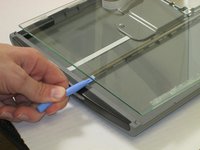
    1. CanoScan LiDE 35 Square Port Removal, Scanner Glass: step 1, image 1 of 3 CanoScan LiDE 35 Square Port Removal, Scanner Glass: step 1, image 2 of 3 CanoScan LiDE 35 Square Port Removal, Scanner Glass: step 1, image 3 of 3
      • Slide plastic opening tool under the plastic.

      • Gently pry the plastic framing off the glass.

      • Repeat on the other side.

      Ask FixBot

      Add Comment

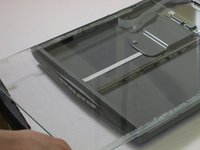
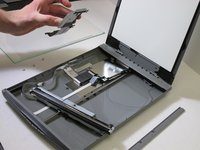
    2. CanoScan LiDE 35 Square Port Removal: step 2, image 1 of 2 CanoScan LiDE 35 Square Port Removal: step 2, image 2 of 2
      • Remove the front plastic frame.

      Ask FixBot

      Add Comment

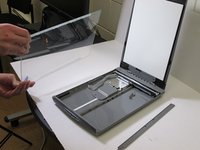
    3. CanoScan LiDE 35 Square Port Removal: step 3, image 1 of 3 CanoScan LiDE 35 Square Port Removal: step 3, image 2 of 3 CanoScan LiDE 35 Square Port Removal: step 3, image 3 of 3
      • Wedge the plastic opening tool under the glass.

      • Pull up against glass.

      • Slide the glass forward.

      • Remove the glass.

      Ask FixBot

      Add Comment

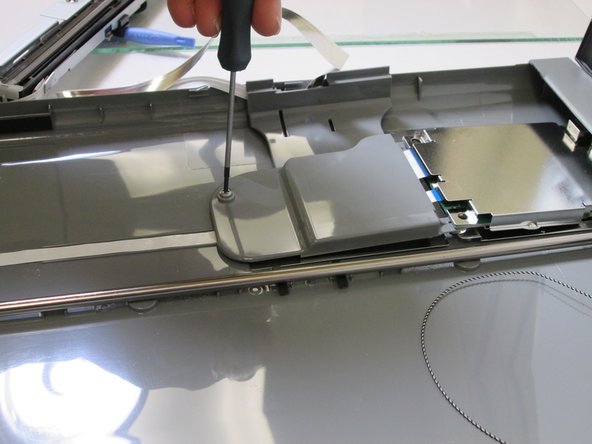
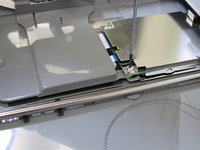
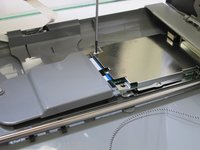
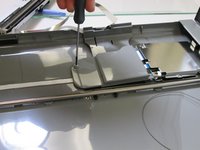
    1. CanoScan LiDE 35 Square Port Removal, Square Port: step 4, image 1 of 3 CanoScan LiDE 35 Square Port Removal, Square Port: step 4, image 2 of 3 CanoScan LiDE 35 Square Port Removal, Square Port: step 4, image 3 of 3
      • Locate three screws on the grey shell.

      • Unscrew the three screws.

      • Separate the grey shell from case.

      Ask FixBot

      Add Comment

    2. CanoScan LiDE 35 Square Port Removal: step 5, image 1 of 3 CanoScan LiDE 35 Square Port Removal: step 5, image 2 of 3 CanoScan LiDE 35 Square Port Removal: step 5, image 3 of 3
      • Separate the grey shell from square port.

      Ask FixBot

      Add Comment

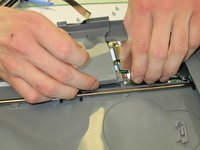
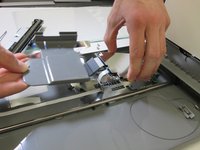
    3. CanoScan LiDE 35 Square Port Removal: step 6, image 1 of 3 CanoScan LiDE 35 Square Port Removal: step 6, image 2 of 3 CanoScan LiDE 35 Square Port Removal: step 6, image 3 of 3
      • Locate the ribbon cable on casing.

      • Remove the ribbon cable on casing.

      Ask FixBot

      Add Comment

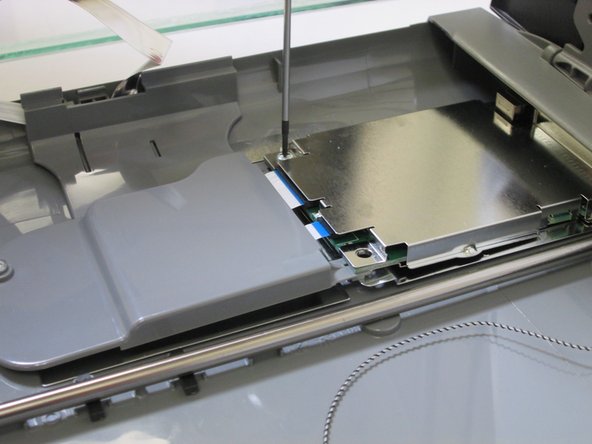
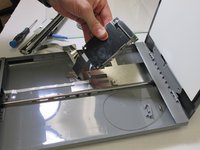
    4. CanoScan LiDE 35 Square Port Removal: step 7, image 1 of 1
      • Once the ribbon cable is removed, locate the square port.

      • Remove the square port.

      Ask FixBot

      Add Comment

Conclusion

To reassemble your device, follow these instructions in reverse order.

Cancel: I did not complete this guide.

Shannon

Member since: 10/28/13

364 Reputation

2 Guides authored

Team

Clemson, Team 1-89, Diaz Fall 2013 Member of Clemson, Team 1-89, Diaz Fall 2013

CLEM-DIAZ-F13S1G89

1 Member

24 Guides authored

0 Guide Comments

Add Comment

View Statistics:

Past 24 Hours: 2

Past 7 Days: 16

Past 30 Days: 97

All Time: 1,523