Introduction
A guide for cleaning the charging port.
If your CAT S48c is not charging, a dirty charging port may be the issue. This guide will give you steps and methods to clean out a dirty charging port.
Some symptoms are:
- Not charging
- Flickering from charging to not charging
- Having to angle your charging cord
Your charging cord could be the problem so test it out on different devices.
Ensure your charging cord can handle the voltage needed for charging the phone.
A charging port does come with the motherboard, and if you're not adept to soldering, a motherboard replacement may be the only option for you. The guide can be found here.
What you need
-
-
-
Use tweezers or a small pick to rustle out the debris built up.
 Ask FixBot
-
-
-
-
Use a cotton swab dampened with isopropyl alcohol and brush it in the charging port.
-
-

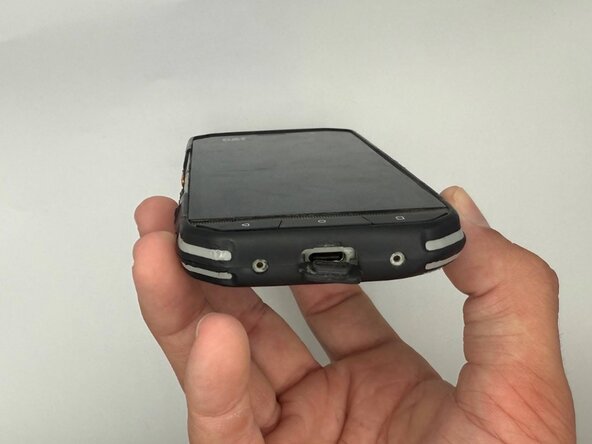

If the port is still not working you may need a replacement.

Team

University of North Texas, Team 6-7, Kilpatrick Fall 2025 Member of University of North Texas, Team 6-7, Kilpatrick Fall 2025
UNT-KILPATRICK-F25S6G7
4 Members
60 Guides authored
