Introduction
If your CASIO fx-300 MS scientific calculator is not functioning, it may be time to replace the battery.
After so many hours of use, the battery will come to the end of its lifespan. It is also possible that the battery is faulty or damaged. This can be a hindrance and hazard as you would have to buy a new calculator or face the threat of chemical burns from alkaline residue.
Follow each step with caution if you want replace the battery for your CASIO fx-300 MS calculator.
What you need
-
-
-
Flip the calculator so the back of the device is facing up.
-
Use a Phillips #0 screwdriver to remove the six 5 mm screws.
-
-
-
-
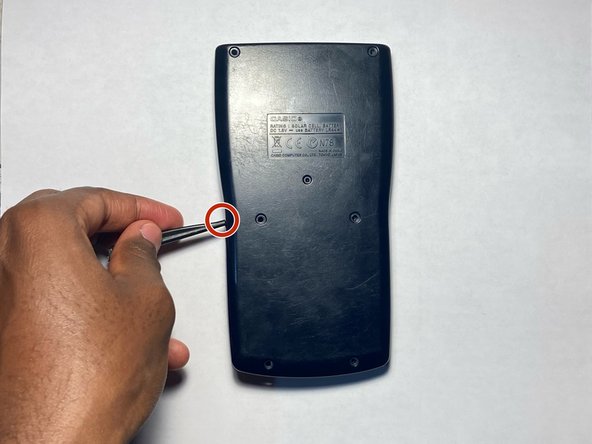
Use a spudger to pry the back case from the calculator.
-
Gently work your way around the edge of the calculator to release any clips before separating the two halves.
-
-
-
Reassemble the calculator and replace the 5 mm Phillips #0 screws.
-
Press the ON button to verify that the replacement was successful.
-


 Ask FixBot




To reassemble your device, follow these instructions in reverse order.
Cancel: I did not complete this guide.
One other person completed this guide.

Team

York University, Team 1-29, O'Regan Fall 2023 Member of York University, Team 1-29, O'Regan Fall 2023
YORK-O'REGAN-F23S1G29
1 Member
12 Guides authored
