
Brother PT-1010 Battery Replacement

Haley Sweet and 3 other contributors
Last updated on Jan 7, 2015
Views: 5.5K
View statistics:
- Past 24 Hours:
- 2
- Past 7 Days:
- 22
- Past 30 Days:
- 93
- All Time:
- 5,485
Comments: 0
No one has left comments on this guide. Will you be first?
Go to guide commentsCompleted: 1 2
1 person has marked this guide "completed." Will you be next?
2 people have marked this guide "completed." Including you — great job!
Favorites: 0 1
No one has favorited (and subscribed to) this guide. Will you be the first?
1 person has favorited (and subscribed to) this guide — and that's you!
Introduction
Go to step 1 ↓The Brother PT-1010 requires 6-AAA batteries. The batteries are organized in two layers one on top of the other. This guide will inform you on proper battery replacement.
-
-
-
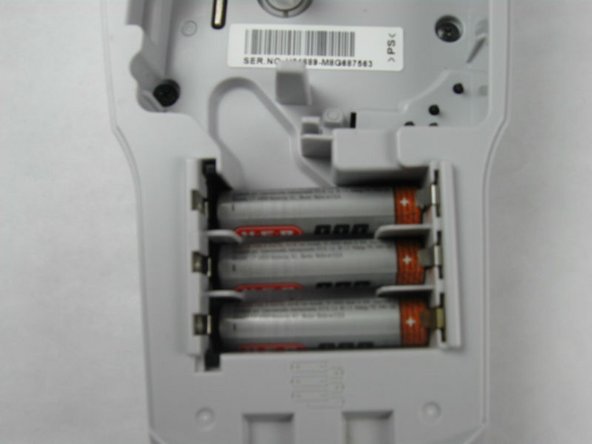
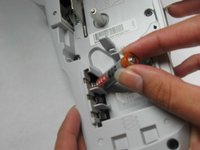
Remove dead batteries one at a time by pulling up on the side indicated with a + symbol.
-
-
-
Insert the first battery with the flat side (indicated by a - symbol on the battery) facing to the left of the battery compartment.
-
Do the same thing to insert the next 2 batteries.
-
-
-
The next 3 batteries will be inserted on top of the others.
-
Insert the 4th battery with the flat side (indicated by the - symbol on the battery) facing to the right of the battery compartment.
-
-

 Ask FixBot




To reassemble your device, follow these instructions in reverse order.
Cancel: I did not complete this guide.
One other person completed this guide.

Team

Baylor, Team 4-4, Williams Fall 2014 Member of Baylor, Team 4-4, Williams Fall 2014
BU-WILLIAMS-F14S4G4
4 Members
48 Guides authored
