Free Shipping on Domestic Orders $75+

Brother MFC-490CW Wireless module Replacement

Views: 2.7K

View statistics:

Past 24 Hours:
2
Past 7 Days:
16
Past 30 Days:
92
All Time:
2,685
Comments: 0

No one has left comments on this guide. Will you be first?

Go to guide comments
Completed: 0

No one has marked this guide "completed." Will you be the first?

Favorites: 1

1 person has favorited (and subscribed to) this guide. Will you be next?

Time Required: 2 minutes
Difficulty: Easy
Brother MFC-490CW Wireless module Replacement

Introduction

Go to step 1 ↓

Before you begin, make absolutely sure that you need to actually replace this module. Here are some solutions to common wireless networking problems

If all else fails, continue with this guide.

What you need

Tools

    1. Brother MFC-490CW Wireless module Replacement, Remove screws holding the front panel: step 1, image 1 of 1
      • Use a Phillips #2 screwdriver to remove the three 12.1 mm screws holding the control panel in place.

      Ask FixBot

      Add Comment

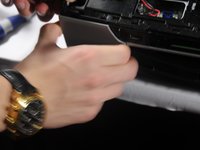
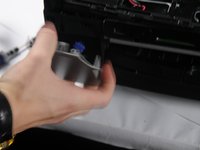
    2. Brother MFC-490CW Wireless module Replacement, Unplug the panel from the rest of the printer: step 2, image 1 of 3 Brother MFC-490CW Wireless module Replacement, Unplug the panel from the rest of the printer: step 2, image 2 of 3 Brother MFC-490CW Wireless module Replacement, Unplug the panel from the rest of the printer: step 2, image 3 of 3
      • Lift up the front panel from the device.

      • Gently lift up and disconnect the data cables that attach the panel to the printer.

      Ask FixBot

      Add Comment

    1. Brother MFC-490CW Wireless module Replacement, Remove the screw: step 3, image 1 of 1
      • Unscrew the 14.1mm screw located at the left side of the device.

      • Unscrew the 12.1mm screw to the right of the 14.1mm screw.

      Ask FixBot

      Add Comment

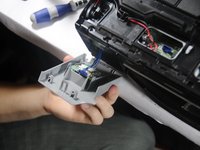
    2. Brother MFC-490CW Wireless module Replacement: step 4, image 1 of 3 Brother MFC-490CW Wireless module Replacement: step 4, image 2 of 3 Brother MFC-490CW Wireless module Replacement: step 4, image 3 of 3
      • Pry open the left front panel away from the printer

      • Be careful. The panel is attached with a data cable.

      Ask FixBot

      Add Comment

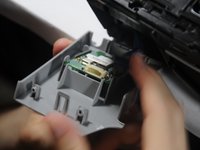
    3. Brother MFC-490CW Wireless module Replacement: step 5, image 1 of 2 Brother MFC-490CW Wireless module Replacement: step 5, image 2 of 2
      • Carefully unplug the connector attached to the device.

      Ask FixBot

      Add Comment

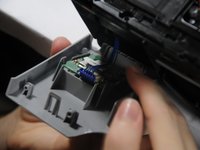
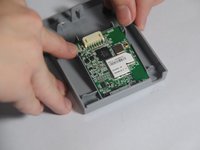
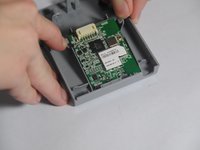
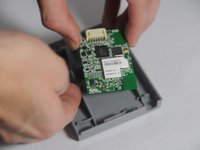
    4. Brother MFC-490CW Wireless module Replacement, Remove the module from the panel: step 6, image 1 of 3 Brother MFC-490CW Wireless module Replacement, Remove the module from the panel: step 6, image 2 of 3 Brother MFC-490CW Wireless module Replacement, Remove the module from the panel: step 6, image 3 of 3
      • Separate the two clips that hold the module in place.

      • Lift up the module.

      Ask FixBot

      Add Comment

Conclusion

To reassemble your wireless module, follow these instructions in reverse order.

Cancel: I did not complete this guide.

Matt

Member since: 10/30/14

64 Reputation

2 Guides authored

Team

UMass Dartmouth, Team 4-4, Miles Fall 2014 Member of UMass Dartmouth, Team 4-4, Miles Fall 2014

UMASSD-MILES-F14S4G4

3 Members

60 Guides authored

0 Guide Comments

Add Comment

View Statistics:

Past 24 Hours: 2

Past 7 Days: 16

Past 30 Days: 92

All Time: 2,685