What you need
-
-
The bottom cover is simply glued in place. Use a flat tip screwdriver to lift a corner and then peel it off the bottom.
-
Use small flat tip screwdriver to pry 4 screw hole covers out.
-
-
-
-
User #1 Phillips screwdriver to remove 4 screws from the bottom.
-
-
-
The bottom cover should come right off when you pull on it.
-
You should see the battery now.
-
-
-
Remove the tape holding the battery in place.
-
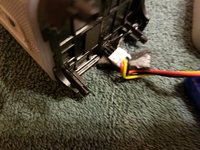
Unplug the battery by pulling apart white plastic connectors.
-
-
-
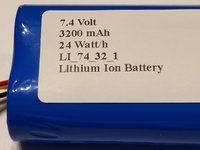
Connect new battery
-
The easiest way to fit the battery, is to put it into the bottom cover first and then put the cover back on the unit.
-
The bottom cover will go on one way only - Brookstone logo facing the front.
-


 Ask FixBot


To reassemble your device, follow these instructions in reverse order.
Cancel: I did not complete this guide.
4 other people completed this guide.

4 Guide Comments
any tips on removing metal screen to access inside? The charging socket broke on my speaker. Trying to replace plug socket.
Do you know where I can buy the battery? If the battery is out of service is it possible to use the speaker plugged? I want to know if the problem of my speaker is the battery or not. When I plug it the charging light blinks (red) and when I pair it with my phone it last working just a couple of seconds and then turn of despite is plugged.
You can make your own battery of 2x 18650, I prefer you use a spot welder ( please copy carefully the wiring). I did mine and it worked fine... just remember when you plug in the new battery, it won't work right away even it is fully charged, you need to plug it in for 1 min to power to let the BMS controller know there is the power source
