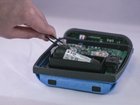
Bose SoundLink Color Battery Replacement

Michael Thorn and 10 other contributors
Last updated on May 7, 2024
Views: 233K
View statistics:
- Past 24 Hours:
- 28
- Past 7 Days:
- 188
- Past 30 Days:
- 988
- All Time:
- 232,942
Comments: 144
78 comments on steps, 66 guide comments.
Go to guide commentsCompleted: 103 104
103 people have marked this guide "completed." Will you be next?
104 people have marked this guide "completed." Including you — great job!
Favorites: 11 12
11 people have favorited (and subscribed to) this guide. Will you be next?
12 people have favorited (and subscribed to) this guide — including you!
Introduction
Go to step 1 ↓The SoundLink Color's battery is known to lose charge after a few months of usage. This guide will show, step by step, how to take apart the device and replace the battery.
What you need
Parts
Tools
-
-
Tamper Resistant TORX Plus TR Bit (TORX PLUS IPR)Affiliate linkAvailable for sale on Amazon
10.99 https://www.amazon.com/gp/product/B07TN64T87/ref=ewc_pr_img_1?smid=A1H4ZQCA8SVP2I&th=1
-
-


-
-
-
Tool used on this step:Tweezers$4.99
-
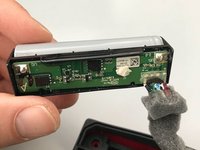
Carefully remove the battery using a pair of tweezers.
-
Lift the inner assembly from the outer casing.
-
-
-
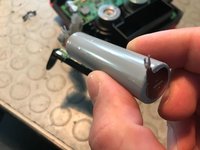
Partially cut the battery cover on the side paying attention to do not damage the circuit or the battery. Cut the cover just enough to remove it, try to not damage it too much as it is going to be reused.
-
-
-
-
I opted for a Panasonic NCR18650B, choose the version with solder tabs, otherwise it will be a pain to solder wires on the battery and you'll probably go out from the factory dimensions. From the benchmarks it looks like a very good battery, time will tell.
-
Fit the new battery, cut the leads to the needed length, pay attention to polarity. You may need to enlarge leads holes in the plastic case with a cutter to let standard battery leads thru.
-
-
-
Put back the sponge cover, it is necessary to avoid vibrations and to keep the thing firmly in place.
-
-


 Ask FixBot


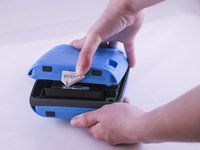
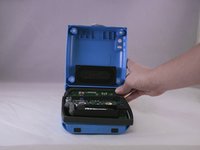


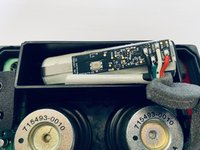


To reassemble your device, follow these instructions in reverse order.
Cancel: I did not complete this guide.
103 other people completed this guide.

Team

Eastern Washington University, Team 1-4, Giguere Spring 2016 Member of Eastern Washington University, Team 1-4, Giguere Spring 2016
EWU-GIGUERE-S16S1G4
5 Members
48 Guides authored
66 Guide Comments
Any recommendations where to pick up/order a replacement battery from?
See the link in the description, it is available thru Amazon
Mine still works fine, but I'd like to know like the others here where to get a battery that will work as a replacement.
