Introduction
This is a step-by-step guide to replacing the indicator light on a Bose Solo 5 Sound Bar (Model # 732522-1110). The Indicator light on this speaker will show when the system is on, and shows the status of the system when in operation. The repair process is classified as a moderate difficulty, and does not require any specialized skills.
What you need
-
-
-
Lay the Bose Solo 5 on its side, with the speakers facing away from you. This orientation will result in the bottom of the speaker facing upwards.
 Ask FixBot
-
-
-
Gently remove the gold plates and the snap connector from the circuit board by pulling it apart.
-
-
-
-
Using the plastic opening tool, slightly lift the circuit board up and remove it from the housing.
-
-
-
Disconnect the cords running to the white connector by pulling upon the tab until it is disconnected completely.
-
-
-
Locate the two clear LED receptors and note that one has two prongs and the other has three prongs.
-
-
-
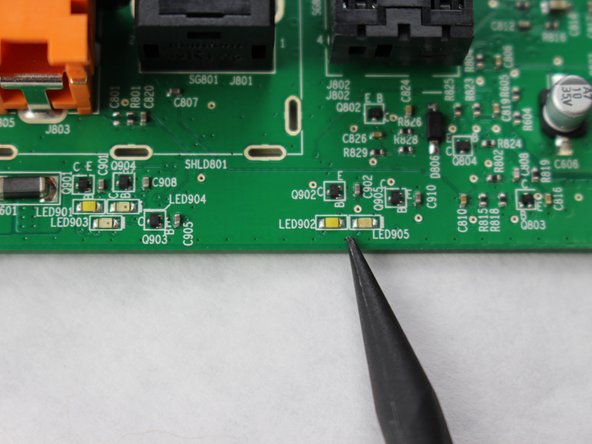
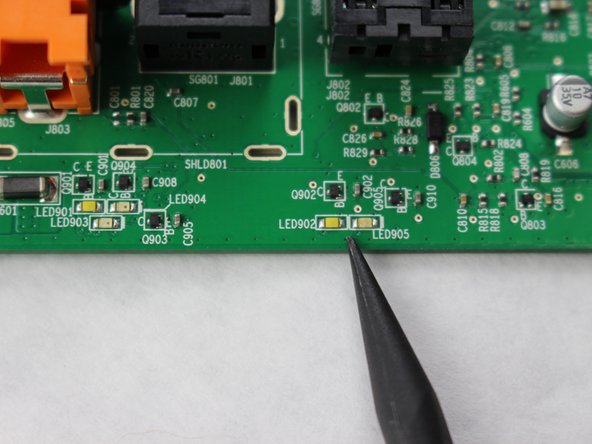
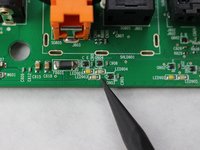
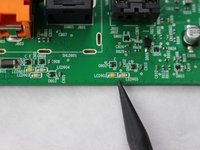
Locate on the back of the control panel where it states LED 902, 903, 904, and 905.
-
-
-
If there is any debris located in these locations, use the spudger tool to thoroughly clean the area.
-
-



To reassemble the sound bar, follow the steps listed above in reverse order.
Cancel: I did not complete this guide.
One other person completed this guide.

Team

Sam Houston State, Team S15-G7, Blackburne Fall 2018 Member of Sam Houston State, Team S15-G7, Blackburne Fall 2018
SHSU-BLACKBURNE-F18S15G7
2 Members
48 Guides authored
