Introduction
The speaker mesh on the Bose AE2w headphones can collect dust, tear, or become dislodged over time. This guide walks you through replacing the mesh to protect the internal speakers and maintain sound quality. A fresh mesh helps keep your headphones clean and functional.
What you need
-
-
-
Carefully pull the cushions away from the sides of the headphones, sliding the cushions out from under the notches.
 Ask FixBot
-
-
-
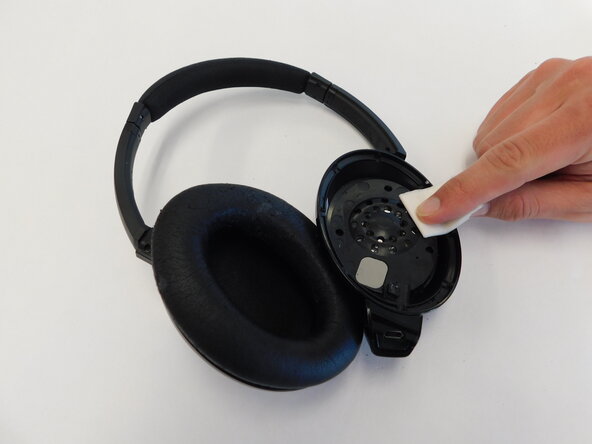
Carefully wipe the inside of the earpiece clean. This can be done with a moistened cotton swab or alcohol wipes.
-
-
-
-
-
-
Using a spudger or tweezers, carefully lift the speaker mesh from around the edge.
-
-
-
Scrape off any gunk or adhesive left over on the ear cups.
-
Use a moist cotton swab or alcohol wipe to ensure the surface is completely cleaned and ready for new adhesive.
-
-
-
Use a thin layer of fabric glue or double-sided tape around the perimeter of the speaker housing.
-
-
-
Gently place the new mesh over the speaker opening, pressing it down onto the adhesive.
-
Wait for adhesive to dry if applicable.
-
-

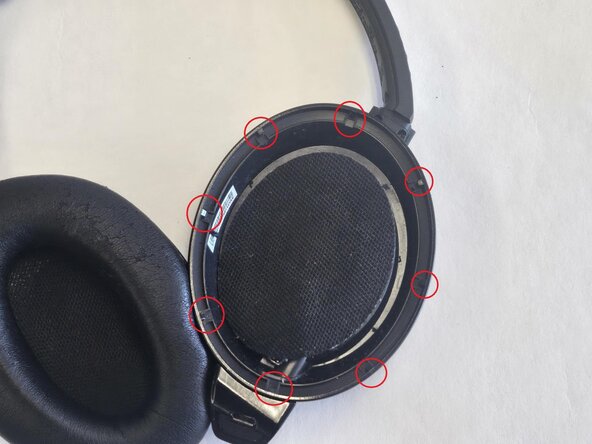


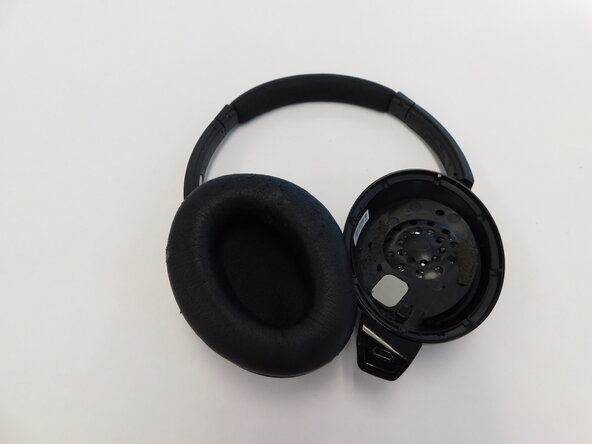



To reassemble your device, simply reinsert the earpiece cushions into the earcup, ensuring the cushion is securely nested under the retaining notches.

Team

UMass Dartmouth, Team 5-4, Biswokarma Spring 2025 Member of UMass Dartmouth, Team 5-4, Biswokarma Spring 2025
UMASSD-BISWOKARMA-S25S5G4
4 Members
60 Guides authored
