Introduction
Use this guide to remove the battery from your Blu Studio Selfie. Before starting this guide, check to make sure you have the required tools and that your phone is powered off.
What you need
-
-
-
Turn the front of the phone away from you.
-
Run your fingers along the sides of the phone to identify where the case can be pulled apart.
 Ask FixBot
-
-
-
-
Insert the flat end of your plastic opening into the crevice you found along the side of the phone.
-
Gently apply pressure until you feel the back case pop free of the phone.
-
Continue the previous two steps around the rest of the phone until the case is fully removed.
-
-
-
-
-
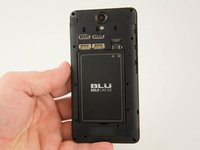
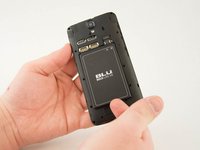
Identify the crevice at the bottom of the battery.
-
Gently lift the battery free of the phone.
-
-


To reassemble your device, follow these instructions in reverse order.
Cancel: I did not complete this guide.
One other person completed this guide.

Team

USF Tampa, Team 10-1, Remmell Spring 2016 Member of USF Tampa, Team 10-1, Remmell Spring 2016
USFT-REMMELL-S16S10G1
4 Members
72 Guides authored
