
Blink Video Doorbell LED Light Replacement

Kayla Crai and 4 other contributors
Last updated on Jan 3, 2025
Views: 488
View statistics:
- Past 24 Hours:
- 3
- Past 7 Days:
- 11
- Past 30 Days:
- 62
- All Time:
- 488
Comments: 1
1 comment on steps.
Completed: 0 1
No one has marked this guide "completed." Will you be the first?
1 person has marked this guide "completed." It's you — great job!
Favorites: 0 1
No one has favorited (and subscribed to) this guide. Will you be the first?
1 person has favorited (and subscribed to) this guide — and that's you!
Introduction
Go to step 1 ↓The Blink Video Doorbell is a doorbell to provide extra security to your residence by giving you an accessible view whenever necessary. The lens is an added-on part of the device. It allows you to have a consistent, controllable, and color-accurate light source. Refer to the troubleshooting page if there are issues with the LED lights which could be connected to causes such as battery failure, software failure, and a frozen screen. If you need to take out the LEDs, use this guide to remove and replace the LEDs.
What you need
Tools


-
-
-
Push the opening key into the small opening with the two gray buttons on the bottom of the device.
-
Push the device up from the mount and slide it off.
 Ask FixBot
-
-
-
Use your finger to slide the gray tab, located near the bottom of the device, upwards.
-
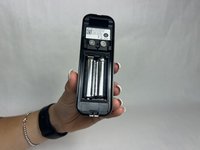
Remove the battery cover.
-
-
-
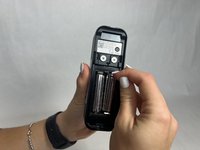
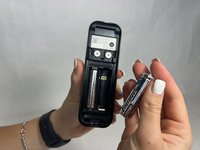
Remove the right battery by pushing the positive end down and pulling the battery out toward yourself.
-
Repeat the procedure for the left battery.
-
-
-
-
-
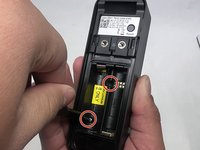
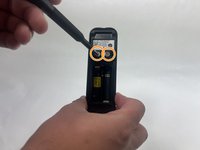
Remove the two 6 mm screws in the battery compartment using a JIS #1 screwdriver.
-
Remove the two 7 mm screws above the battery compartment using a JIS #1 screwdriver.
-
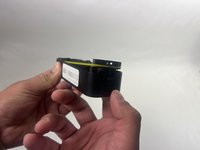
Starting from the bottom of the device, pry the back plate away from the rest of the doorbell.
-
-
-
-
-
-
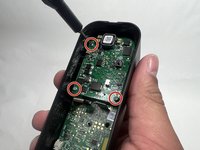
Remove the three 6 mm screws from the upper part of the motherboard using a JIS #1 screwdriver.
-
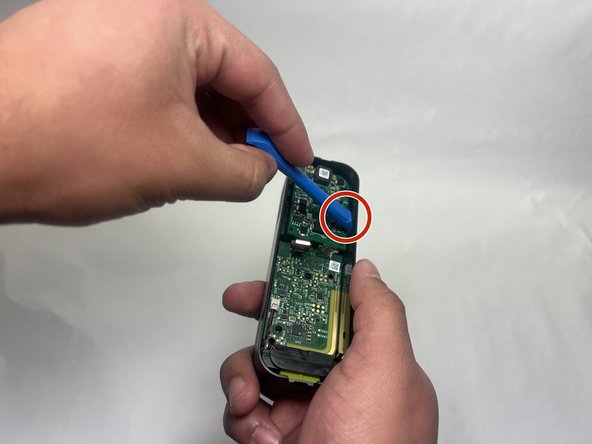
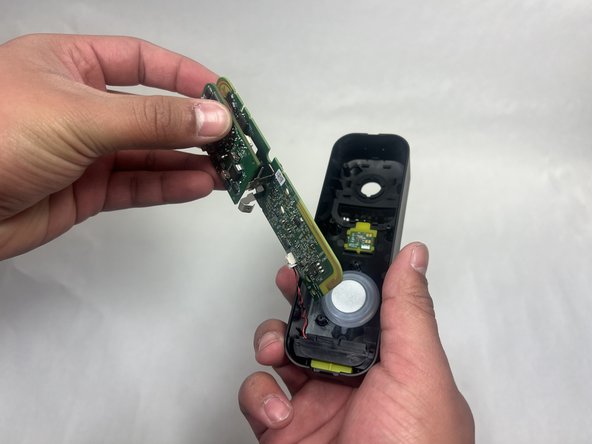
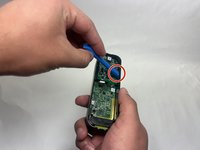
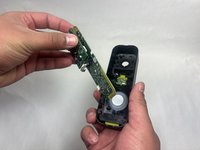
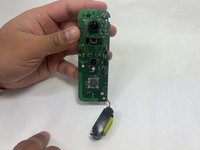
Use an opening tool to release the motherboard from the device.
-
-







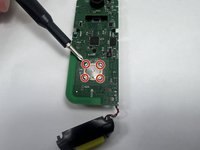
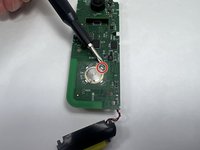
To reassemble your device, follow these instructions in reverse order.

Team

UMass Dartmouth, Team 1-1, Konn Fall 2024 Member of UMass Dartmouth, Team 1-1, Konn Fall 2024
UMASSD-KONN-F24S1G1
4 Members
60 Guides authored
