Free Shipping on Domestic Orders $75+

Blink Video Doorbell Back Panel Replacement

What you need

  1. Blink Video Doorbell Back Panel Replacement, Battery: step 1, image 1 of 3 Blink Video Doorbell Back Panel Replacement, Battery: step 1, image 2 of 3 Blink Video Doorbell Back Panel Replacement, Battery: step 1, image 3 of 3
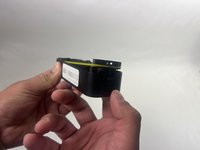
    • Push the opening key into the small opening with the two gray buttons on the bottom of the device.

    • The device will click off the mount.

    • Push the device up from the mount and slide it off.

    Ask FixBot

    Add Comment

  2. Blink Video Doorbell Back Panel Replacement: step 2, image 1 of 3 Blink Video Doorbell Back Panel Replacement: step 2, image 2 of 3 Blink Video Doorbell Back Panel Replacement: step 2, image 3 of 3
    • Use your finger to slide the gray tab, located near the bottom of the device, upwards.

    • Remove the battery cover.

    Ask FixBot

    Add Comment

  3. Blink Video Doorbell Back Panel Replacement: step 3, image 1 of 3 Blink Video Doorbell Back Panel Replacement: step 3, image 2 of 3 Blink Video Doorbell Back Panel Replacement: step 3, image 3 of 3
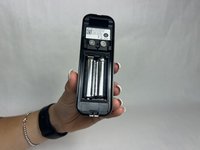
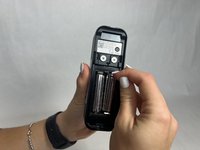
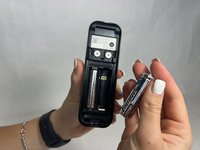
    • Remove the right battery by pushing the positive end down and pulling the battery out toward yourself.

    • Repeat the procedure for the left battery.

    • Do not mix used and new batteries or batteries of different types (for example, lithium and alkaline batteries).

    Ask FixBot

    Add Comment

  4. Blink Video Doorbell Back Panel Replacement, Back Panel: step 4, image 1 of 3 Blink Video Doorbell Back Panel Replacement, Back Panel: step 4, image 2 of 3 Blink Video Doorbell Back Panel Replacement, Back Panel: step 4, image 3 of 3
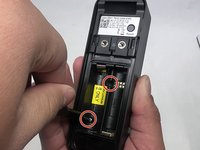
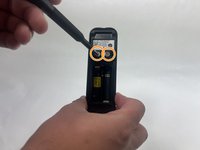
    • Remove the two 6 mm screws in the battery compartment using a JIS #1 screwdriver.

    • Remove the two 7 mm screws above the battery compartment using a JIS #1 screwdriver.

    • Starting from the bottom of the device, pry the back plate away from the rest of the doorbell.

    Ask FixBot

    Add Comment

Conclusion

To reassemble your device, follow these instructions in reverse order.

Cancel: I did not complete this guide.

Kristen Gismondi

Member since: 11/12/14

107,689 Reputation

270 Guides authored

Team

iFixit Member of iFixit

Staff

122 Members

27,554 Guides authored

0 Guide Comments

Add Comment

View Statistics:

Past 24 Hours: 0

Past 7 Days: 141

Past 30 Days: 221

All Time: 1,039