Free Shipping on Domestic Orders $75+

Blackberry Torch 9810 Cursor Key Replacement

Views: 2K

View statistics:

Past 24 Hours:
2
Past 7 Days:
10
Past 30 Days:
74
All Time:
1,970
Comments: 0

No one has left comments on this guide. Will you be first?

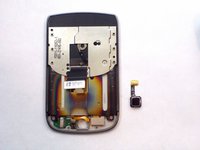
Go to guide comments
Completed: 2

2 people have marked this guide "completed." Will you be next?

Favorites: 2

2 people have favorited (and subscribed to) this guide. Will you be next?

Time Required: 30 minutes
Difficulty: Moderate
Slice and Dice

The steps in this guide should be split up and made into a series of prerequisite guides.

Better Introduction

Improve this guide by completing or revising its introduction.

Blackberry Torch 9810 Cursor Key Replacement

What you need

Tools

    1. Blackberry Torch 9810 Cursor Key Replacement, Phone cover: step 1, image 1 of 2 Blackberry Torch 9810 Cursor Key Replacement, Phone cover: step 1, image 2 of 2
      • Remove the back cover of the phone

      Ask FixBot

      Add Comment

    2. Blackberry Torch 9810 Cursor Key Replacement, Battery: step 2, image 1 of 1
      • Remove the battery

      Ask FixBot

      Add Comment

    3. Blackberry Torch 9810 Cursor Key Replacement, Remove screws: step 3, image 1 of 1
      • Unscrew the four screws using the T6 screw driver.

      • If you remove the screw in red, you void the warranty!

      Ask FixBot

      Add Comment

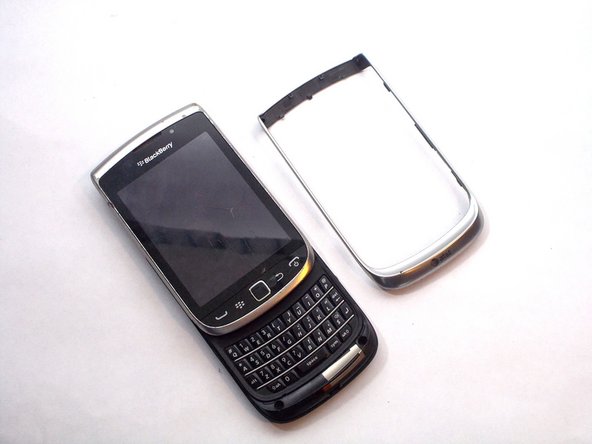
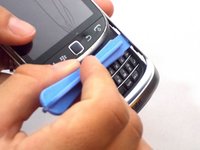
    4. Blackberry Torch 9810 Cursor Key Replacement, Wiggle Wiggle: step 4, image 1 of 2 Blackberry Torch 9810 Cursor Key Replacement, Wiggle Wiggle: step 4, image 2 of 2
      • Slide the screen up.

      • Remove front silver trim by using a plastic opening tools and wiggle it off.

      • This is difficult to remove, but it should come off if you do it with caution.

      Ask FixBot

      Add Comment

    5. Blackberry Torch 9810 Cursor Key Replacement, More screws that need to go: step 5, image 1 of 1
      • Once you remove the rim cover, you should find two more screws on the top. Unscrew them with a T-6 screw driver.

      Ask FixBot

      Add Comment

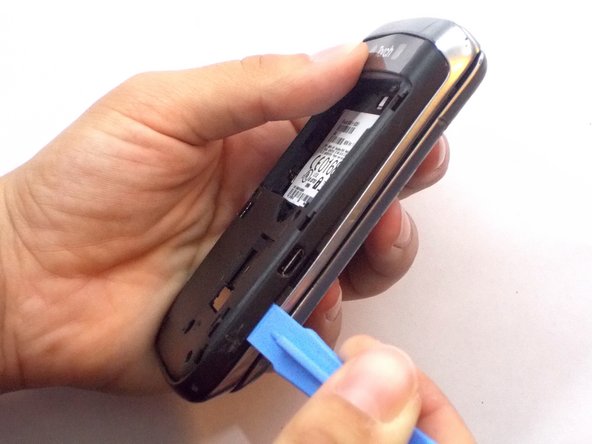
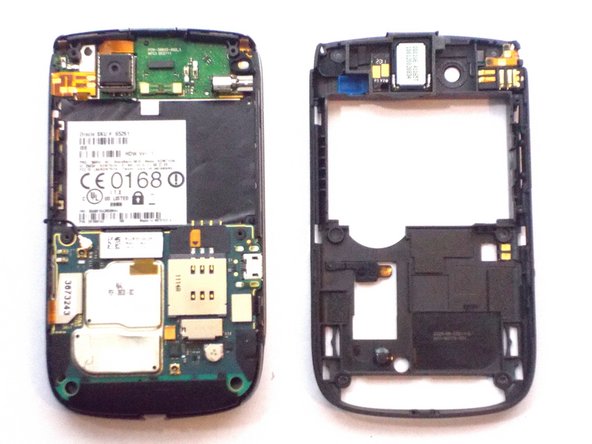
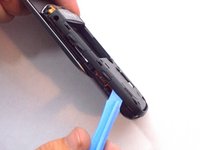
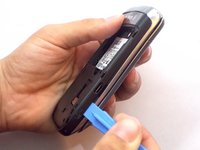
    6. Blackberry Torch 9810 Cursor Key Replacement, Remove the Back: step 6, image 1 of 3 Blackberry Torch 9810 Cursor Key Replacement, Remove the Back: step 6, image 2 of 3 Blackberry Torch 9810 Cursor Key Replacement, Remove the Back: step 6, image 3 of 3
      • Use the plastic opening tools to remove the entire back off the phone.

      Ask FixBot

      Add Comment

    7. Blackberry Torch 9810 Cursor Key Replacement, Remove Ribbon Cables: step 7, image 1 of 1
      • Remove the three ribbon cables and the antenna wire by hand.

      • The cable in red is glued to the metal cap. Peel it upwards towards the battery compartment.

      Ask FixBot

      Add Comment

    8. Blackberry Torch 9810 Cursor Key Replacement, Remove Logic Board: step 8, image 1 of 1
      • The logic board will easily pull straight out.

      Ask FixBot

      Add Comment

    9. Blackberry Torch 9810 Cursor Key Replacement, Remove Informational Sticker: step 9, image 1 of 1
      • Remove the black sticker located above the logic board that contains the phone's serial number

      Ask FixBot

      Add Comment

    10. Blackberry Torch 9810 Cursor Key Replacement, Remove More Screws: step 10, image 1 of 1
      • Behind the black sticker you should find six small yellow screws. Remove them with a T4 torx screwdriver.

      Ask FixBot

      Add Comment

    11. Blackberry Torch 9810 Cursor Key Replacement, Separate the phone: step 11, image 1 of 1
      • Carefully separate the screen from the body.

      • Make sure to be extra careful with the ribbon!

      Ask FixBot

      Add Comment

    12. Blackberry Torch 9810 Cursor Key Replacement: step 12, image 1 of 1
      • Slide the silver plate up and you should find four more screws that need to be removed. Use a T-4 screw driver.

      • They are on a black cover located on the bottom of the phone. The black cover will come off

      Ask FixBot

      Add Comment

    13. Blackberry Torch 9810 Cursor Key Replacement, Carefully Remove a Ribbion: step 13, image 1 of 1
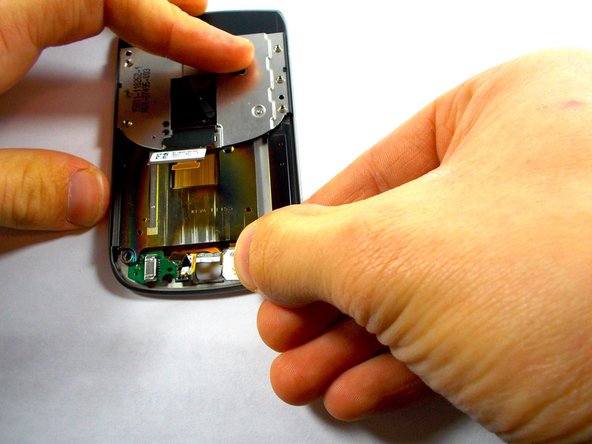
      • There is one last orange ribbon cable that needs to be pulled and behind it is the cursor

      Ask FixBot

      Add Comment

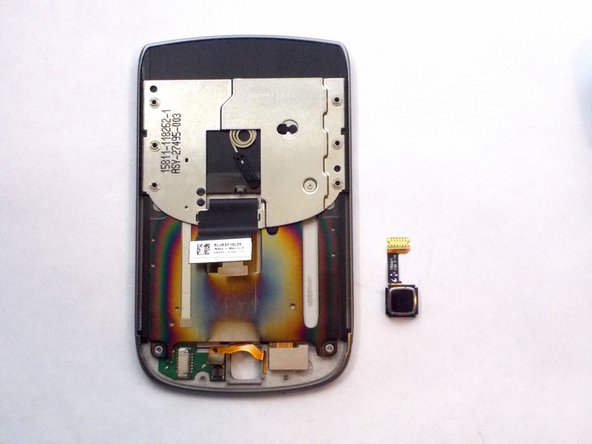
    14. Blackberry Torch 9810 Cursor Key Replacement, Cursor Key: step 14, image 1 of 3 Blackberry Torch 9810 Cursor Key Replacement, Cursor Key: step 14, image 2 of 3 Blackberry Torch 9810 Cursor Key Replacement, Cursor Key: step 14, image 3 of 3
      • Push the cursor upwards and out of the socket.

      • Gently pull out the white box by pulling straight out of the socket to the right. This is your cursor

      Ask FixBot

      Add Comment

Conclusion

To reassemble your device, follow these instructions in reverse order.

Cancel: I did not complete this guide.

2 other people completed this guide.

Jocelyn Adorno

Member since: 10/16/14

314 Reputation

4 Guides authored

Team

0 Guide Comments

Add Comment

View Statistics:

Past 24 Hours: 2

Past 7 Days: 10

Past 30 Days: 74

All Time: 1,970