Free Shipping on Domestic Orders $75+

BlackBerry Z30 Middle Frame Replacement

What you need

  1. BlackBerry Z30 Middle Frame Replacement, Battery cover: step 1, image 1 of 1
    • Remove the battery cover by grabbing the notch under the bottom speakers and lifting.

    Ask FixBot

    Add Comment

  2. BlackBerry Z30 Middle Frame Replacement, Remove SIM and Media Card: step 2, image 1 of 1
    • Remove the SIM card and the Media SD card by pushing on them.

    Ask FixBot

    Add Comment

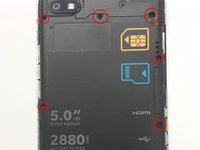
  3. BlackBerry Z30 Middle Frame Replacement, Unscrewing the LCD panel: step 3, image 1 of 3 BlackBerry Z30 Middle Frame Replacement, Unscrewing the LCD panel: step 3, image 2 of 3 BlackBerry Z30 Middle Frame Replacement, Unscrewing the LCD panel: step 3, image 3 of 3
    • Locate and unscrew all 10 T5 screws around the back cover

    Ask FixBot

    Add Comment

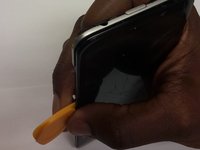
  4. BlackBerry Z30 Middle Frame Replacement, Separate the LCD from the Frame: step 4, image 1 of 2 BlackBerry Z30 Middle Frame Replacement, Separate the LCD from the Frame: step 4, image 2 of 2
    • Use Plastic opening tools to separate the LCD from the Main body

    • Do NOT remove the screen yet, it is attached with a very fragile ribbon to the main board.

    • Start on the same side of the Audio Jack

    Ask FixBot

    Add Comment

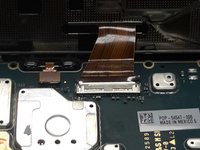
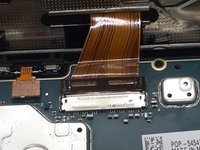
  5. BlackBerry Z30 Middle Frame Replacement, Remove the LCD: step 5, image 1 of 2 BlackBerry Z30 Middle Frame Replacement, Remove the LCD: step 5, image 2 of 2
    • Use a plastic tool to carefully switch up the LCD ribbon holder

    • Detach the LCD from the main board

    • When installing the new LCD, make sure the ribbon is inserted to the white line.

    Ask FixBot

    Add Comment

  6. BlackBerry Z30 Middle Frame Replacement, LCD Panel removal: step 6, image 1 of 1
    • You can now detach the LCD Panel from the main frame.

    Ask FixBot

    Add Comment

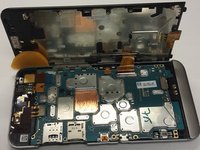
  7. BlackBerry Z30 Middle Frame Replacement, Untie the System board: step 7, image 1 of 1
    • With a plastic tool, untie the system board by detaching the ribbons attached to it

    • The battery ribbon is on the bottom right

    • Be gentle when detaching these Ribbons as they are very easy to tear and damage.

    Ask FixBot

    Add Comment

  8. BlackBerry Z30 Middle Frame Replacement, Untie the System board Part 2: step 8, image 1 of 1
    • Be gentle as any other system board ribbons, they are very easy to damage

    Ask FixBot

    Add Comment

  9. BlackBerry Z30 Middle Frame Replacement, Untie the system board Part 3: step 9, image 1 of 1
    • Power Button /Audio Jack

    • Flash

    • Rear Facing Camera

    Ask FixBot

    Add Comment

  10. BlackBerry Z30 Middle Frame Replacement, System board removal: step 10, image 1 of 1
    • Once all Ribbons untied, gently wiggle the system board out of the frame

    • Do not pull hard as there might be a ribbon on the way

    Ask FixBot

    Add Comment

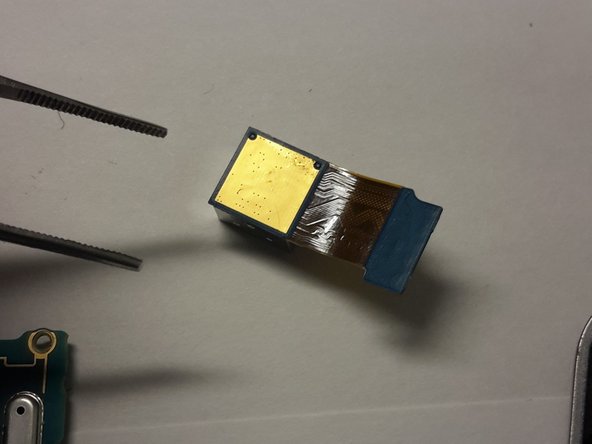
  11. BlackBerry Z30 Middle Frame Replacement, Remove the Rear Camera: step 11, image 1 of 2 BlackBerry Z30 Middle Frame Replacement, Remove the Rear Camera: step 11, image 2 of 2
    • Use a pair of pliers to remove the rear facing camera

    Ask FixBot

    Add Comment

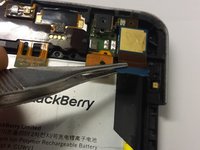
  12. BlackBerry Z30 Middle Frame Replacement, Remove the Battery: step 12, image 1 of 3 BlackBerry Z30 Middle Frame Replacement, Remove the Battery: step 12, image 2 of 3 BlackBerry Z30 Middle Frame Replacement, Remove the Battery: step 12, image 3 of 3
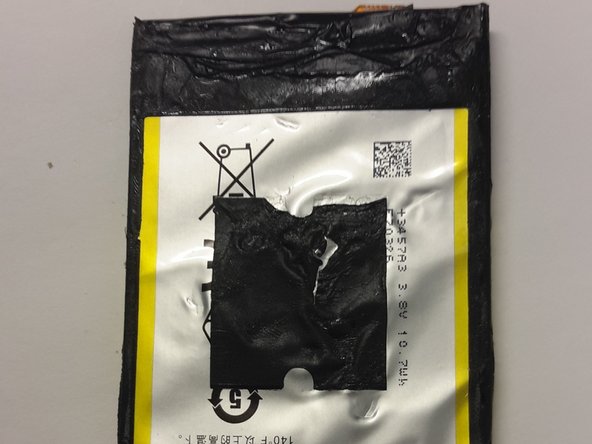
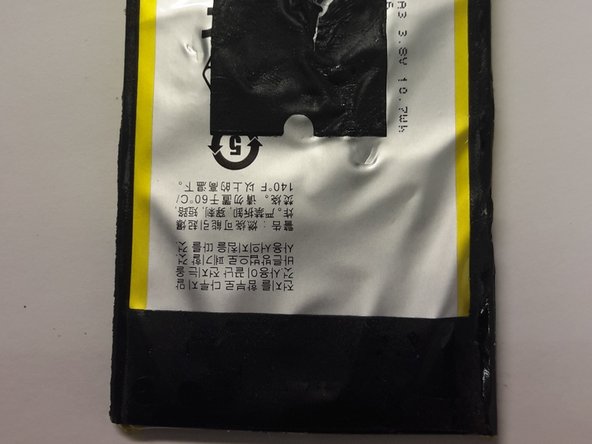
    • If this is the original battery, it might be hold down by VERY strong adhesive on the top, middle and bottom part. Be careful not to damage the battery

    • As pointed in the comments, be careful about the NFC membrane when removing the battery. Use heat to loosen the glue.

    Ask FixBot

    Add Comment

  13. BlackBerry Z30 Middle Frame Replacement, Replace the Middle Frame: step 13, image 1 of 1
    • Re-Assemble the unit using the new middle frame.

    Ask FixBot

    Add Comment

Conclusion

To reassemble your device, follow these instructions in reverse order.

Cancel: I did not complete this guide.

4 other people completed this guide.

Hans

Member since: 10/20/14

1,938 Reputation

6 Guides authored

0 Guide Comments

Add Comment

View Statistics:

Past 24 Hours: 0

Past 7 Days: 2

Past 30 Days: 35

All Time: 4,201