
BlackBerry Pearl 8100 Keyboard Replacement

Robert Cronin and 5 other contributors
Last updated on Jul 9, 2026
Views: 6.1K
View statistics:
- Past 24 Hours:
- 12
- Past 7 Days:
- 29
- Past 30 Days:
- 97
- All Time:
- 6,067
Comments: 0
No one has left comments on this guide. Will you be first?
Go to guide commentsCompleted: 1 2
1 person has marked this guide "completed." Will you be next?
2 people have marked this guide "completed." Including you — great job!
Favorites: 1 2
1 person has favorited (and subscribed to) this guide. Will you be next?
2 people have favorited (and subscribed to) this guide — including you!
Action Shots
Be an action hero! This guide needs images that better demonstrate how to perform specific actions.
Introduction
Go to step 1 ↓Follow this guide to install the keyboard in the Blackberry Pearl 8100.
What you need
Tools
-
-
Spudger4.9


-
-
-
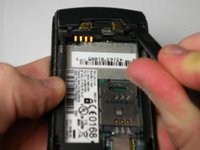
Begin by removing the back panel; this can be done by pressing the silver button on the backside of the Blackberry 8100, while simultaneously sliding the back panel off.
 Ask FixBot
-
-
-
-
-
Using a 1.5 mm Hex screwdriver, remove the two screws that hold the two panels together.
-
-
-
-
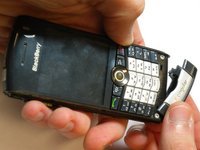
Using the spudger, pry off the small portion of the casing located at the bottom of the phone.
-
-
-
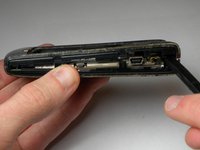
Using the spudger, pry off the side casings one at a time by wedging it between the inner casing and the sides.
-
-
-
Using a 1.5mm Hex screwdriver, unscrew the two screws, located on the front of the phone, that connect the back and front panels.
-
-
-
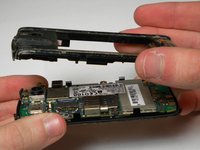
Using the spudger, pry off the back body panel by wedging the spudger in between the front and back panels on the side face. Remove the back body panel.
-
-






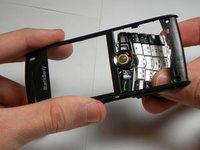
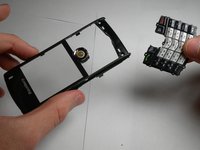
To reassemble your device, follow these instructions in reverse order.
Cancel: I did not complete this guide.
One other person completed this guide.

Team

Cal Poly, Team 34-57, Forte Spring 2010 Member of Cal Poly, Team 34-57, Forte Spring 2010
CPSU-FORTE-S10S34G57
5 Members
72 Guides authored
