Free Shipping on Domestic Orders $75+

BlackBerry 7510 Back Face of Phone Replacement

What you need

  1. BlackBerry 7510 Back Face of Phone Replacement, Back Face of Phone: step 1, image 1 of 1
    • Remove the battery cover and battery before continuing.

    • Remove the six T6 Torx screws on the back of the phone.

    • Make sure to keep the screws somewhere that they will not get lost.

    Ask FixBot

    Add Comment

  2. BlackBerry 7510 Back Face of Phone Replacement: step 2, image 1 of 1
    • Using your finger nail or a spudger, carefully pry up the back cover.

    • Begin in one spot and slowly circle around the device as you pry up all of the back cover.

    Ask FixBot

    Add Comment

  3. BlackBerry 7510 Back Face of Phone Replacement: step 3, image 1 of 1
    • Lift off the back cover.

    Ask FixBot

    Add Comment

  4. BlackBerry 7510 Back Face of Phone Replacement: step 4, image 1 of 1
    • Remove the two T6 screws.

    Ask FixBot

    Add Comment

  5. BlackBerry 7510 Back Face of Phone Replacement: step 5, image 1 of 2 BlackBerry 7510 Back Face of Phone Replacement: step 5, image 2 of 2
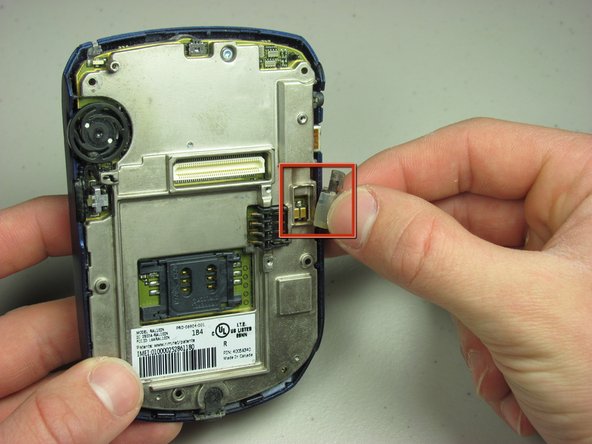
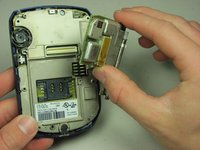
    • Remove the daughterboard.

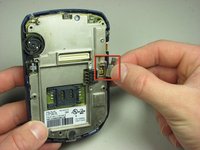
    • Remove the exposed vibration motor.

    Ask FixBot

    Add Comment

Conclusion

To reassemble your device, follow these instructions in reverse order.

Cancel: I did not complete this guide.

Nick Alejandro

Member since: 01/24/10

3 Reputation

1 Guide authored

Team

Cal Poly, Team 14-44, Regan Winter 2010 Member of Cal Poly, Team 14-44, Regan Winter 2010

CPSU-REGAN-W10S14G44

4 Members

18 Guides authored

0 Guide Comments

Add Comment

View Statistics:

Past 24 Hours: 0

Past 7 Days: 1

Past 30 Days: 24

All Time: 2,813