Free Shipping on Domestic Orders $75+

BlackBerry 7290 SIM Card Replacement

What you need

  1. BlackBerry 7290 SIM Card Replacement, Battery: step 1, image 1 of 3 BlackBerry 7290 SIM Card Replacement, Battery: step 1, image 2 of 3 BlackBerry 7290 SIM Card Replacement, Battery: step 1, image 3 of 3
    • Apply pressure to the lock button on the back of the device.

    • Slide the battery cover down towards the bottom of the device, revealing the battery compartment.

    Ask FixBot

    Add Comment

  2. BlackBerry 7290 SIM Card Replacement: step 2, image 1 of 3 BlackBerry 7290 SIM Card Replacement: step 2, image 2 of 3 BlackBerry 7290 SIM Card Replacement: step 2, image 3 of 3
    • Locate groove along the right side of the battery compartment.

    • Remove battery by prying between the battery and the groove.

    Ask FixBot

    Add Comment

  3. BlackBerry 7290 SIM Card Replacement, SIM Card: step 3, image 1 of 1
    • Slide the SIM card holder to the left to unlock the SIM card.

    Ask FixBot

    Add Comment

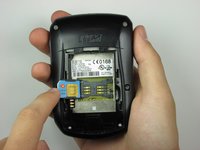
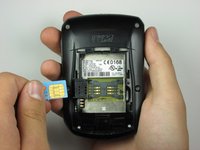
  4. BlackBerry 7290 SIM Card Replacement: step 4, image 1 of 2 BlackBerry 7290 SIM Card Replacement: step 4, image 2 of 2
    • Lift the SIM card holder up.

    • Gently remove the SIM card from the SIM card holder by sliding the card along the railing.

    Ask FixBot

    Add Comment

Conclusion

To reassemble your device, follow these instructions in reverse order.

Cancel: I did not complete this guide.

kmathew

Member since: 10/17/09

3 Reputation

5 Guides authored

Team

Cal Poly, Team 19-6, Maness Fall 2009 Member of Cal Poly, Team 19-6, Maness Fall 2009

CPSU-MANESS-F09S19G6

5 Members

15 Guides authored

1 Guide Comment

What is the SIM card format?

elen m - Reply Share

Add Comment

View Statistics:

Past 24 Hours: 1

Past 7 Days: 4

Past 30 Days: 39

All Time: 5,883