Free Shipping on Domestic Orders $75+

BlackBerry 7100g Keypad Cover Replacement

Views: 1.8K

View statistics:

Past 24 Hours:
0
Past 7 Days:
9
Past 30 Days:
48
All Time:
1,848
Comments: 0

No one has left comments on this guide. Will you be first?

Go to guide comments
Completed: 0

No one has marked this guide "completed." Will you be the first?

Favorites: 0

No one has favorited (and subscribed to) this guide. Will you be the first?

Time Required: 5 - 10 minutes
Difficulty: Moderate
BlackBerry 7100g Keypad Cover Replacement

Introduction

Go to step 1 ↓

How to replace the BlackBerry 7100g keypad cover.

What you need

Tools

    1. BlackBerry 7100g Keypad Cover Replacement, Battery: step 1, image 1 of 1
      • Turn over your BalckBerry 7100g so that the back cover is facing up.

      • Locate the battery cover release button near the bottom of the back panel.

      Ask FixBot

      Add Comment

    2. BlackBerry 7100g Keypad Cover Replacement: step 2, image 1 of 3 BlackBerry 7100g Keypad Cover Replacement: step 2, image 2 of 3 BlackBerry 7100g Keypad Cover Replacement: step 2, image 3 of 3
      • Push down on the release button with one thumb.

      • Slide the battery cover off with the other thumb.

      Ask FixBot

      Add Comment

    3. BlackBerry 7100g Keypad Cover Replacement: step 3, image 1 of 1
      • Remove the battery from the battery housing by flipping up the top of the battery.

      Ask FixBot

      Add Comment

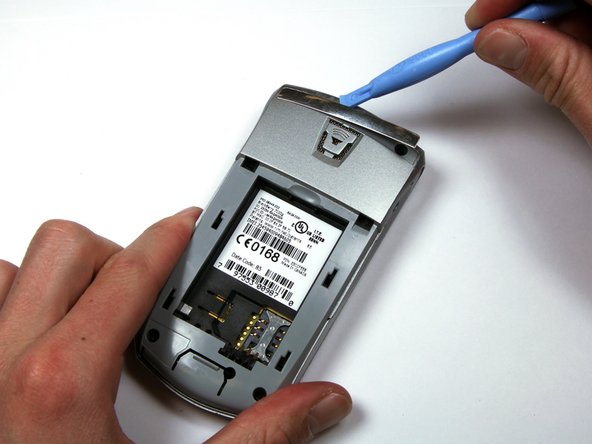
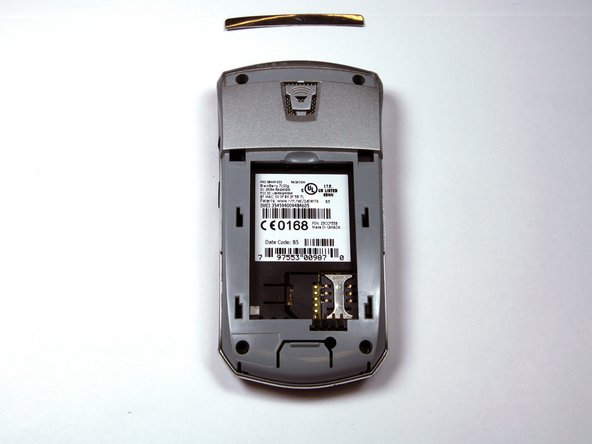
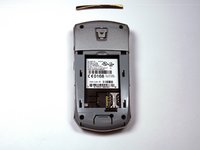
    1. BlackBerry 7100g Keypad Cover Replacement, Housing: step 4, image 1 of 3 BlackBerry 7100g Keypad Cover Replacement, Housing: step 4, image 2 of 3 BlackBerry 7100g Keypad Cover Replacement, Housing: step 4, image 3 of 3
      • Locate the silver strip near the top of your BlackBerry.

      • Use a plastic opening tool to pry off the edge of the silver lining.

      • Slide the tool along the length of the silver strip to completely remove it.

      Ask FixBot

      Add Comment

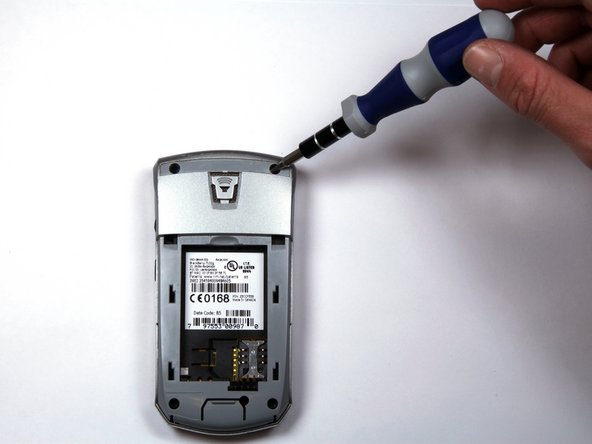
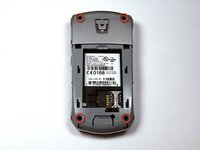
    2. BlackBerry 7100g Keypad Cover Replacement: step 5, image 1 of 2 BlackBerry 7100g Keypad Cover Replacement: step 5, image 2 of 2
      • Do not lose the screws. They are quite small and can easily be misplaced.

      • Locate and unscrew the four (4) screws using a T6 screwdriver.

      Ask FixBot

      Add Comment

    3. BlackBerry 7100g Keypad Cover Replacement: step 6, image 1 of 3 BlackBerry 7100g Keypad Cover Replacement: step 6, image 2 of 3 BlackBerry 7100g Keypad Cover Replacement: step 6, image 3 of 3
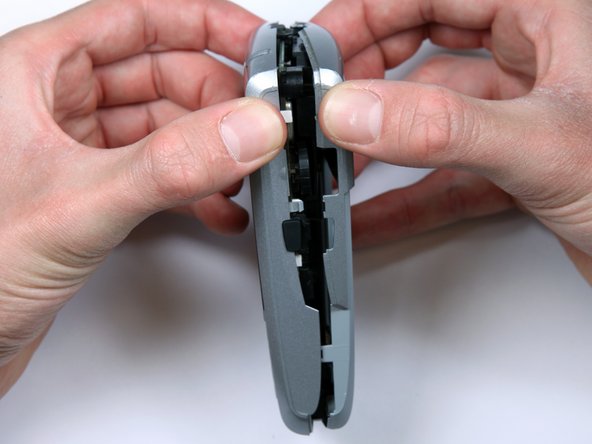
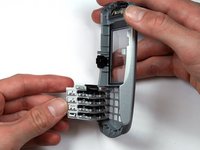
      • The keypad cover may fall out of the housing when prying the housing apart.

      • Tightly pinch the top of the front and back halves of the housing.

      • Carefully pry the two halves of the housing apart.

      Ask FixBot

      Add Comment

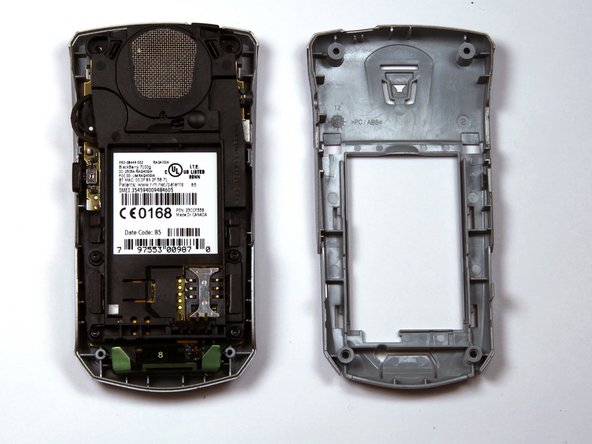
    4. BlackBerry 7100g Keypad Cover Replacement: step 7, image 1 of 1
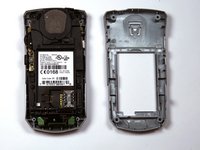
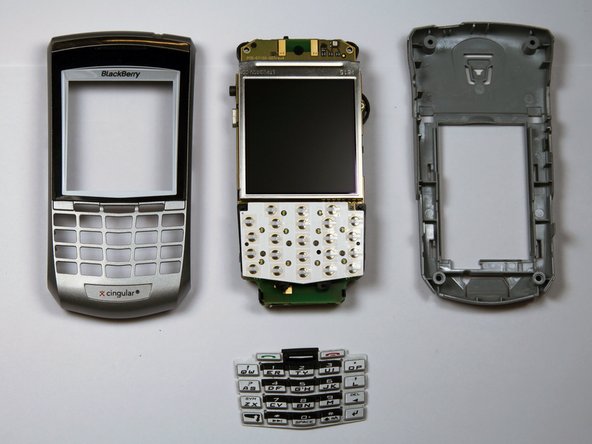
      • You can now easily remove the "guts" of the phone from the housing.

      Ask FixBot

      Add Comment

    1. BlackBerry 7100g Keypad Cover Replacement, Keypad Cover: step 8, image 1 of 2 BlackBerry 7100g Keypad Cover Replacement, Keypad Cover: step 8, image 2 of 2
      • Remove the keypad cover.

      • Insert the new keypad cover.

      • You are done replacing your keypad cover.

      Ask FixBot

      Add Comment

Conclusion

To reassemble your device, follow these instructions in reverse order.

Cancel: I did not complete this guide.

Tristan French

Member since: 04/04/10

34 Reputation

2 Guides authored

Team

Cal Poly, Team 25-87, Amido Spring 2010 Member of Cal Poly, Team 25-87, Amido Spring 2010

CPSU-AMIDO-S10S25G87

4 Members

96 Guides authored

0 Guide Comments

Add Comment

View Statistics:

Past 24 Hours: 0

Past 7 Days: 9

Past 30 Days: 48

All Time: 1,848