Free Shipping on Domestic Orders $75+

Belkin NetCam HD Circuit Board Replacement

What you need

  1. Belkin NetCam HD Circuit Board Replacement, Case: step 1, image 1 of 1
    • Use a wrench to loosen up the stand from the back in order to hold the NetCam more comfortably.

    Ask FixBot

    Add Comment

  2. Belkin NetCam HD Circuit Board Replacement: step 2, image 1 of 1
    • Work a plastic opening tool into the seam and pry the face plate away from the back panel.

    Ask FixBot

    Add Comment

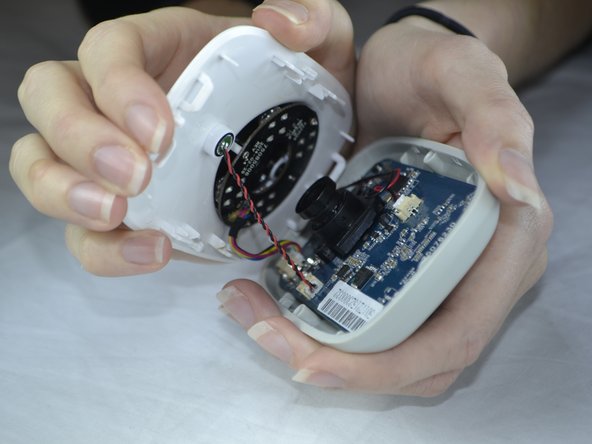
  3. Belkin NetCam HD Circuit Board Replacement: step 3, image 1 of 2 Belkin NetCam HD Circuit Board Replacement: step 3, image 2 of 2
    • Use pressure to separate the covers.

    • When pulling the device apart, separate from the bottom up in order to avoid pulling the wiring at the top apart.

    Ask FixBot

    Add Comment

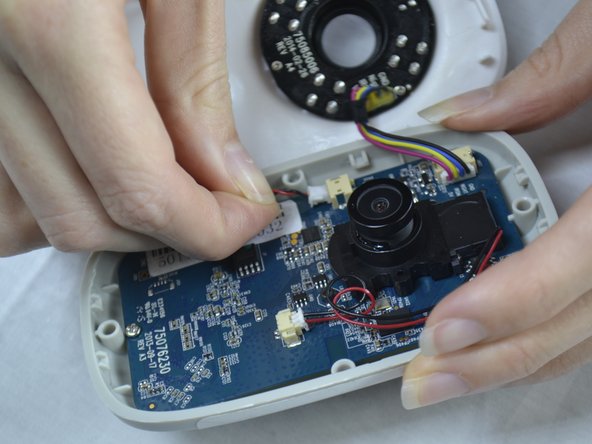
  4. Belkin NetCam HD Circuit Board Replacement, Microphone: step 4, image 1 of 2 Belkin NetCam HD Circuit Board Replacement, Microphone: step 4, image 2 of 2
    Tool used on this step:
    Tweezers
    $4.99
    Buy
    • Use tweezers to gently pull out the white attachment from the port.

    • Use your fingers to pull out the white attachment from the tan port on the front of the board a little.

    Ask FixBot

    Add Comment

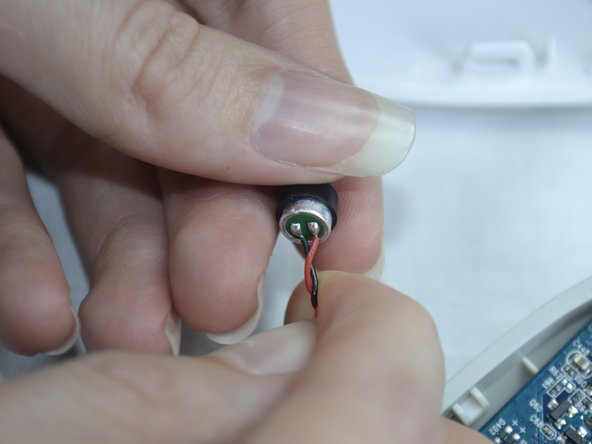
  5. Belkin NetCam HD Circuit Board Replacement: step 5, image 1 of 2 Belkin NetCam HD Circuit Board Replacement: step 5, image 2 of 2
    • Use a pair of tweezers to wedge between the mic and the rubber guard to remove the mic from the front cover.

    • If the rubber guard comes off with the mic just remove the guard from mic and place back on the front cover.

    Ask FixBot

    Add Comment

  6. Belkin NetCam HD Circuit Board Replacement, Speaker: step 6, image 1 of 2 Belkin NetCam HD Circuit Board Replacement, Speaker: step 6, image 2 of 2
    • Use a Phillips #0 screwdriver to take out the two 1.2 mm screws on the board.

    Ask FixBot

    Add Comment

  7. Belkin NetCam HD Circuit Board Replacement: step 7, image 1 of 3 Belkin NetCam HD Circuit Board Replacement: step 7, image 2 of 3 Belkin NetCam HD Circuit Board Replacement: step 7, image 3 of 3
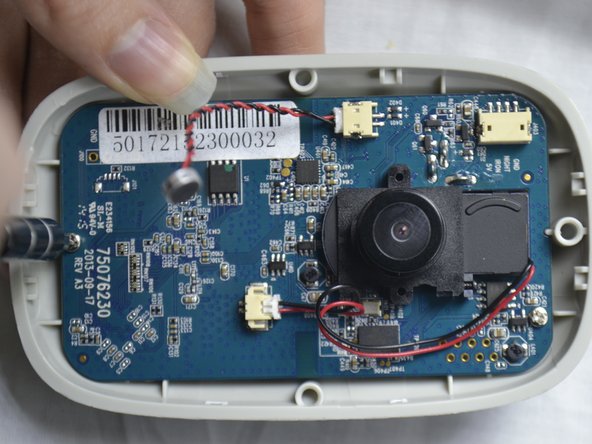
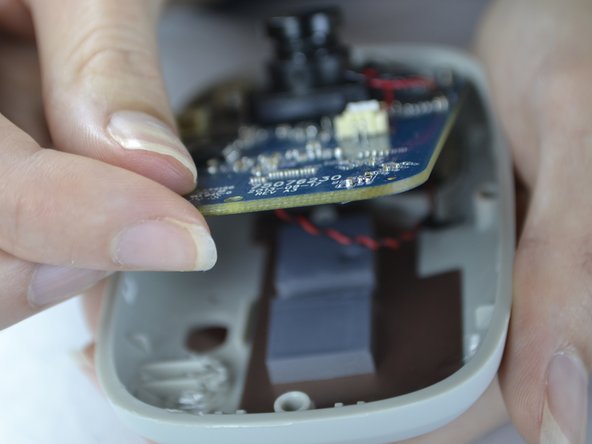
    • With your fingers, pull the circuit board out of the back casing.

    • When pulling the board up be sure to do so carefully so you do not break the cord which is attached on the back side.

    Ask FixBot

    Add Comment

  8. Belkin NetCam HD Circuit Board Replacement: step 8, image 1 of 2 Belkin NetCam HD Circuit Board Replacement: step 8, image 2 of 2
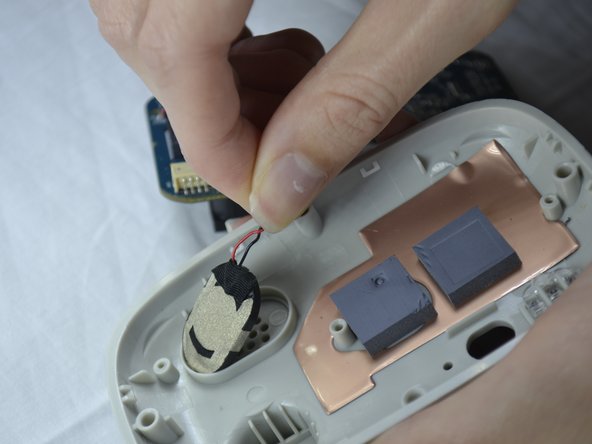
    • Gently pull the speaker out of the holder from the back of the cover.

    Ask FixBot

    Add Comment

  9. Belkin NetCam HD Circuit Board Replacement: step 9, image 1 of 1
    • The speaker wires are attached with the board. It can be unattached gently by pulling out the white attachment from the port.

    Ask FixBot

    Add Comment

  10. Belkin NetCam HD Circuit Board Replacement, Lens Piece: step 10, image 1 of 2 Belkin NetCam HD Circuit Board Replacement, Lens Piece: step 10, image 2 of 2
    • Flip the circuit board to the back side.

    • Fold down the tape with your finger.

    • With the Phillips #0 screwdriver, unscrew the two 1.2 mm screws.

    Ask FixBot

    Add Comment

  11. Belkin NetCam HD Circuit Board Replacement: step 11, image 1 of 2 Belkin NetCam HD Circuit Board Replacement: step 11, image 2 of 2
    • Flip the circuit board back to the other side.

    • Unscrew the screw with a Phillips #0 screw driver.

    Ask FixBot

    Add Comment

  12. Belkin NetCam HD Circuit Board Replacement: step 12, image 1 of 1
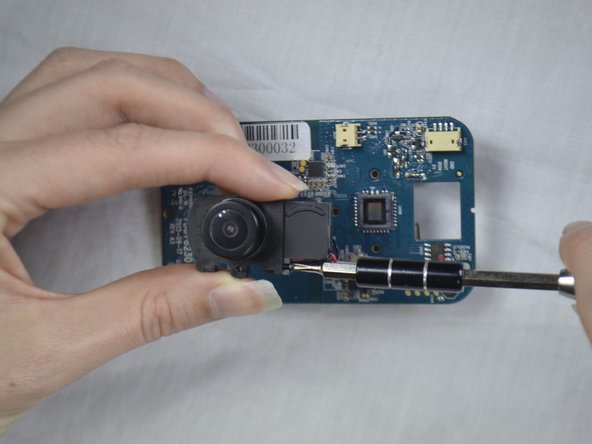
    • Slide the attached piece from the lens holder device.

    Ask FixBot

    Add Comment

  13. Belkin NetCam HD Circuit Board Replacement: step 13, image 1 of 2 Belkin NetCam HD Circuit Board Replacement: step 13, image 2 of 2
    Tool used on this step:
    Tweezers
    $4.99
    Buy
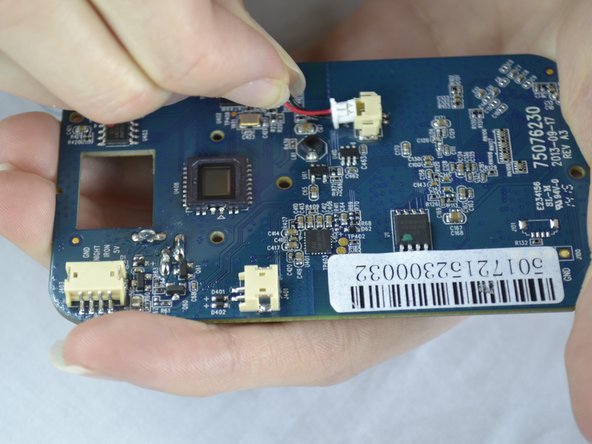
    • Use the tweezers to pull the white attachment out from the port a little.

    • Then, take your fingers and gently pull the white attachment out from the tan port.

    Ask FixBot

    Add Comment

  14. Belkin NetCam HD Circuit Board Replacement, Switch Cover: step 14, image 1 of 2 Belkin NetCam HD Circuit Board Replacement, Switch Cover: step 14, image 2 of 2
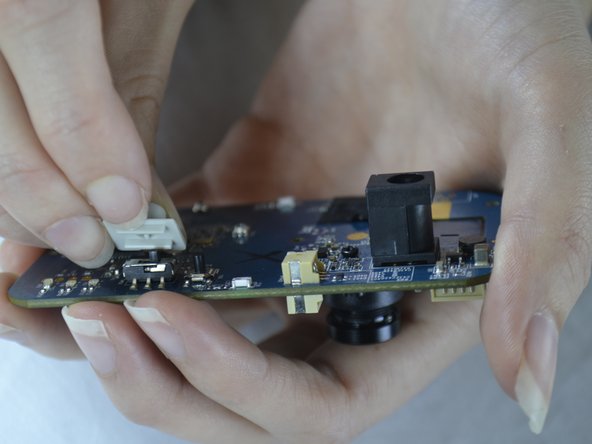
    • On the back of the board pull the switch slowly upward to take it off.

    Ask FixBot

    Add Comment

Conclusion

To reassemble your device, follow these instructions in reverse order.

Cancel: I did not complete this guide.

One other person completed this guide.

Destinie DiazVerdejo

Member since: 10/04/16

805 Reputation

7 Guides authored

Team

USF Tampa, Team 3-5, Sullivan Fall 2016 Member of USF Tampa, Team 3-5, Sullivan Fall 2016

USFT-SULLIVAN-F16S3G5

4 Members

14 Guides authored

0 Guide Comments

Add Comment

View Statistics:

Past 24 Hours: 0

Past 7 Days: 8

Past 30 Days: 25

All Time: 927