Free Shipping on Domestic Orders $75+

Beats Studio3 Headband Replacement

What you need

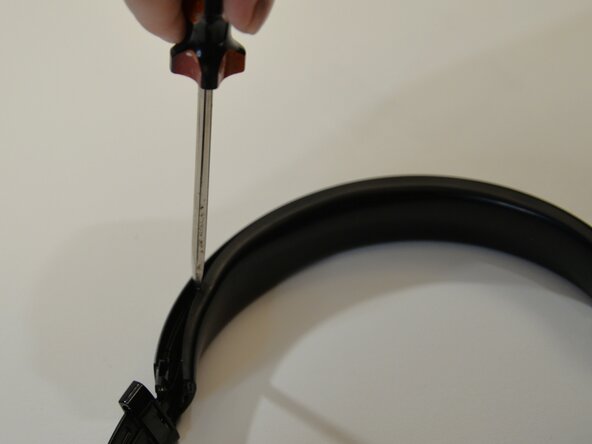
  1. Beats Studio3 Headband Replacement, Upper Headband: step 1, image 1 of 2 Beats Studio3 Headband Replacement, Upper Headband: step 1, image 2 of 2
    • Close the headphone for access to the screw heads.

    • Take out both screws from the left side and right side.

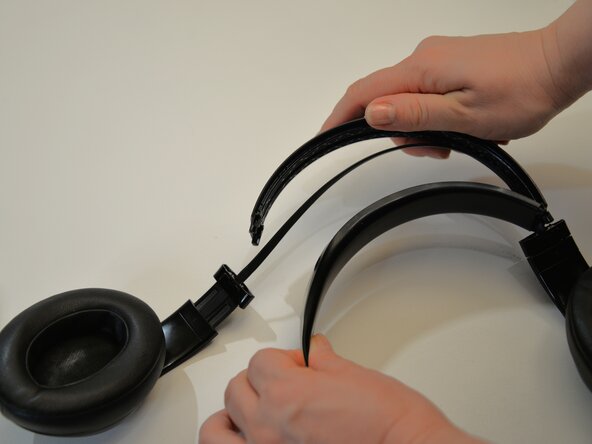
  2. Beats Studio3 Headband Replacement: step 2, image 1 of 2 Beats Studio3 Headband Replacement: step 2, image 2 of 2
    • Flip open the headphones.

    • Pull the headband out of the speaker hinge buckle.

    • Beware there is an internal audio cable connecting the speakers. Be careful not to break the cable.

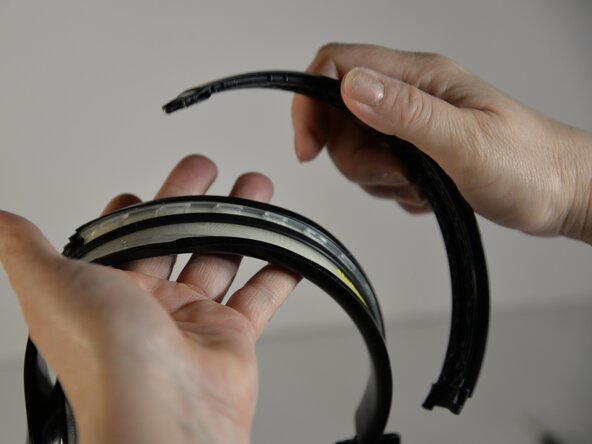
  3. Beats Studio3 Headband Replacement: step 3, image 1 of 3 Beats Studio3 Headband Replacement: step 3, image 2 of 3 Beats Studio3 Headband Replacement: step 3, image 3 of 3
    • Pry the upper and lower headband apart.

  4. Beats Studio3 Headband Replacement: step 4, image 1 of 1
    • Place the audio cable on the lower foam headband.

    • Make sure the cable is not twisted, and the inside of the speakers are facing each other.

  5. Beats Studio3 Headband Replacement: step 5, image 1 of 3 Beats Studio3 Headband Replacement: step 5, image 2 of 3 Beats Studio3 Headband Replacement: step 5, image 3 of 3
    • Thread the audio cable into the slotted tab.

    • While holding the audio cable in the slotted tab, begin to press the upper and lower headbands together. You will hear it snap.

    • Continue to snap it together until about the middle of the headband.

    • The bottom headband cover might slip out in places. Press it back in. There is no need to pry the upper and lower headband apart to put the cover back on.

  6. Beats Studio3 Headband Replacement: step 6, image 1 of 1
    • Screw the screws into the speaker hinge buckle on this side.

    • Do not screw in the screws on the other side yet.

  7. Beats Studio3 Headband Replacement: step 7, image 1 of 3 Beats Studio3 Headband Replacement: step 7, image 2 of 3 Beats Studio3 Headband Replacement: step 7, image 3 of 3
    • Make sure the audio cable is not twisted and is seated in the middle of the headband.

    • Thread the audio cable through the slotted tab.

    • Snap the upper and lower headband together completely.

  8. Beats Studio3 Headband Replacement: step 8, image 1 of 2 Beats Studio3 Headband Replacement: step 8, image 2 of 2
    • Insert the headband into the speaker hinge buckle.

    • The audio cable might seem like it is too long at this point. It's not. Continue to push into the speaker hinge buckle, and the extra length will resolve on its own.

  9. Beats Studio3 Headband Replacement: step 9, image 1 of 1
    • Screw the remaining screws into the speaker hinge buckle.

Finish Line

One other person completed this guide.

0 Guide Comments

Add Comment

View Statistics:

Past 24 Hours: 2

Past 7 Days: 9

Past 30 Days: 11

All Time: 51