
Beats Studio 2 Wireless Headband Replacement

Mike Rosiello and 3 other contributors
Last updated on May 16, 2023
Views: 2.3K
View statistics:
- Past 24 Hours:
- 3
- Past 7 Days:
- 22
- Past 30 Days:
- 129
- All Time:
- 2,284
Comments: 0
No one has left comments on this guide. Will you be first?
Go to guide commentsCompleted: 3 4
3 people have marked this guide "completed." Will you be next?
4 people have marked this guide "completed." Including you — great job!
Favorites: 0 1
No one has favorited (and subscribed to) this guide. Will you be the first?
1 person has favorited (and subscribed to) this guide — and that's you!
Action Shots
Be an action hero! This guide needs images that better demonstrate how to perform specific actions.
Incorrect Tools
Help make this guide better by using the correct tools in images and/or text.
Needs More Images
A few more images would make this guide's procedures crystal clear.
Introduction
Go to step 1 ↓This guide shows you how to replace the Beats Studio 2 Wireless headband, which is required when one or both earphones will not stay in the proper position. Sometimes the headband will become loose after a period of time. Replacing the headband should remedy the situation.
What you need
Tools
-
Spudger4.9


-
-
-
Slide the headband down on one side to reveal the two screws under the silver "Studio" label.
-
Use a T5 screwdriver to remove the two screws securing the headband pieces.
-
Slide the headband down on the other side to reveal the two screws beneath the "Wireless" label.
-
Use a T5 screwdriver to remove the two screws securing the headband pieces.
 Ask FixBot
-
-
-
Slide the headband away from the silver "Studio" and "Wireless" silver bands.
-
Peel the rubber interior layer off of the headband to remove it.
-
-
-
Use a nylon spudger to undo the tabs connecting the foam interior of the headband to the outer shell.
-
Remove the foam interior part of the headphone.
-
-
-


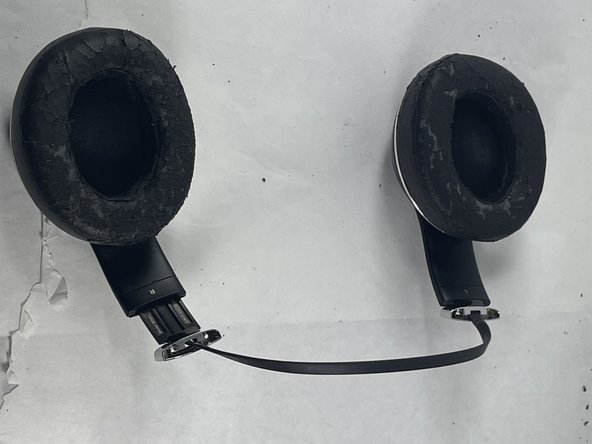
To reassemble your device, follow these instructions in reverse order.
Cancel: I did not complete this guide.
3 other people completed this guide.

Team

UMass Dartmouth, Team 5-3, Ramos Spring 2023 Member of UMass Dartmouth, Team 5-3, Ramos Spring 2023
UMASSD-RAMOS-S23S5G3
3 Members
48 Guides authored
