Free Shipping on Domestic Orders $75+

Beats Studio 2 Wireless Bluetooth Board Replacement

What you need

    1. Beats Studio 2 Wireless Bluetooth Board Replacement, Ear Cushion: step 1, image 1 of 2 Beats Studio 2 Wireless Bluetooth Board Replacement, Ear Cushion: step 1, image 2 of 2
      • Insert a spudger between the plastic part of the left headphone and the ear cushion.

      • Work the spudger around the periphery of the base of the cushion and gently pry it off the head phone.

      Ask FixBot

      Add Comment

    2. Beats Studio 2 Wireless Bluetooth Board Replacement: step 2, image 1 of 3 Beats Studio 2 Wireless Bluetooth Board Replacement: step 2, image 2 of 3 Beats Studio 2 Wireless Bluetooth Board Replacement: step 2, image 3 of 3
      • Pull the rest of the cushion away from the adhesive with your hands.

      Ask FixBot

      Add Comment

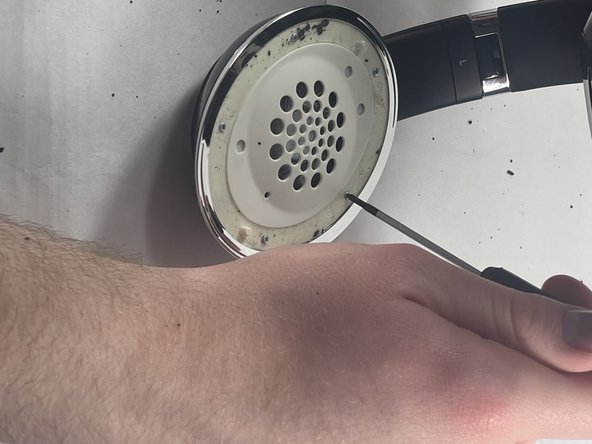
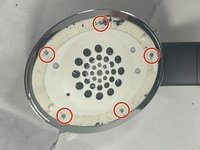
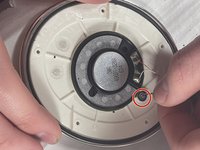
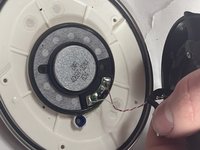
    1. Beats Studio 2 Wireless Bluetooth Board Replacement, Speaker: step 3, image 1 of 2 Beats Studio 2 Wireless Bluetooth Board Replacement, Speaker: step 3, image 2 of 2
      • Using the Phillips #00 screwdriver, remove the screws holding the speaker in place.

      • If the speaker is on the side with the charging port be sure to keep the two screws holding the charging port separate.

      Ask FixBot

      Add Comment

    2. Beats Studio 2 Wireless Bluetooth Board Replacement: step 4, image 1 of 1
      • Gently separate the speaker from the headphones.

      • Don't pull or yank the speaker from the headphones. They are connected together by wires that might be damaged.

      Ask FixBot

      Add Comment

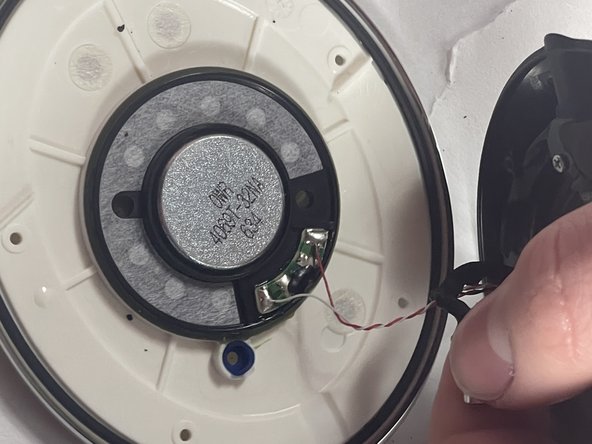
    3. Beats Studio 2 Wireless Bluetooth Board Replacement: step 5, image 1 of 2 Beats Studio 2 Wireless Bluetooth Board Replacement: step 5, image 2 of 2
      • Gently pull the wire with rubber connectors off of the speaker.

      Ask FixBot

      Add Comment

    4. Beats Studio 2 Wireless Bluetooth Board Replacement: step 6, image 1 of 1
      • Use a soldering iron to desolder the two connections.

      • For details on how to solder and desolder, refer to the How to Solder and Desolder Connections guide.

      • A soldering iron can produce very high temperatures, and can burn skin. Use with caution.

      • Note the position of the speaker in its housing, then carefully remove the faulty speaker.

      Ask FixBot

      Add Comment

    1. Beats Studio 2 Wireless Bluetooth Board Replacement, Bluetooth Board: step 7, image 1 of 1
      • Peel off the sticker underneath the speaker.

      Ask FixBot

      Add Comment

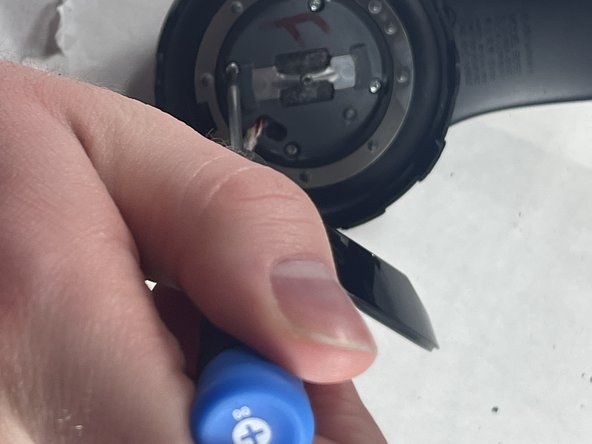
    2. Beats Studio 2 Wireless Bluetooth Board Replacement: step 8, image 1 of 1
      • Remove the center screw using a Phillips #00 screwdriver.

      Ask FixBot

      Add Comment

    3. Beats Studio 2 Wireless Bluetooth Board Replacement: step 9, image 1 of 1
      • Separate the plastic case from the rubber backing by hand or with a spudger.

      Ask FixBot

      Add Comment

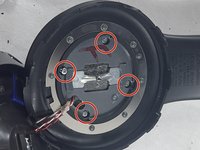
    4. Beats Studio 2 Wireless Bluetooth Board Replacement: step 10, image 1 of 2 Beats Studio 2 Wireless Bluetooth Board Replacement: step 10, image 2 of 2
      • Use a Phillips #00 to remove the four screws securing the case on top of the Bluetooth board.

      Ask FixBot

      Add Comment

    5. Beats Studio 2 Wireless Bluetooth Board Replacement: step 11, image 1 of 1
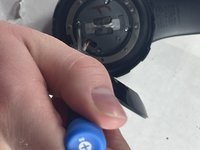
      • Use a spudger to gently pry the left headband clip to free the earphone from the hinge.

      • This picture shows this for the right earphone, but the process should be exactly the same for the left side.

      Ask FixBot

      Add Comment

    6. Beats Studio 2 Wireless Bluetooth Board Replacement: step 12, image 1 of 1
      • Slide the front case down to separate it from the back and reveal the Bluetooth board.

      Ask FixBot

      Add Comment

    7. Beats Studio 2 Wireless Bluetooth Board Replacement: step 13, image 1 of 2 Beats Studio 2 Wireless Bluetooth Board Replacement: step 13, image 2 of 2
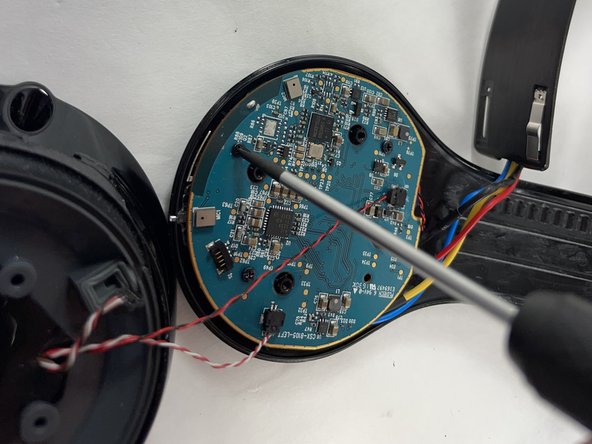
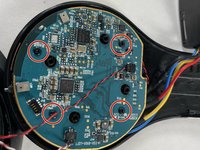
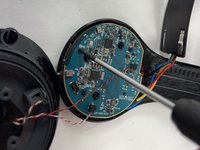
      • Remove the four screws from the Bluetooth board with the Phillips #00 screwdriver.

      • This will free the Bluetooth board from the back case.

      Ask FixBot

      Add Comment

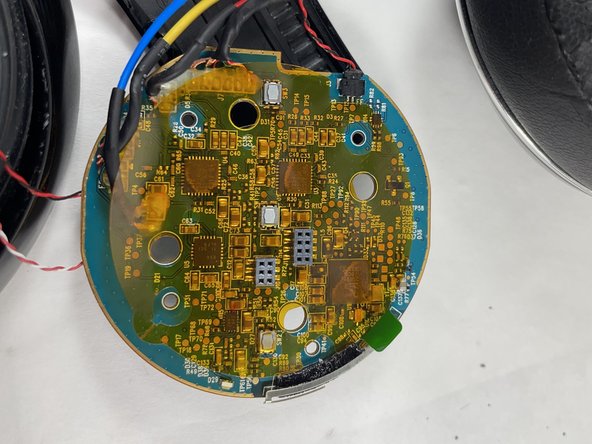
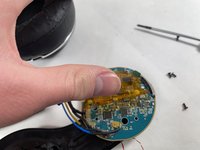
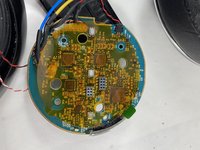
    8. Beats Studio 2 Wireless Bluetooth Board Replacement: step 14, image 1 of 2 Beats Studio 2 Wireless Bluetooth Board Replacement: step 14, image 2 of 2
      • Remove the Bluetooth board from the case.

      • Remove the translucent sticker from the back of the Bluetooth board.

      Ask FixBot

      Add Comment

    9. Beats Studio 2 Wireless Bluetooth Board Replacement: step 15, image 1 of 1
      • Use the pointed tip of a spudger to carefully push on each side of the connector to remove it from the socket.

      Ask FixBot

      Add Comment

    10. Beats Studio 2 Wireless Bluetooth Board Replacement: step 16, image 1 of 1
      • Desolder the RYB connectors, and the connector attached to the black wire using a soldering iron.

      • For information on desoldering connections, see the How to Solder and Desolder Connections Guide.

      • The soldering iron can reach very high temperatures. Use it with caution.

      Ask FixBot

      Add Comment

Conclusion

To reassemble your device, follow these instructions in reverse order.

Cancel: I did not complete this guide.

3 other people completed this guide.

Jack Wilson

Member since: 03/20/23

599 Reputation

2 Guides authored

Team

1 Guide Comment

Hi, can you help me out with a wiring diagram to the bluetooth board, all my wires got torn loose from my old board and i do not know where to solder the new wires to which connections. If you could post a picture with which coloured wires go where , that would be most helpful, thanks.

Roger Bee_44 - Reply Share

Add Comment

View Statistics:

Past 24 Hours: 2

Past 7 Days: 12

Past 30 Days: 60

All Time: 2,988