Free Shipping on Domestic Orders $75+

Beats Pill 2024 Battery Daughterboard Replacement

What you need

  1. Beats Pill 2024 Battery Daughterboard Replacement, Subwoofer: step 1, image 1 of 1
    • Remove the strap.

    Ask FixBot
  2. Beats Pill 2024 Battery Daughterboard Replacement: step 2, image 1 of 2 Beats Pill 2024 Battery Daughterboard Replacement: step 2, image 2 of 2
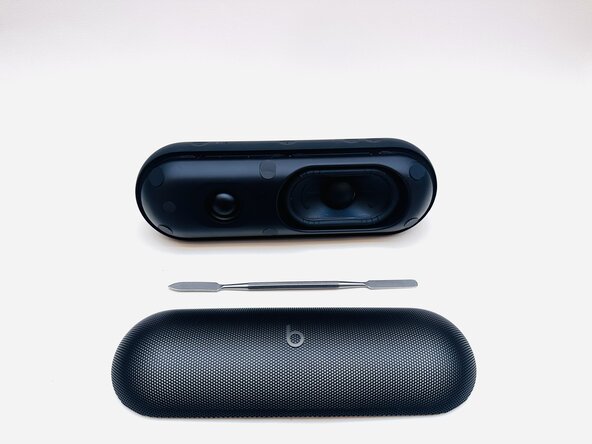
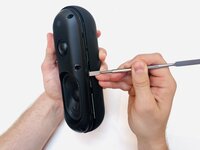
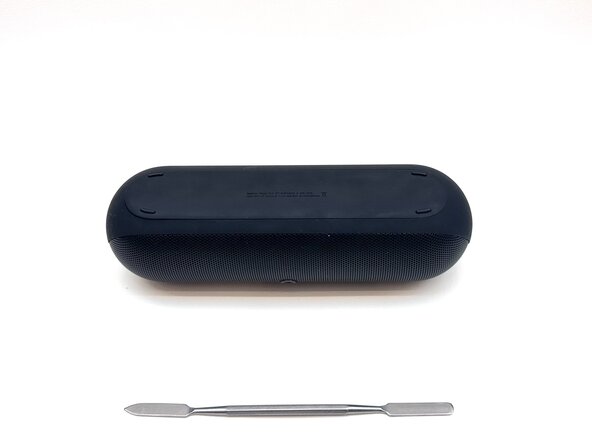
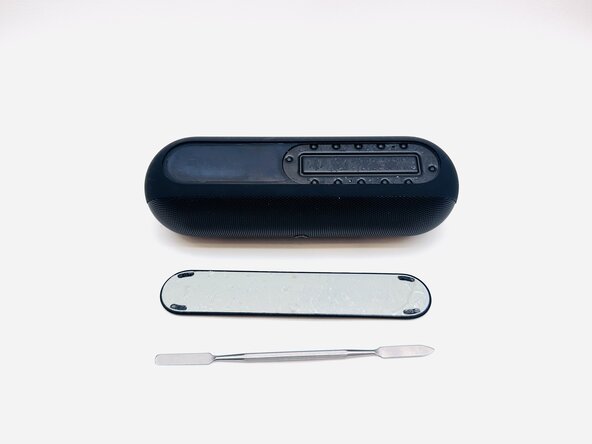
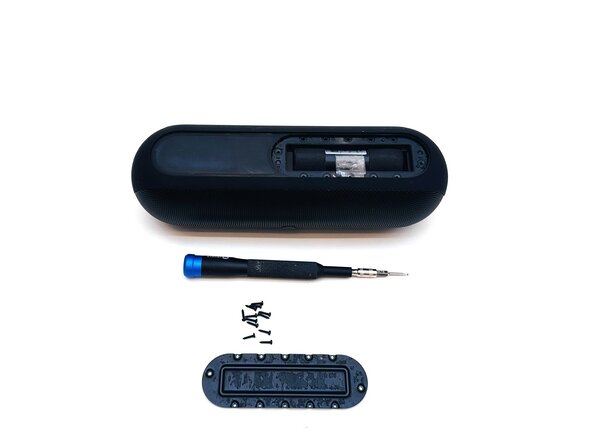
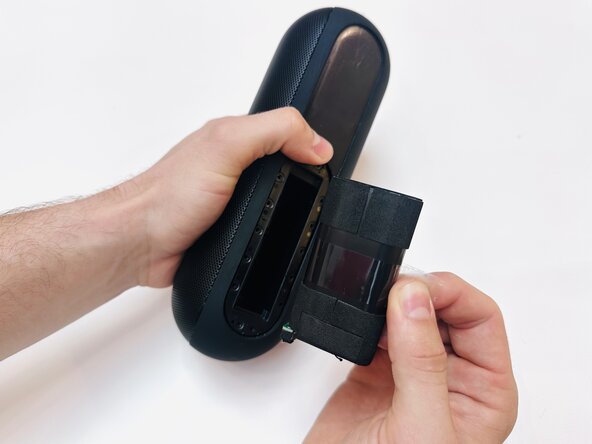
    • With the Beats Pill sitting on a flat surface, insert a spudger into the seam between the chassis and grille.

    • Slide the spudger around the entire perimeter of the grille to sever the adhesive securing the grille.

    • Reapply adhesive when reinstalling the grille.

    • Remove the grille.

    Ask FixBot
  3. Beats Pill 2024 Battery Daughterboard Replacement: step 3, image 1 of 2 Beats Pill 2024 Battery Daughterboard Replacement: step 3, image 2 of 2
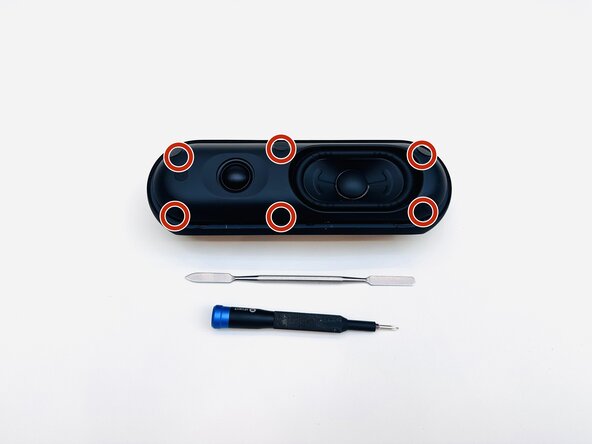
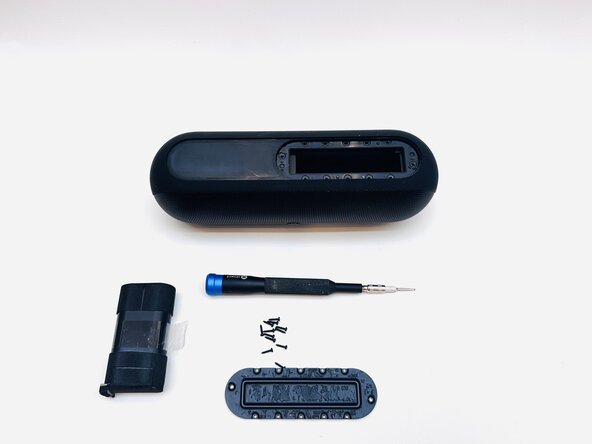
    • Use a spudger to remove the six stickers on the face of the driver assembly.

    • Place the stickers on a clean surface so as not to ruin the adhesive.

    Ask FixBot
  4. Beats Pill 2024 Battery Daughterboard Replacement: step 4, image 1 of 1
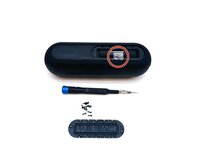
    • Use a Phillips #1 screwdriver to remove the six 14.3 mm screws that secure the driver assembly and speaker body together.

    Ask FixBot
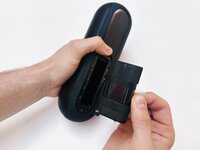
  5. Beats Pill 2024 Battery Daughterboard Replacement: step 5, image 1 of 2 Beats Pill 2024 Battery Daughterboard Replacement: step 5, image 2 of 2
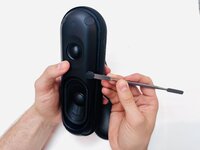
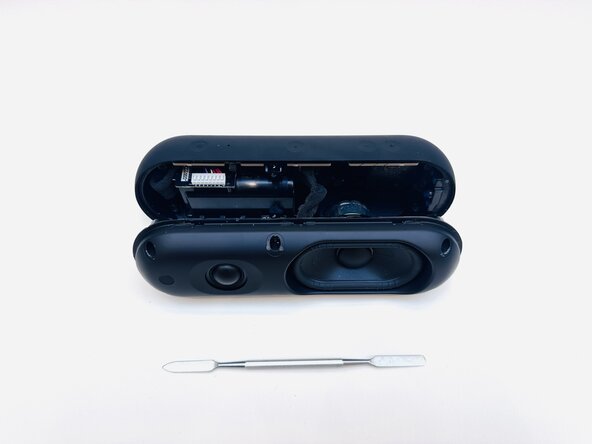
    • Insert a spudger into the seam between the driver assembly and speaker body.

    • Gently slide the spudger around the perimeter while prying to separate the driver assembly from the speaker body.

    • This should not require much force.

    Ask FixBot
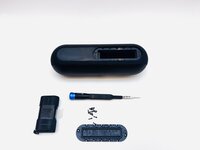
  6. Beats Pill 2024 Battery Daughterboard Replacement: step 6, image 1 of 1
    • Disconnect the two subwoofer connections from their motherboard sockets.

    • Depress the clip on each connector prior to removal.

    • Use tape or a marker to mark where each connector goes.

    • If you're completing a tweeter replacement, skip to Step 8.

    Ask FixBot
  7. Beats Pill 2024 Battery Daughterboard Replacement: step 7, image 1 of 1
    • Use a Phillips #1 screwdriver to remove the four 12.4 mm screws securing the subwoofer.

    • Use a spudger to lift the subwoofer up and off of the driver assembly.

    • This might require some force, as there is adhesive holding the subwoofer to the assembly.

    • During reassembly, apply an adhesive to the new subwoofer before reinstallation.

    Ask FixBot
  8. Beats Pill 2024 Battery Daughterboard Replacement, Battery: step 8, image 1 of 2 Beats Pill 2024 Battery Daughterboard Replacement, Battery: step 8, image 2 of 2
    • Flip the speaker over.

    Ask FixBot
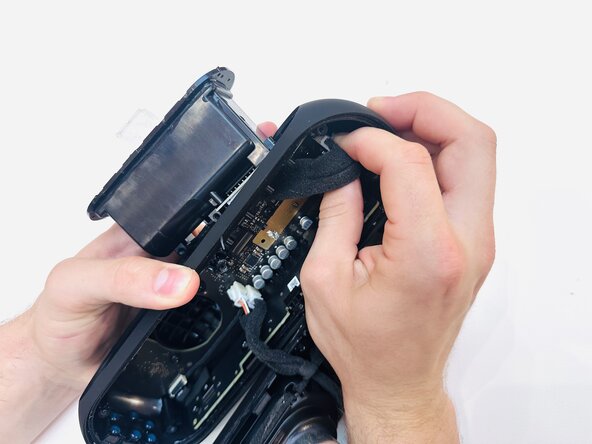
  9. Beats Pill 2024 Battery Daughterboard Replacement: step 9, image 1 of 2 Beats Pill 2024 Battery Daughterboard Replacement: step 9, image 2 of 2
    • Use a hairdryer to lightly heat the bottom foot of the speaker.

    • Insert a spudger into the seam between the bottom foot and speaker body.

    • Pry around the perimeter of the foot until it fully releases.

    • Reapply adhesive to the foot before reinstalling it.

    Ask FixBot
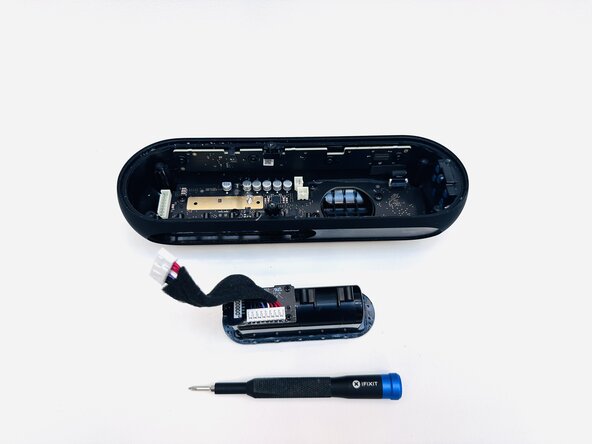
  10. Beats Pill 2024 Battery Daughterboard Replacement: step 10, image 1 of 2 Beats Pill 2024 Battery Daughterboard Replacement: step 10, image 2 of 2
    • Remove the twelve 8.6 mm T5 Torx screws that secure the battery cover.

    Ask FixBot
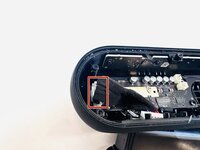
  11. Beats Pill 2024 Battery Daughterboard Replacement: step 11, image 1 of 3 Beats Pill 2024 Battery Daughterboard Replacement: step 11, image 2 of 3 Beats Pill 2024 Battery Daughterboard Replacement: step 11, image 3 of 3
    • To remove the battery, pull on the tape material wrapped around the middle of it.

    Ask FixBot

  12. Beats Pill 2024 Battery Daughterboard Replacement, Daughterboard Replacement: step 12, image 1 of 1
    • Using a T5 Torx screwdriver to remove the two 8.6 mm screws securing the battery compartment.

    Ask FixBot
  13. Beats Pill 2024 Battery Daughterboard Replacement: step 13, image 1 of 3 Beats Pill 2024 Battery Daughterboard Replacement: step 13, image 2 of 3 Beats Pill 2024 Battery Daughterboard Replacement: step 13, image 3 of 3
    • Disconnect the battery compartment connector from its motherboard socket.

    • Remove the battery compartment.

    Ask FixBot
  14. Beats Pill 2024 Battery Daughterboard Replacement: step 14, image 1 of 1
    • On the underside of the battery compartment, remove the three 12.4 mm Phillips screws that secure the daughterboard to the battery compartment.

    Ask FixBot
Conclusion

To reassemble your device, follow the above steps in reverse order.
Take your e-waste to an R2 or e-Stewards certified recycler.
Repair didn’t go as planned? Try some basic troubleshooting or ask our Answers community for help.

0 Guide Comments

Add Comment

View Statistics:

Past 24 Hours: 2

Past 7 Days: 12

Past 30 Days: 37

All Time: 282