Introduction
For general disassembly guide follow this link. This guide will follow the steps taken in the general disassembly of the Beats Pill 1.0.
What you need
-
-
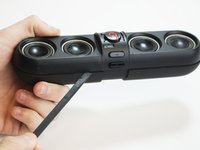
Using the spudger, create space between the speaker covers and then remove.
-
On the underside of the device, remove the rubber stand with the BeatsPill logo on it.
-
Using an ESD-safe Phillips #0 screwdriver, remove the four screws that were underneath the rubber stand.
-
-
-
Remove the two screws with a Phillips #0 screwdriver.
-
Slowly remove the center band and two clip rings until the adhesive separates. Sit to the side the clip rings and the center band
-
-
-
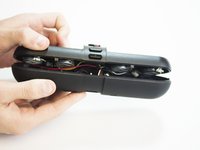
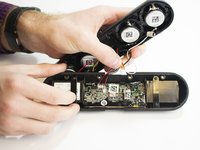
Use the spudger to pry the device apart along its seam, starting in the middle.
-
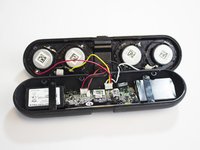
Open the device to separate the front and back panels.
-
-
-
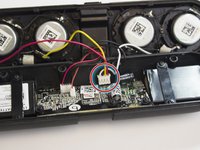
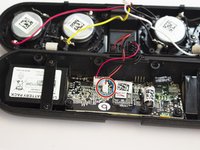
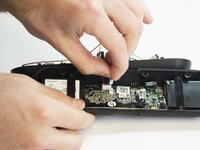
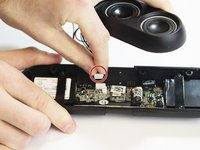
Carefully remove the yellow, red, black, and white wires from the motherboard.
-
-
-
Tool used on this step:Phillips #0 Screwdriver$5.49
-
Using a Phillips #0 Screwdriver, unscrew the four screws holding the bands that go over the battery.
-
-
Tool used on this step:Phillips #0 Screwdriver$5.49
-
Using the same screwdriver, remove the motherboard screws along with the rubber stoppers.
-
-
Tool used on this step:Tweezers$4.99
-
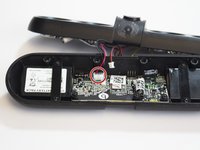
Gently remove the motherboard from the case
-
Remove the yellow NFC module with Tweezers
-
-
-
Using a soldering iron attach the new battery to the motherboard with the red wire connecting to the 0.2 volts (+) and black wire connecting to the ground (-). See the soldering guide for more information on how to perform this step.
-










To reassemble your device, follow these instructions in reverse order.
Cancel: I did not complete this guide.
28 other people completed this guide.

Team

USF Tampa, Team 3-2, Hickman Winter 2015 Member of USF Tampa, Team 3-2, Hickman Winter 2015
USFT-HICKMAN-W15S3G2
4 Members
7 Guides authored
10 Guide Comments
Could you please tell what is the yellow card in the last picture?
Looks like the Bluetooth antenna
