
Ballpoint Pen Spring Replacement

Katelyn Zastrow and 2 other contributors
Last updated on May 28, 2024
Views: 6.6K
View statistics:
- Past 24 Hours:
- 19
- Past 7 Days:
- 129
- Past 30 Days:
- 560
- All Time:
- 6,607
Comments: 0
No one has left comments on this guide. Will you be first?
Go to guide commentsCompleted: 0 1
No one has marked this guide "completed." Will you be the first?
1 person has marked this guide "completed." It's you — great job!
Favorites: 0 1
No one has favorited (and subscribed to) this guide. Will you be the first?
1 person has favorited (and subscribed to) this guide — and that's you!
Introduction
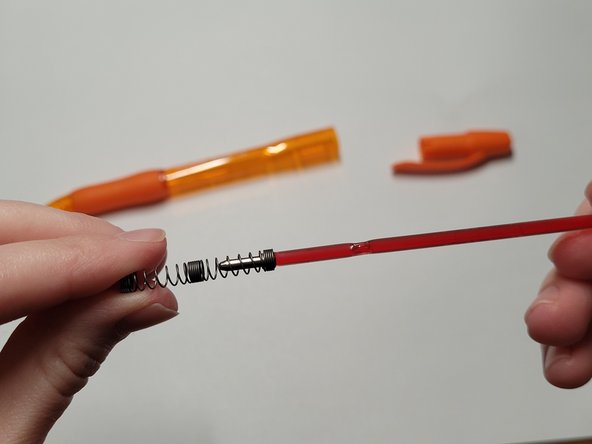
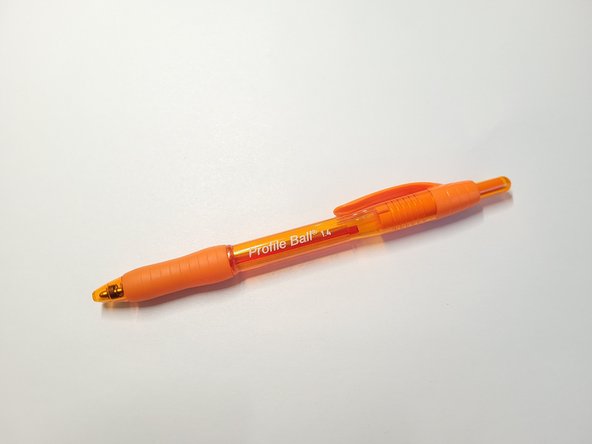
Go to step 1 ↓Use this guide to replace a broken or faulty spring in any brand of ballpoint pen. In this example, we are working with the Paper Mate Profile Ballpoint Pen.
The spring allows for the pen to actively write and transfer ink to a page. A broken or faulty spring will not allow this action to occur.
Before you begin, make sure to test the pen's ability to 'click on' and write. This will allow you to determine if the spring is the issue at hand.
Follow along carefully with the steps below in order to effectively replace a pen spring.
What you need

 Ask FixBot






Team

University of Wisconsin Eau Claire, Team 1-9, Cameron Spring 2024 Member of University of Wisconsin Eau Claire, Team 1-9, Cameron Spring 2024
UWEC-CAMERON-S24S1G9
2 Members
12 Guides authored
