
Back Panel Disassembly

Jordan Rosemeyer and one other contributor
Last updated on Dec 22, 2015
Views: 1.3K
View statistics:
- Past 24 Hours:
- 1
- Past 7 Days:
- 13
- Past 30 Days:
- 88
- All Time:
- 1,294
Comments: 0
No one has left comments on this guide. Will you be first?
Go to guide commentsCompleted: 2 3
2 people have marked this guide "completed." Will you be next?
3 people have marked this guide "completed." Including you — great job!
Favorites: 0 1
No one has favorited (and subscribed to) this guide. Will you be the first?
1 person has favorited (and subscribed to) this guide — and that's you!
Introduction
Go to step 1 ↓Prerequisite for removing the back panel of a Nikon Coolpix S3500.
What you need
Tools


-
-
-
With the battery door facing upward, take your PH000 screwdriver and remove the 4 mm screws from the bottom of the device.
 Ask FixBot
-
-
-
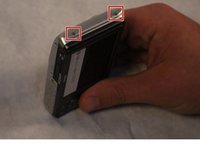
After removing the screws, rotate the device to where the micro USB port is facing up.
-
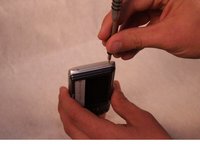
Now, take your PH000 screwdriver and remove the two 4 mm screws from the device.
-
-
-
Rotate the device 180 degrees so that the opposite side of the device is now facing upwards.
-
Now, take your PH000 screwdriver and remove the two 4 mm screws from the device.
-
-
-
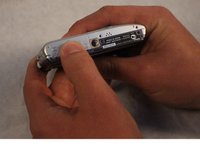
After all of the screws are removed, rotate the device so that the bottom of the device is now facing upward.
-
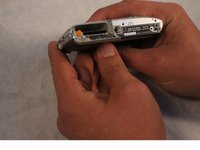
With your index finger, press down and slide open the memory card/battery door.
-
-
-
-
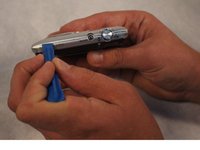
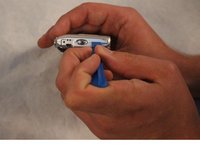
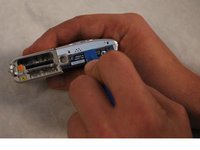
Now take the plastic opening tool, and place it in the seam of the device.
-
Now, work the tool around the seam of the device until you can safely pry open the device.
-
-








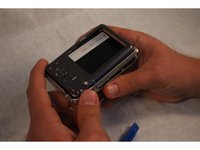
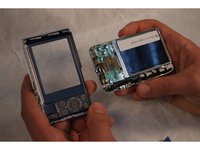
To reassemble your device, follow these instructions in reverse order.
Cancel: I did not complete this guide.
2 other people completed this guide.

Team

Sam Houston State, Team 2-1, Blackburne Fall 2015 Member of Sam Houston State, Team 2-1, Blackburne Fall 2015
SHSU-BLACKBURNE-F15S2G1
3 Members
48 Guides authored
