Free Shipping on Domestic Orders $75+

BRCK v1 Modem MicroSD Card Replacement

Views: 634

View statistics:

Past 24 Hours:
2
Past 7 Days:
16
Past 30 Days:
84
All Time:
634
Comments: 1

1 guide comment.

Go to guide comments
Completed: 0

No one has marked this guide "completed." Will you be the first?

Favorites: 0

No one has favorited (and subscribed to) this guide. Will you be the first?

Time Required: 10 minutes
Difficulty: Moderate
BRCK v1 Modem MicroSD Card Replacement

Introduction

Go to step 1 ↓

This guide will show you how to remove the top cover using a hex 2.0 head driver in order to access the modem and attached microSD card. With a pair of tweezers, you will be able to remove and replace the microSD card.

What you need

Tools

    1. BRCK v1 Modem MicroSD Card Replacement, Top Cover: step 1, image 1 of 1
      • Place the face of the device showing BRCK face up.

      Ask FixBot

      Add Comment

    2. BRCK v1 Modem MicroSD Card Replacement: step 2, image 1 of 1
      • Remove the four screws(4mm hex head) on the corners of the device with a Hex 2.0 Screwdriver.

      Ask FixBot

      Add Comment

    3. BRCK v1 Modem MicroSD Card Replacement: step 3, image 1 of 1
      • Remove the top cover.

      Ask FixBot

      Add Comment

    1. BRCK v1 Modem MicroSD Card Replacement, Modem: step 4, image 1 of 1
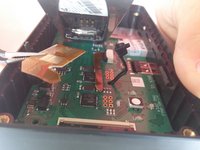
      • Cut the black zip tie holding the modem down.

      • Caution By cutting the zip tie, you void any manufacturer warranty you may have on the device.

      Ask FixBot

      Add Comment

    2. BRCK v1 Modem MicroSD Card Replacement: step 5, image 1 of 1
      • Remove the connection located on the edge of the modem.

      Ask FixBot

      Add Comment

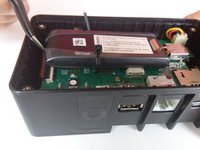
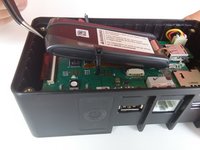
    3. BRCK v1 Modem MicroSD Card Replacement: step 6, image 1 of 2 BRCK v1 Modem MicroSD Card Replacement: step 6, image 2 of 2
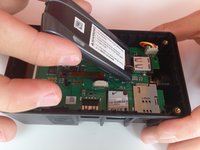
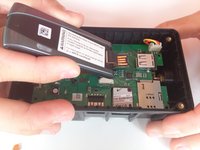
      • Slightly lift the modem to reveal the brown ribbon connector and metal connection plate, located on the bottom of the modem.

      Ask FixBot

      Add Comment

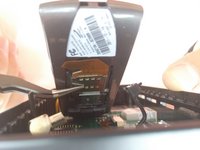
    4. BRCK v1 Modem MicroSD Card Replacement: step 7, image 1 of 3 BRCK v1 Modem MicroSD Card Replacement: step 7, image 2 of 3 BRCK v1 Modem MicroSD Card Replacement: step 7, image 3 of 3
      Tool used on this step:
      Tweezers
      $4.99
      Buy
      • Using your tweezers, gently push on the metal plate and slide it down toward the base of the modem to release the locking mechanism.

      • Lower the plate and gently pull the ribbon out of the face plate.

      • Caution Be extremely gentle while preforming this step. The ribbon is brittle and prone to breaking if bent too much. Make sure you go slowly so that you do not damage the device.

      Ask FixBot

      Add Comment

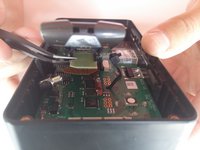
    5. BRCK v1 Modem MicroSD Card Replacement: step 8, image 1 of 2 BRCK v1 Modem MicroSD Card Replacement: step 8, image 2 of 2
      • Remove the modem from the device.

      Ask FixBot

      Add Comment

    1. BRCK v1 Modem MicroSD Card Replacement, Modem MicroSD Card: step 9, image 1 of 3 BRCK v1 Modem MicroSD Card Replacement, Modem MicroSD Card: step 9, image 2 of 3 BRCK v1 Modem MicroSD Card Replacement, Modem MicroSD Card: step 9, image 3 of 3
      Tool used on this step:
      Tweezers
      $4.99
      Buy
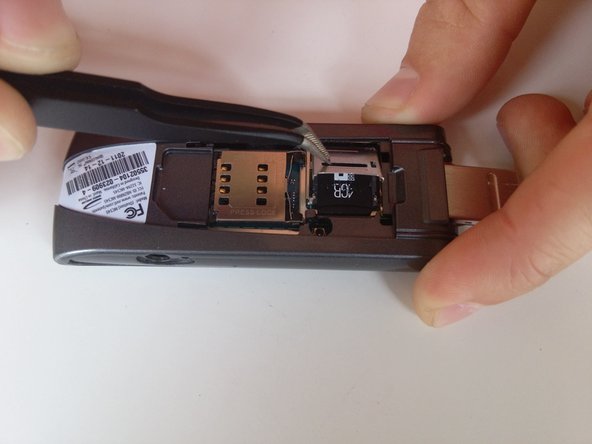
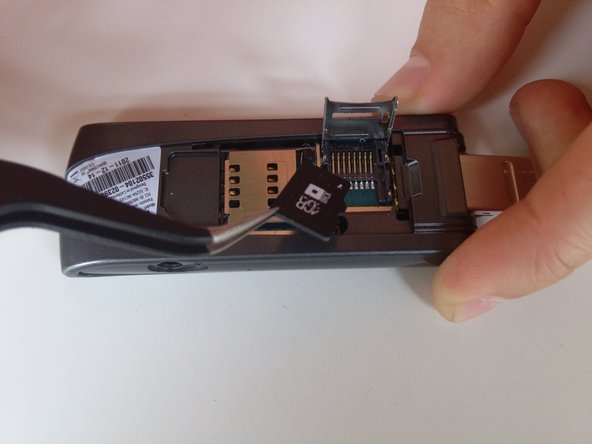
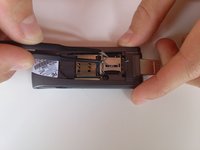
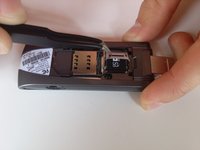
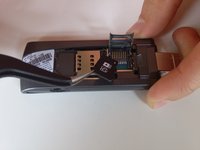
      • With your tweezers, slide the metal face plate to release the locking mechanism.

      • Lift the face plate and carefully remove the microSD card.

      Ask FixBot

      Add Comment

Conclusion

To reassemble your device, follow these instructions in reverse order.

Cancel: I did not complete this guide.

Jeret Buerger

Member since: 04/01/15

501 Reputation

5 Guides authored

Team

Cal Poly, Team 12-3, Lancaster Spring 2015 Member of Cal Poly, Team 12-3, Lancaster Spring 2015

CPSU-LANCASTER-S15S12G3

3 Members

84 Guides authored

1 Guide Comment

Can my brck connect if it does not have the sim card and the SD card from the manufacturer?

Sigmore Govera - Reply Share

Add Comment

View Statistics:

Past 24 Hours: 2

Past 7 Days: 16

Past 30 Days: 84

All Time: 634