
BLU Life X8 Front Camera Replacement

Alexander Prasil and
Last updated on Dec 13, 2017
Views: 771
View statistics:
- Past 24 Hours:
- 6
- Past 7 Days:
- 19
- Past 30 Days:
- 93
- All Time:
- 771
Comments: 0
No one has left comments on this guide. Will you be first?
Go to guide commentsCompleted: 0 1
No one has marked this guide "completed." Will you be the first?
1 person has marked this guide "completed." It's you — great job!
Favorites: 0 1
No one has favorited (and subscribed to) this guide. Will you be the first?
1 person has favorited (and subscribed to) this guide — and that's you!
What you need
Tools


Introduction
Go to step 1 ↓The front camera may become damaged or scratched over time, causing poor quality pictures. This guide will explain how to access, remove, and replace your BLU Life X8 front camera.
-
-
-
Flip the phone over so that the screen is facing down.
-
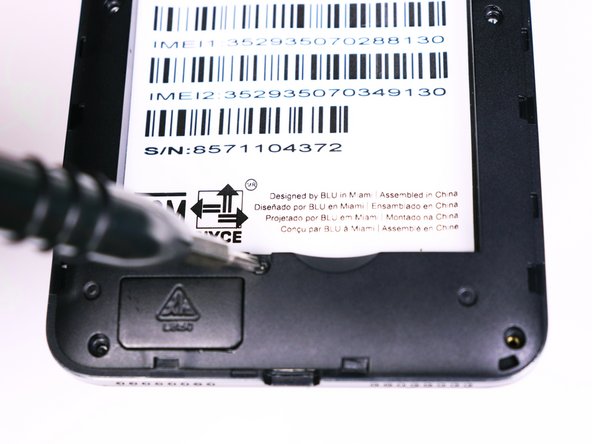
Slide the opening tool between the micro-USB port and the back cover.
-
Use the opening tool to create a gap.
 Ask FixBot
-
-
-
Once the back panel is off, locate the indent at the bottom of the battery.
-
Use your thumb to slip the battery out of the case.
-
-
-
-
-
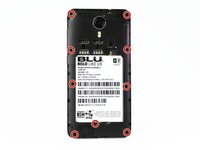
Use the Phillips #00 bit to undo the nine 1.5mm screws from the back of the device.
-
-
-
-
Wedge the opening tool into the seam of between the screen and the gray frame.
-
Run the opening tool along the seam to release the clips that hold the two pieces together.
-
-
-
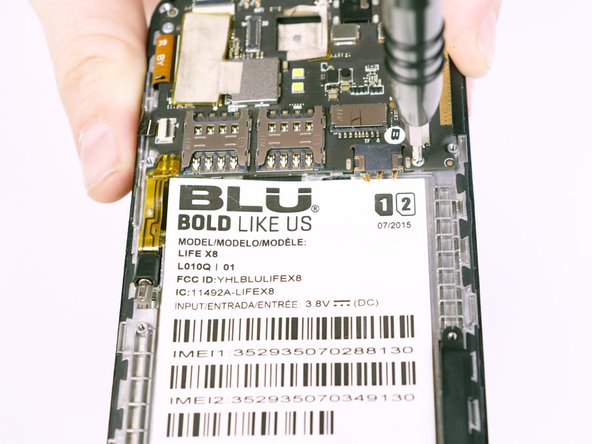
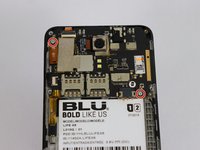
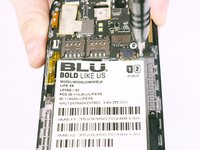
Use the Phillips #00 Phillips bit to undo the two 1.5mm screws from the motherboard.
-
-
Tool used on this step:Tweezers$4.99
-
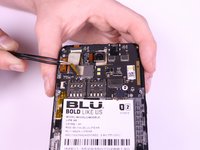
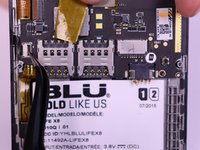
Use the tweezers to peel away the mesh tape and reveal the ribbon connectors.
-
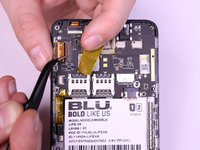
Use the tweezers to lift the brown and black tabs to release the ribbon cables and unlock them.
-
-
-
The ribbon cables should be free. Pull back on the ribbons to release them from their connectors.
-
-
-
-
-
Flip the motherboard over.
-
Lift the front camera from its housing.
-
-








To reassemble your device, follow these instructions in reverse order.

Team

USF Tampa, Team S1-G2, Nance Fall 2017 Member of USF Tampa, Team S1-G2, Nance Fall 2017
USFT-NANCE-F17S1G2
4 Members
72 Guides authored
