Free Shipping on Domestic Orders $75+

BLU Life X8 Daughterboard Replacement

What you need

    1. BLU Life X8 Daughterboard  Replacement, Battery: step 1, image 1 of 2 BLU Life X8 Daughterboard  Replacement, Battery: step 1, image 2 of 2
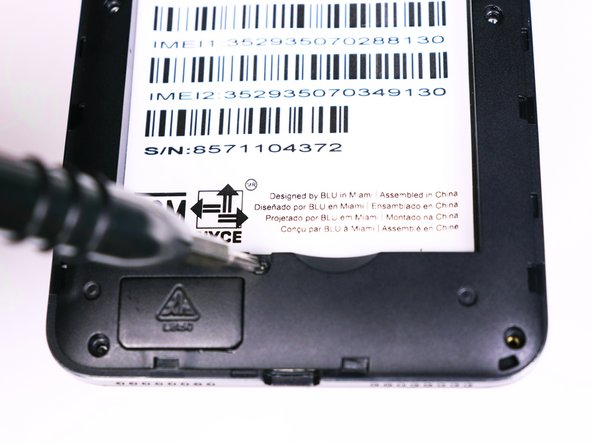
      • Flip the phone over so that the screen is facing down.

      • Slide the opening tool between the micro-USB port and the back cover.

      • Use the opening tool to create a gap.

      Ask FixBot

      Add Comment

    2. BLU Life X8 Daughterboard  Replacement: step 2, image 1 of 1
      • Use your thumb to pry off the back panel once the gap is large enough.

      Ask FixBot

      Add Comment

    3. BLU Life X8 Daughterboard  Replacement: step 3, image 1 of 1
      • Once the back panel is off, locate the indent at the bottom of the battery.

      • Use your thumb to slip the battery out of the case.

      Ask FixBot

      Add Comment

    1. BLU Life X8 Daughterboard  Replacement, Motherboard: step 4, image 1 of 2 BLU Life X8 Daughterboard  Replacement, Motherboard: step 4, image 2 of 2
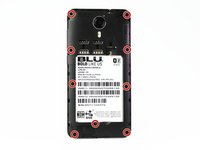
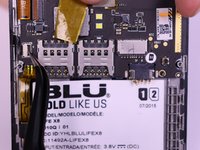
      • Use the Phillips #00 bit to undo the nine 1.5mm screws from the back of the device.

      Ask FixBot

      Add Comment

    2. BLU Life X8 Daughterboard  Replacement: step 5, image 1 of 1
      • Wedge the opening tool into the seam of between the screen and the gray frame.

      • Run the opening tool along the seam to release the clips that hold the two pieces together.

      • You may need to use the opening picks to prevent the clips from re-engaging.

      Ask FixBot

      Add Comment

    3. BLU Life X8 Daughterboard  Replacement: step 6, image 1 of 1
      • Once all the clips have been released, lift the frame and set it aside.

      Ask FixBot

      Add Comment

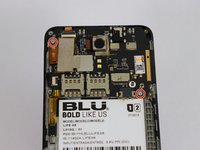
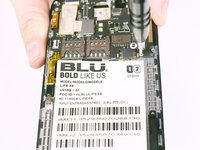
    4. BLU Life X8 Daughterboard  Replacement: step 7, image 1 of 2 BLU Life X8 Daughterboard  Replacement: step 7, image 2 of 2
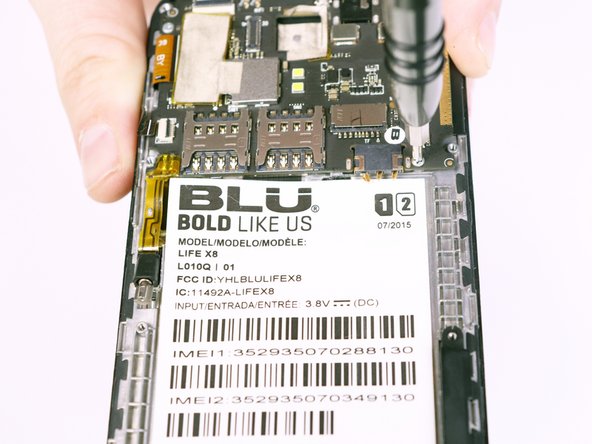
      • Use the Phillips #00 Phillips bit to undo the two 1.5mm screws from the motherboard.

      Ask FixBot

      Add Comment

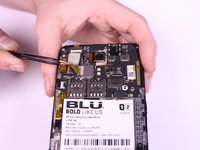
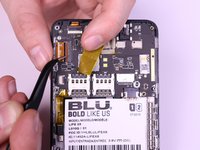
    5. BLU Life X8 Daughterboard  Replacement: step 8, image 1 of 3 BLU Life X8 Daughterboard  Replacement: step 8, image 2 of 3 BLU Life X8 Daughterboard  Replacement: step 8, image 3 of 3
      Tool used on this step:
      Tweezers
      $4.99
      Buy
      • Use the tweezers to peel away the mesh tape and reveal the ribbon connectors.

      • Use the tweezers to lift the brown and black tabs to release the ribbon cables and unlock them.

      Ask FixBot

      Add Comment

    6. BLU Life X8 Daughterboard  Replacement: step 9, image 1 of 1
      • The ribbon cables should be free. Pull back on the ribbons to release them from their connectors.

      Ask FixBot

      Add Comment

    7. BLU Life X8 Daughterboard  Replacement: step 10, image 1 of 1
      • Slowly lift the vibration motor away from the frame and peel up the tape.

      Ask FixBot

      Add Comment

    1. BLU Life X8 Daughterboard  Replacement, Daughterboard: step 11, image 1 of 1
      • Use the plastic opening tool to pry off the plastic guard covering the daughterboard and USB port.

      Ask FixBot

      Add Comment

    2. BLU Life X8 Daughterboard  Replacement: step 12, image 1 of 1
      Tool used on this step:
      Tweezers
      $4.99
      Buy
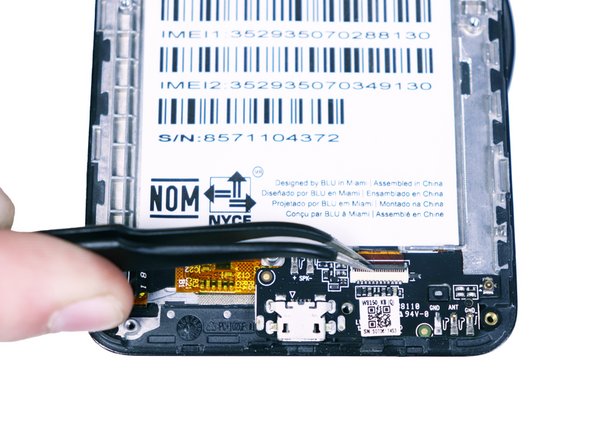
      • Remove the transparent tape covering one of the ribbon connectors using the tweezers.

      Ask FixBot

      Add Comment

    3. BLU Life X8 Daughterboard  Replacement: step 13, image 1 of 3 BLU Life X8 Daughterboard  Replacement: step 13, image 2 of 3 BLU Life X8 Daughterboard  Replacement: step 13, image 3 of 3
      • Use the tweezers to lift the black and beige tabs securing the ribbon cables.

      • Pull back on the ribbon cables to release them from their connectors.

      Ask FixBot

      Add Comment

    4. BLU Life X8 Daughterboard  Replacement: step 14, image 1 of 1
      • Lift the daughterboard from the frame using the plastic opening tool.

      Ask FixBot

      Add Comment

Conclusion

To reassemble your device, follow these instructions in reverse order.

Cancel: I did not complete this guide.

Nicholas Harmon

Member since: 10/05/17

166 Reputation

1 Guide authored

Team

USF Tampa, Team S1-G2, Nance Fall 2017 Member of USF Tampa, Team S1-G2, Nance Fall 2017

USFT-NANCE-F17S1G2

4 Members

72 Guides authored

0 Guide Comments

Add Comment

View Statistics:

Past 24 Hours: 0

Past 7 Days: 4

Past 30 Days: 30

All Time: 604