Free Shipping on Domestic Orders $75+

BLU Energy X Motherboard Replacement

What you need

    1. BLU Energy X Motherboard Replacement, Battery: step 1, image 1 of 3 BLU Energy X Motherboard Replacement, Battery: step 1, image 2 of 3 BLU Energy X Motherboard Replacement, Battery: step 1, image 3 of 3
      • Remove the back case using plastic opening tool.

      Ask FixBot

      Add Comment

    2. BLU Energy X Motherboard Replacement: step 2, image 1 of 2 BLU Energy X Motherboard Replacement: step 2, image 2 of 2
      • Remove the seven 4mm Phillips #000 screws.

      • Remove the top plate.

      Ask FixBot
      Add Comment

    3. BLU Energy X Motherboard Replacement: step 3, image 1 of 3 BLU Energy X Motherboard Replacement: step 3, image 2 of 3 BLU Energy X Motherboard Replacement: step 3, image 3 of 3
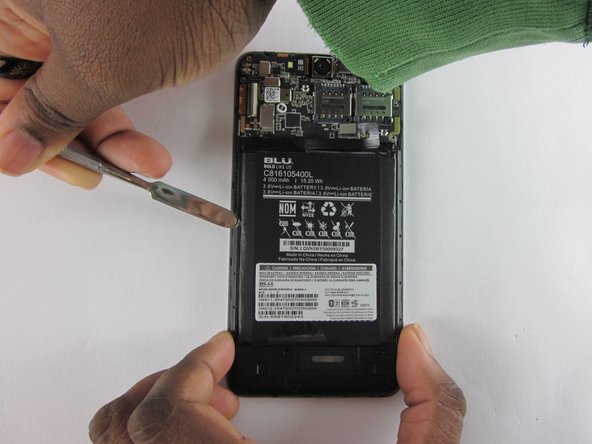
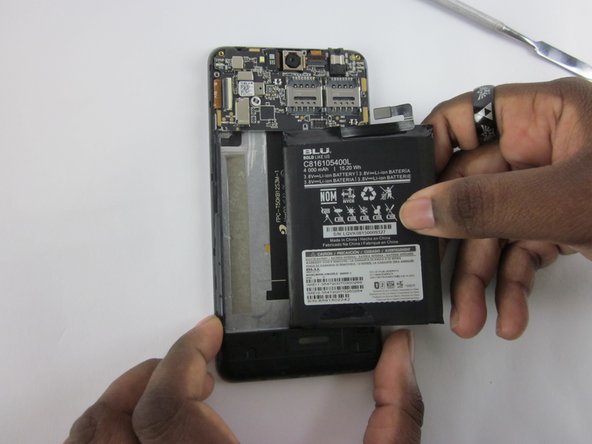
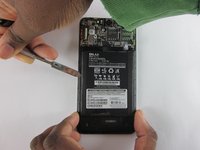
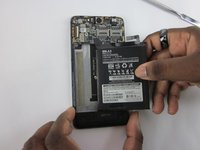
      • Detach the battery from the mother board using a plastic opening tool.

      • Use a plastic spudger to remove battery.

      Ask FixBot

      Add Comment

    1. BLU Energy X Motherboard Replacement, Motherboard: step 4, image 1 of 2 BLU Energy X Motherboard Replacement, Motherboard: step 4, image 2 of 2
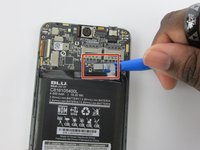
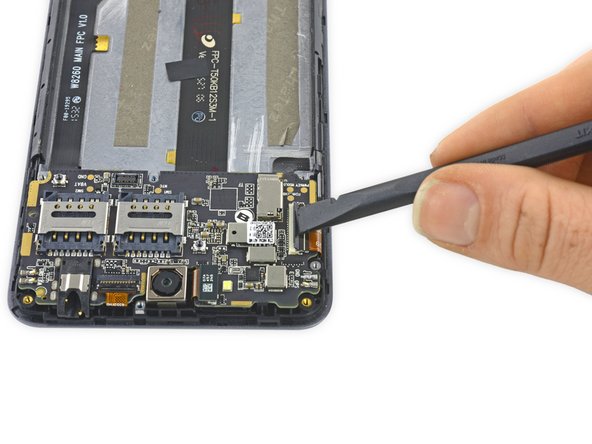
      • Use the flat end of a spudger to flip up the black retaining flap on the ZIF connector.

      Ask FixBot

      Add Comment

    2. BLU Energy X Motherboard Replacement: step 5, image 1 of 2 BLU Energy X Motherboard Replacement: step 5, image 2 of 2
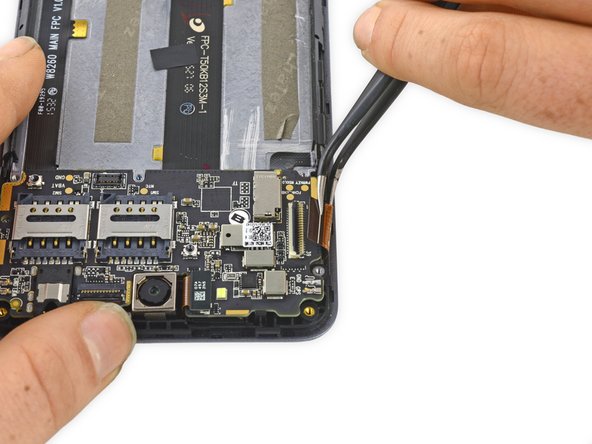
      • Gently pull the ribbon cable free of the ZIF connector.

      Ask FixBot

      Add Comment

    3. BLU Energy X Motherboard Replacement: step 6, image 1 of 2 BLU Energy X Motherboard Replacement: step 6, image 2 of 2
      • Gently peel up the antenna.

      • This is secured with some light adhesive, so some force may be required.

      Ask FixBot

      Add Comment

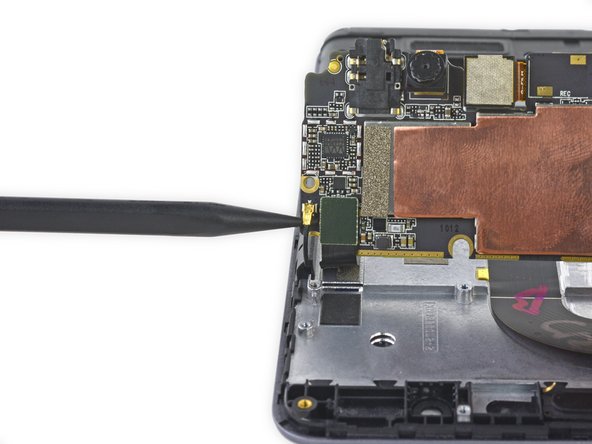
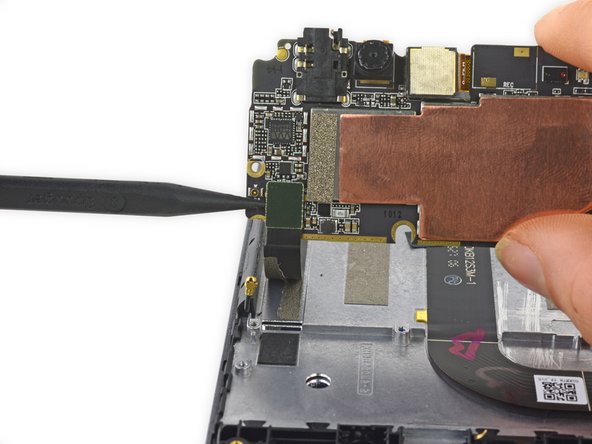
    4. BLU Energy X Motherboard Replacement: step 7, image 1 of 3 BLU Energy X Motherboard Replacement: step 7, image 2 of 3 BLU Energy X Motherboard Replacement: step 7, image 3 of 3
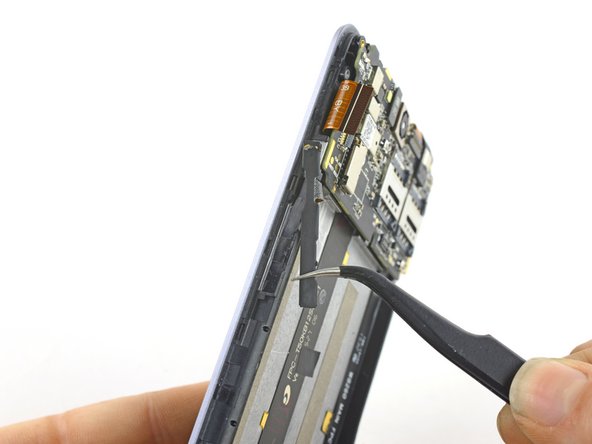
      • Gently rotate the motherboard up so that the front-facing camera is pointed towards you.

      • Use the pointed end of a spudger to disconnect the antenna cable and the ribbon cable.

      Ask FixBot

      Add Comment

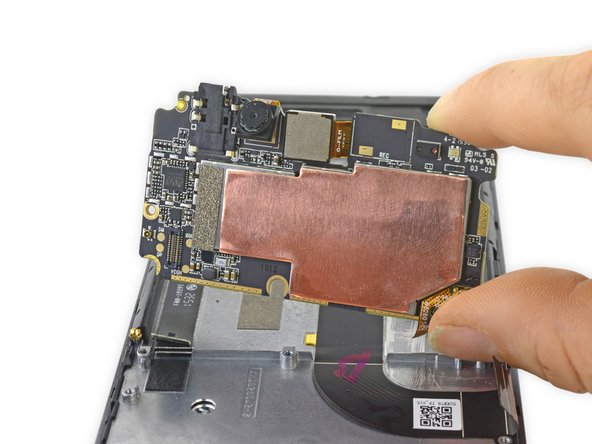
    5. BLU Energy X Motherboard Replacement: step 8, image 1 of 2 BLU Energy X Motherboard Replacement: step 8, image 2 of 2
      • Lift the motherboard up and out of the device.

      Ask FixBot

      Add Comment

Conclusion

To reassemble your device, follow these instructions in reverse order.

Cancel: I did not complete this guide.

One other person completed this guide.

Geoff Wacker

Member since: 09/30/13

93,075 Reputation

88 Guides authored

0 Guide Comments

Add Comment

View Statistics:

Past 24 Hours: 5

Past 7 Days: 24

Past 30 Days: 98

All Time: 784