Free Shipping on Domestic Orders $75+

Audiovox CDM-8910 Motherboard Replacement

What you need

  1. Audiovox CDM-8910 Motherboard Replacement, Battery: step 1, image 1 of 1
    • Locate the back side of the phone.

    • The battery is the large main compartment (red box).

  2. Audiovox CDM-8910 Motherboard Replacement: step 2, image 1 of 1
    • Use your finger to slide the latch (circled) upwards.

    • While holding the latch up, pull the battery off the phone.

  3. Audiovox CDM-8910 Motherboard Replacement: step 3, image 1 of 1
    • The back of the phone will look like this when the battery is correctly removed.

  4. Audiovox CDM-8910 Motherboard Replacement, Rear Case: step 4, image 1 of 1
    • Peel the rubber indicated toward the top of the phone

  5. Audiovox CDM-8910 Motherboard Replacement: step 5, image 1 of 1
    • Remove the screw that sits underneath the rubber covering.

  6. Audiovox CDM-8910 Motherboard Replacement: step 6, image 1 of 1
    • Remove the five (5) total screws using a Philips head screwdriver.

  7. Audiovox CDM-8910 Motherboard Replacement: step 7, image 1 of 1
    • Use spudger and insert it towards the bottom of the phone as pictured.

    • Carefully working yourself around the phone with the spudger, pry it open. This may require a bit of force.

    • The volume control button will be loose, so make sure to take it out once the rear case is fully removed.

  8. Audiovox CDM-8910 Motherboard Replacement: step 8, image 1 of 1
    • The back case should now be completely removed and the motherboard will be visible.

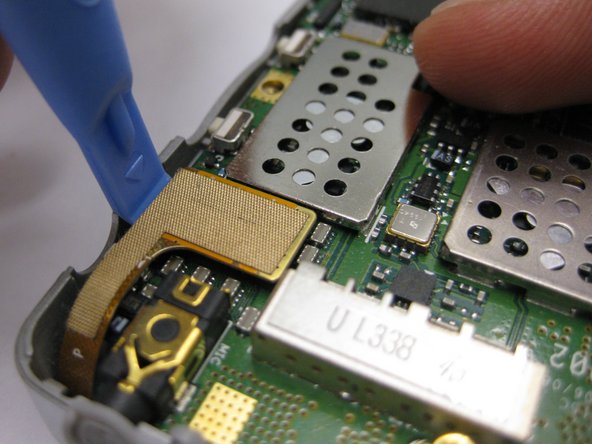
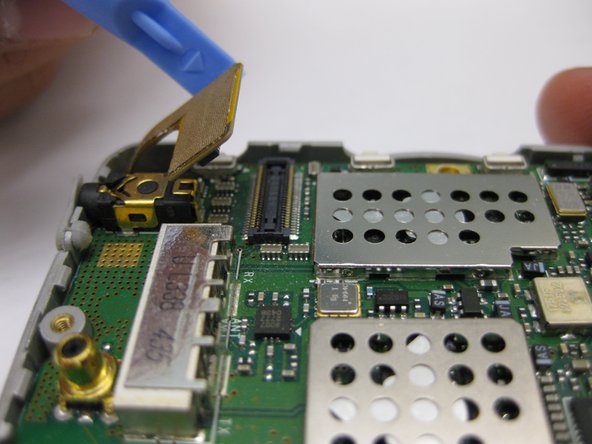
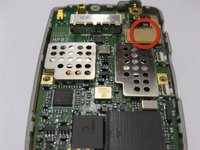
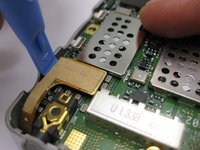
  9. Audiovox CDM-8910 Motherboard Replacement, Motherboard: step 9, image 1 of 3 Audiovox CDM-8910 Motherboard Replacement, Motherboard: step 9, image 2 of 3 Audiovox CDM-8910 Motherboard Replacement, Motherboard: step 9, image 3 of 3
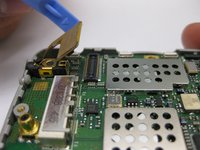
    • Disconnect the gold connection patch

    • Use a spudger or finger to disconnect the piece.

  10. Audiovox CDM-8910 Motherboard Replacement: step 10, image 1 of 1
    • Using a spudger, lift the motherboard out of the phone case as pictured.

  11. Audiovox CDM-8910 Motherboard Replacement: step 11, image 1 of 1
    • The motherboard should now be completely removed from the phone.

Conclusion

To reassemble your device, follow these instructions in reverse order.

Sean Green

Member since: 10/04/10

29 Reputation

2 Guides authored

Team

Cal Poly, Team 3-24, Regan Fall 2010 Member of Cal Poly, Team 3-24, Regan Fall 2010

CPSU-REGAN-F10S3G24

4 Members

12 Guides authored

1 Guide Comment

Where on this phone’s motherboard is the memory card located? I’d like to try and remove mine to download the data from it.

Ernie Freeman - Reply Share

Add Comment

View Statistics:

Past 24 Hours: 2

Past 7 Days: 12

Past 30 Days: 38

All Time: 2,469