Introduction
Are your speakers having trouble producing sound? Is the sound muffled or non-existent? If yes, this replacement guide can help.
For the Audio-Tecnica ATH-M20xBT, speakers are a necessity. Speakers take electrical signals sent from the battery, and convert them into sound waves through electromagnetism. If the connection is faulty or not properly done, it can cause sound waves to move differently to your ear where a problem can be sensed.
Make sure to identify the problematic speaker before you start. To determine if replacement is necessary, view our troubleshooting pages:
- Audio-Technica ATH-M20xBT Not Receiving Audio When Plugged In
- Audio-Technica ATH-M20xBt Bluetooth Not Pairing
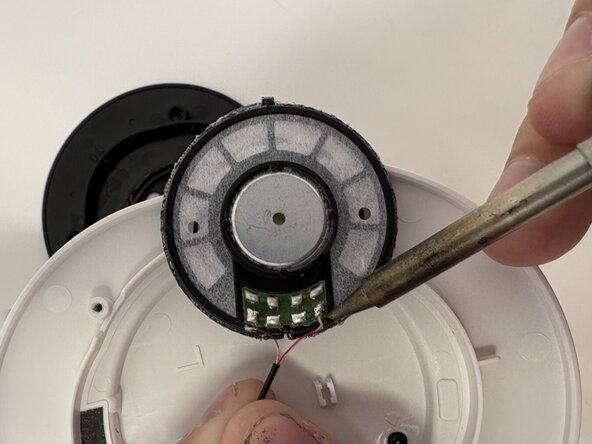
Beware! This guide involves desoldering. Take care to avoid contact with hot solder, as it can cause burns or damage internal components. Ensure the device is powered off and fully disconnected from any power source before beginning work. The speakers are also held in by sticky adhesive easily weakened by heat.
What you need
-
-
-
Gently pull the earpad outward, stretching the inner flap out of the plastic groove.
-
-
-
-
-
Use a T5 Torx screwdriver to remove the four 7 mm screws securing the driver housing.
-
Gently lift driver assembly off with care not to strain the connected cables.
-
-
-
-
-
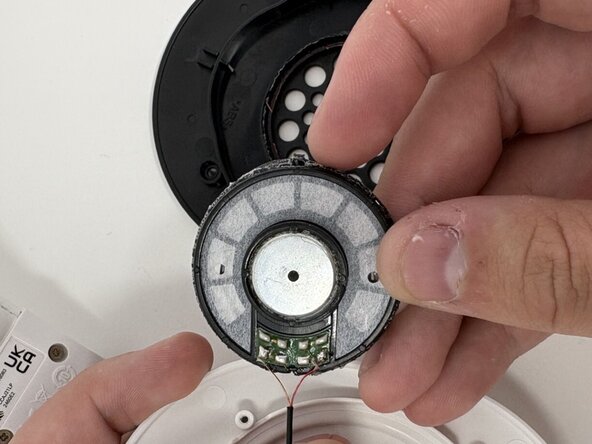
Use a hairdryer or heat gun to gently warm the adhesive securing the driver.
-
-

 Ask FixBot




To reassemble your device, follow the above steps in reverse order.
Take your e-waste to an R2 or e-Stewards certified recycler.
Repair didn’t go as planned? Try some basic troubleshooting or ask our Answers community for help.
Cancel: I did not complete this guide.
2 other people completed this guide.

Team

Utah Tech University, Team 1-4, McMurrin Spring 2026 Member of Utah Tech University, Team 1-4, McMurrin Spring 2026
UTAHTECH-MCMURRIN-S26S1G4
3 Members
84 Guides authored
