Introduction
Use this guide to replace your damaged or old lens for your Auking M8-F projector.
The lens is a component of the projector that is in control of how the images appear once the projector is on. A faulty lens can cause images to be blurry or affect its overall performance of the projector. In some instances, having a damaged lens can cause the image to not appear properly.
Before following this guide, please be sure to take a look at the troubleshooting page to see if the problem for the images is because of the lens. Some cases, the problem could be the keystone correction or the focus wheel.
Before continuing this guide, be sure to turn off your projector completely.
What you need
-
-
Flip the projector on its opposite side.
-
Remove all six of the 11 mm screws using a Phillips #1 screwdriver.
-
Remove the two 14 mm screws using a Phillips #1 screwdriver on the base of the projector
 Ask FixBot
-
-
-
Carefully prop open the top of the projector.
-
Remove the cable attached to the top lid.
-
Remove the top lid.
-
-
-
-
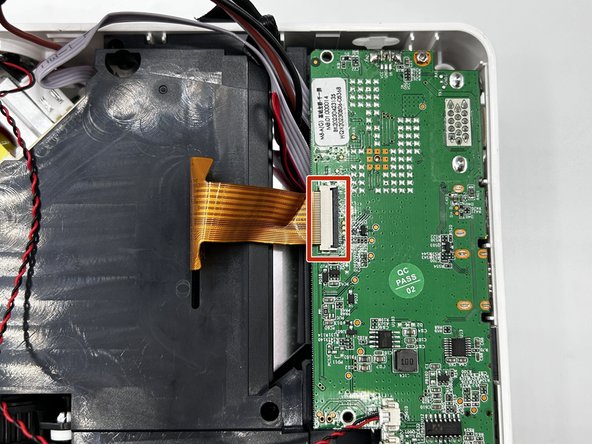
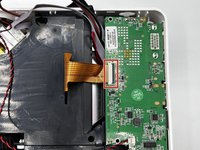
Flip up the black locking flaps then unplug the ribbon cable.
-
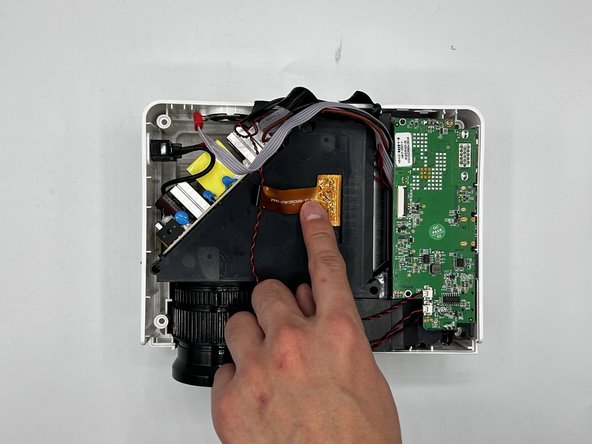
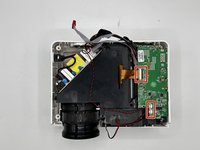
Disconnect the other wires connected to the motherboard.
-
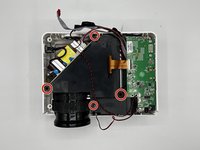
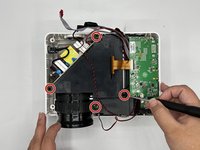
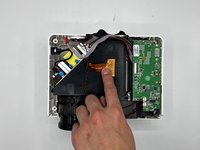
Remove black panel.
-
-
-
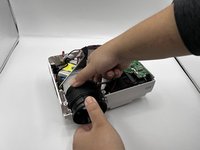
Using both hands, hold the lens' holder and turn the lens counterclockwise to remove.
-





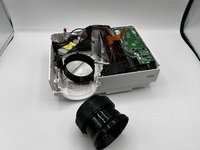
To reassemble your device, follow these instructions in reverse order.
Cancel: I did not complete this guide.
One other person completed this guide.

Team

University of North Texas, Team 1-4, Kilpatrick Fall 2023 Member of University of North Texas, Team 1-4, Kilpatrick Fall 2023
UNT-KILPATRICK-F23S1G4
3 Members
2 Guides authored
