
Asus Zenbook UX303L Battery Replacement

Aashray Nagpal and 7 other contributors
Last updated on Mar 11, 2020
Views: 14K
View statistics:
- Past 24 Hours:
- 4
- Past 7 Days:
- 31
- Past 30 Days:
- 144
- All Time:
- 14,282
Comments: 1
1 comment on steps.
Completed: 4 5
4 people have marked this guide "completed." Will you be next?
5 people have marked this guide "completed." Including you — great job!
Favorites: 2 3
2 people have favorited (and subscribed to) this guide. Will you be next?
3 people have favorited (and subscribed to) this guide — including you!
Introduction
Go to step 1 ↓This guide will show you how to replace an old worn out or dead battery in an Asus ZenBook UX303L laptop.
What you need
Fix Kit
This kit contains all the parts and tools needed to complete this guide.

Parts

Tools


-
-
-
Remove the eight 3 mm long screws using a T5 Torx Screwdriver.
-
Remove the single 8 mm long screw using a T5 Torx screwdriver.
 Ask FixBot
-
-
-
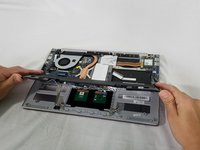
Lift and remove the back cover.
-
If your case does not easily come free, you may need to remove screws under the plastic feet on the bottom case.
-
-
-
Use a Phillips #0 screwdriver to remove the four 4 mm screws from the sides of the battery.
-
Use a Phillips #0 screwdriver to remove the single 6 mm screw in the center of the battery.
-
-
-
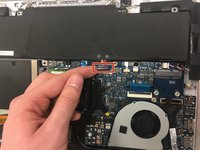
Lift the battery connector up out of its socket on the motherboard to disconnect it.
-
-
-
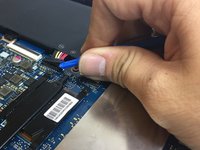
Disconnect the speaker by carefully pulling the speaker cable away from its socket on the motherboard.
-
-
-
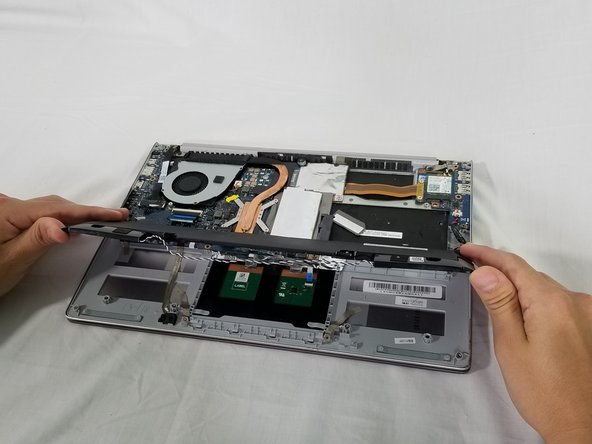
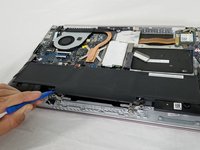
Deroute the speaker cable from the clips so the battery can be fully removed.
-
-
-





To reassemble your device, follow these instructions in reverse order.
Take your e-waste to an R2 or e-Stewards certified recycler.
Cancel: I did not complete this guide.
4 other people completed this guide.

Team

IUPUI, Team S1-G6, Harley Spring 2019 Member of IUPUI, Team S1-G6, Harley Spring 2019
IUPUI-HARLEY-S19S1G6
3 Members
36 Guides authored
