Introduction
If your Asus Zenfone 2 Laser (ZE551KL) sounds quiet, produces poor sound quality or has no audio output at all, follow this guide to successfully replace the speaker itself. The Zenfone 2 Laser has a mono rear facing speaker that is used to output audio from phone calls on speaker or media such as music or videos.
Before following this guide, ensure you have the correct Zenfone 2 Laser model as listed here as other variants may not have the same procedure.
Step 1 requires a complete shut down, if the display is damaged and using the normal shutdown procedure (as shown in step 1 of the guide) is not possible, use the following step 2 and step 3 procedure to manually shut down the phone. Although not necessarily recommended to perform an emergency shutdown, this is essential to prevent the possibility of short circuiting.
Short circuiting is when a material (tool or something) creates a connection between two electrical components with lower resistance that causes damage.
What you need
-
-
-
Press and hold the power button until the menu appears with the option to power off.
 Ask FixBot
-
-
-
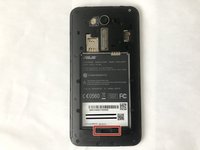
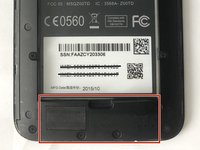
On the lower right-hand side of the device, locate the notch and insert your finger nail to loosen the rear panel.
-
Continue to slide your finger around the seam to completely remove the rear cover.
-
-
-
-
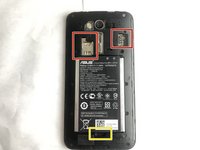
Remove the sim card(s) and microSD card if installed.
-
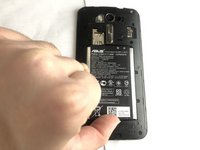
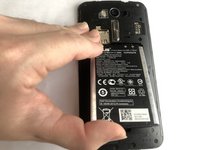
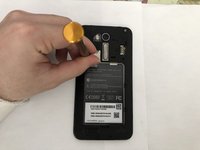
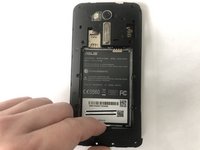
Using your fingernail or spudger, remove the battery from the phone.
-
-
-
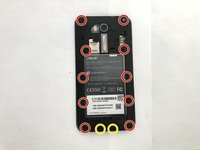
Unscrew and remove the ten 2.5mm Phillips #00 screws.
-
Unscrew and remove the two 5.5mm Phillips #00 screws.
-
-
-
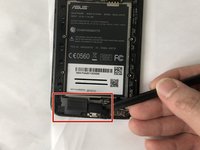
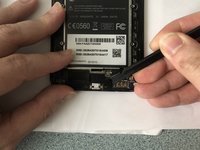
Use a spudger or other tool to gently lift up one side of the speaker. Continue lifting until the speaker is detached from the phone.
-
-








To reassemble your device, follow these instructions in reverse order.

Team

York University, Team 2-23, O'Regan Winter 2022 Member of York University, Team 2-23, O'Regan Winter 2022
YORK-O'REGAN-W22S2G23
1 Member
12 Guides authored
