
Asus ZenBook UX303U Battery Replacement

Dean Anderson and 7 other contributors
Last updated on Mar 11, 2020
Views: 34K
View statistics:
- Past 24 Hours:
- 8
- Past 7 Days:
- 35
- Past 30 Days:
- 152
- All Time:
- 33,678
Comments: 24
13 comments on steps, 11 guide comments.
Go to guide commentsCompleted: 19 20
19 people have marked this guide "completed." Will you be next?
20 people have marked this guide "completed." Including you — great job!
Favorites: 1 2
1 person has favorited (and subscribed to) this guide. Will you be next?
2 people have favorited (and subscribed to) this guide — including you!
Introduction
Go to step 1 ↓This guide will show you how to replace an old worn out or dead battery in an Asus ZenBook UX303U laptop.
What you need
Fix Kit
This kit contains all the parts and tools needed to complete this guide.

Parts

Tools


-
-
-
-
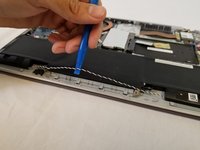
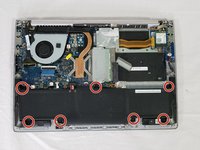
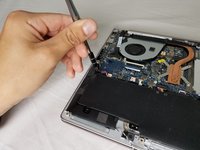
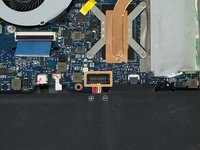
Pull the speaker cable out of its four retaining clips with either your fingers, or a plastic opening tool.
-
-
-
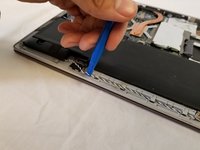
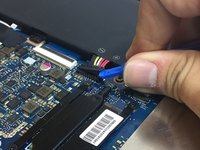
Pull the speaker connector toward the edge of the laptop to disconnect it from its socket.
-
-
-
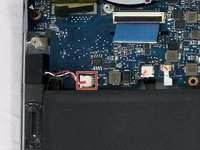
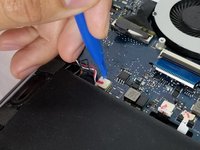
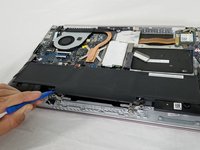
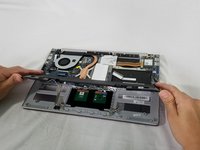
Lift the battery connector straight up off its socket to disconnect it from the motherboard.
-
-

 Ask FixBot













To reassemble your device, follow these instructions in reverse order.
Take your e-waste to an R2 or e-Stewards certified recycler.
Cancel: I did not complete this guide.
19 other people completed this guide.

Team

USF Tampa, Team S3-G5, Nance Spring 2018 Member of USF Tampa, Team S3-G5, Nance Spring 2018
USFT-NANCE-S18S3G5
3 Members
60 Guides authored
11 Guide Comments
hello where I can buy a UX303U battery for asus?
hello! Where I can buy a UX303U battery for my Asus netbook?
thanks
Just gone through this, but two problems surfaced. 1 it won’t connect to our usual WiFi router and can’t figure out why. Is it possible to damage the WiFi connectivity when removing battery? 2 there’s no indication of charge levels. It says 100% and doesn’t change. Thoughts?
Take all that back. Went back in and battery connector hadn’t clicked in far enough. Seems to be working fine now.
