
Asus X751MA-DH01TQ Touchpad Replacement

Joshua Kramer and 2 other contributors
Last updated on Aug 5, 2019
Views: 859
View statistics:
- Past 24 Hours:
- 2
- Past 7 Days:
- 17
- Past 30 Days:
- 63
- All Time:
- 859
Comments: 0
No one has left comments on this guide. Will you be first?
Go to guide commentsCompleted: 0 1
No one has marked this guide "completed." Will you be the first?
1 person has marked this guide "completed." It's you — great job!
Favorites: 1 2
1 person has favorited (and subscribed to) this guide. Will you be next?
2 people have favorited (and subscribed to) this guide — including you!
Introduction
Go to step 1 ↓If you try to get your touchpad to respond but it won't, it may need to be replaced. This guide will take you through the replacement process of the touchpad.
What you need
Tools


-
-
-
Turn the laptop upside down
-
Unscrew the ten screws on the bottom with the PH00 screwdriver bit.
 Ask FixBot
-
-
-
Open up the laptop.
-
Using the plastic opening tool, open up and disconnect the keyboard from the base.
-
Take the keyboard off and put it upside down.
-
-
-
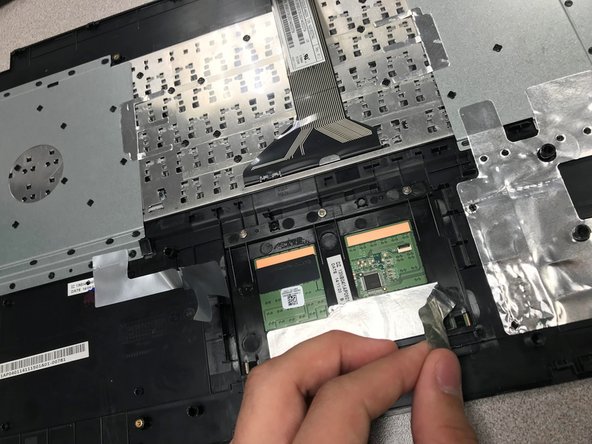
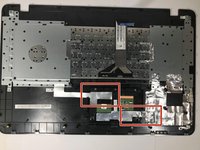
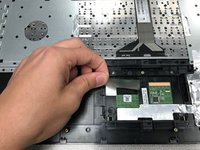
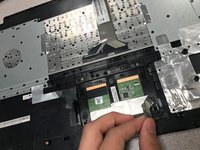
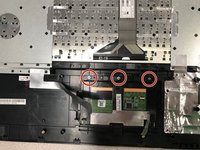
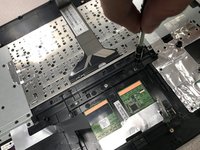
Peel off the silver stickers that are attaching the touch pad to the back part of the keyboard.
-
-
-





To reassemble your device, follow these instructions in reverse order.

Team

University of North Texas, Team S4-G5, Raign Fall 2018 Member of University of North Texas, Team S4-G5, Raign Fall 2018
UNT-RAIGN-F18S4G5
3 Members
36 Guides authored
