Introduction
If you're having trouble with your laptop turning on or holding a charge then you may need to change the battery. This guide will help you to replace the battery.
What you need
-
-
-
Turn the laptop upside down and locate the ten screws holding in the plate cover.
-
Remove all ten screws using a small Phillips head screwdriver.
 Ask FixBot
-
-
-
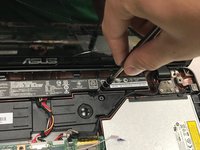
Use a plastic opening tool to pry open and separate the keyboard from the plate cover carefully.
-
-
-
-
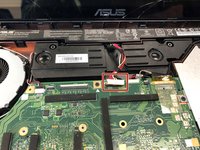
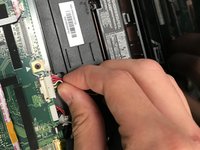
The battery contains wires connecting it to a circuit board. Slowly pull up and disconnect the wires from the board by pulling on the white tab.
-
-
-
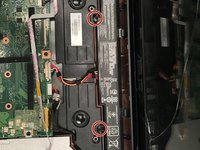
Remove the two 7mm screws holding the battery in place using a Phillips #00 screwdriver.
-
-





To reassemble your device, follow these instructions in reverse order.

Team

University of North Texas, Team S4-G5, Raign Fall 2018 Member of University of North Texas, Team S4-G5, Raign Fall 2018
UNT-RAIGN-F18S4G5
3 Members
36 Guides authored
