Free Shipping on Domestic Orders $75+

Asus X751MA-DH01TQ Keyboard Replacement

What you need

  1. Asus X751MA-DH01TQ  Keyboard Replacement, Keyboard: step 1, image 1 of 2 Asus X751MA-DH01TQ  Keyboard Replacement, Keyboard: step 1, image 2 of 2
    • Turn the laptop upside down and locate the ten screws holding in the plate cover.

    • Remove all ten screws using a PH00 screwdriver.

    Ask FixBot

    Add Comment

  2. Asus X751MA-DH01TQ  Keyboard Replacement: step 2, image 1 of 1
    • Once the screws are out, open up the laptop and use the plastic opening tool on the keyboard and the back to pry it open.

    Ask FixBot

    Add Comment

  3. Asus X751MA-DH01TQ  Keyboard Replacement: step 3, image 1 of 1
    • Separate the keyboard from the computer to expose the inside of the computer.

    Ask FixBot

    Add Comment

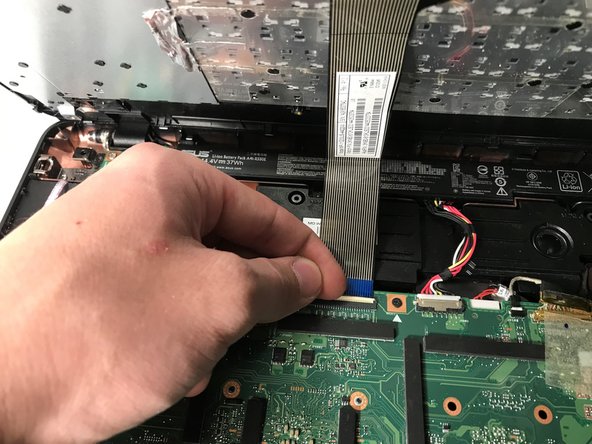
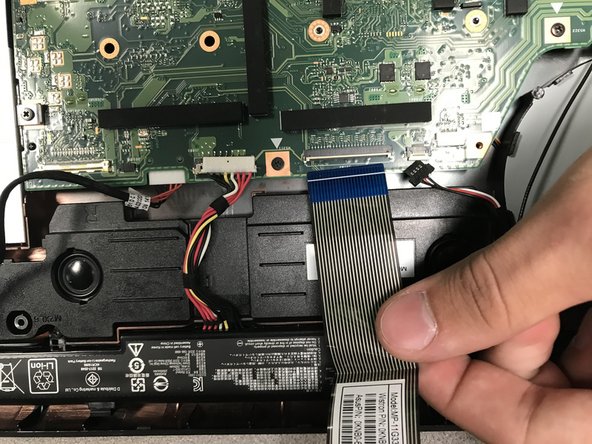
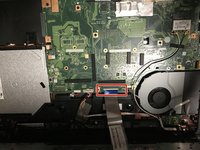
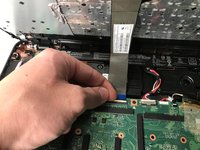
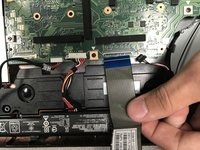
  4. Asus X751MA-DH01TQ  Keyboard Replacement: step 4, image 1 of 3 Asus X751MA-DH01TQ  Keyboard Replacement: step 4, image 2 of 3 Asus X751MA-DH01TQ  Keyboard Replacement: step 4, image 3 of 3
    • Flip up the white connector.

    • Take the blue cable out of the motherboard.

    Ask FixBot

    Add Comment

Conclusion

To reassemble your device, follow these instructions in reverse order.

Cancel: I did not complete this guide.

Darren Kim

Member since: 09/18/18

657 Reputation

3 Guides authored

0 Guide Comments

Add Comment

View Statistics:

Past 24 Hours: 0

Past 7 Days: 5

Past 30 Days: 28

All Time: 587