
Asus X55C CPU Intel Replacement

ZFix and
Last updated on May 7, 2015
Views: 7.1K
View statistics:
- Past 24 Hours:
- 6
- Past 7 Days:
- 21
- Past 30 Days:
- 116
- All Time:
- 7,056
Comments: 5
5 guide comments.
Go to guide commentsCompleted: 4 5
4 people have marked this guide "completed." Will you be next?
5 people have marked this guide "completed." Including you — great job!
Favorites: 3 4
3 people have favorited (and subscribed to) this guide. Will you be next?
4 people have favorited (and subscribed to) this guide — including you!
Community-Contributed Guide
An awesome member of our community made this guide. It was not created by iFixit staff.
What you need
Fix Kit
This kit contains all the parts and tools needed to complete this guide.

Parts

Tools


Introduction
Go to step 1 ↓How to disassemble the laptop and replace the Processor.
_______________ Video manual: _______________
Video Overview
-
-
-
The Keyboard is held by 5x locking clips.
-
Pick up a little the one side of the Keyboard and start opening the clips one by one.
-
Disconnect the Keyboard flex cable from the mother board and remove the KB.
-
-
-
-
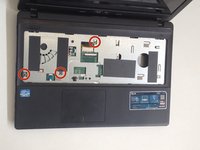
Remove 3x Philips screws.
-
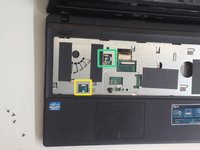
Disconnect the two small flex cables:
-
Power On button flex cable
-
Touch pad flex cable
-
-
-
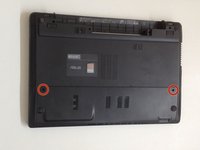
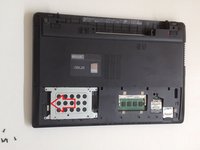
Unscrew the two Philips screws and remove the HDD / RAM Cover.
-
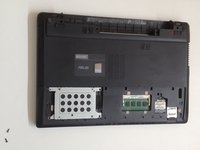
Remove three screws securing the hard drive caddy (hard drive assembly).
-
Slide the hard drive assembly to the left to disconnect it from the motherboard.
-
-
-
-
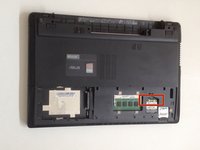
Disconnect the two coaxial antenna cables from the Wi-Fi card.
-
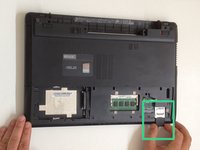
Remove any Memory or Dummy card.
-
-
-
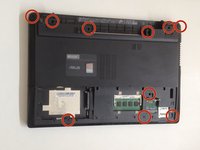
The bottom cover is held by 10x Phillips screws. Remove them.
-
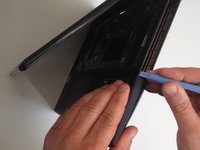
With a plastic tool separate the Upper cover and remove it.
-
-
-
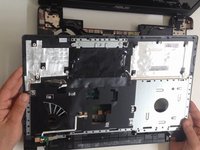
Disconnect:
-
The Microphone cable
-
The LCD Display flex cable
-
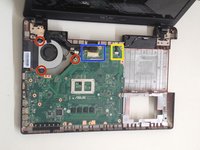
Remove 3x Pillips screws.
-
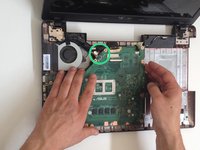
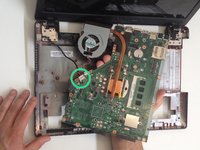
Lift the board first from the right edge.
-
There is another one cable, from the DC connector, connected to the underside of main board. We should spun the the board to disconnect the DC connector cable.
-
-
-
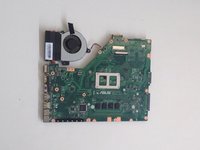
ASUS X55C iCore with 4GB no board RAM motherboard, model: 60-N0OMB1100
-
-
-
-
-
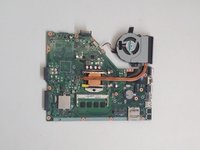
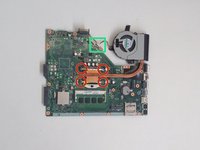
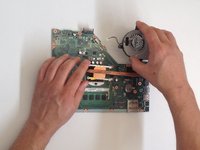
Disconnect the Fan cable from the Motherboard.
-
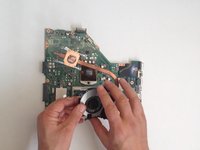
Remove the screws (4x Phillips screws) that hold the cooling system to the Motherboard
-
Remove the Cooling System.
-
-
-
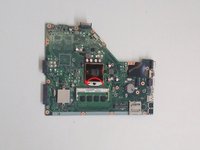
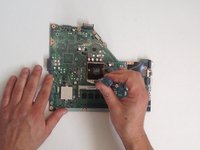
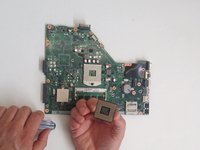
Counter clockwise release the screw securing the CPU using a flat head screwdriver.
-
Intel Core i3-2370M
-
-

 Ask FixBot
















To reassemble your device, follow these instructions in reverse order.
Cancel: I did not complete this guide.
4 other people completed this guide.

Team

5 Guide Comments
Hi, someone let me know if I can upgrade a Asus X55VD's processor from B980 to i7 2670QM.
Or what to take into account? Power usage? Should I only get an i5?
Thanks in advance
Hi there what about the shutdown every 30min exactly
