
Asus X200MA Speaker Replacement

Alli Krininger and 4 other contributors
Last updated on May 7, 2024
Views: 944
View statistics:
- Past 24 Hours:
- 2
- Past 7 Days:
- 19
- Past 30 Days:
- 66
- All Time:
- 944
Comments: 4
4 comments on steps.
Completed: 0 1
No one has marked this guide "completed." Will you be the first?
1 person has marked this guide "completed." It's you — great job!
Favorites: 0 1
No one has favorited (and subscribed to) this guide. Will you be the first?
1 person has favorited (and subscribed to) this guide — and that's you!
Introduction
Go to step 1 ↓This guide provides step-by-step instructions on the replacement of the speaker of ASUS X200MA. This guide can be used to replace broken speakers or upgrade on this laptop. Use caution when removing the wires and removing the glued speakers with a spudger, as these are delicate processes.
What you need
Tools
-
Spudger4.9
-


-
-
-
Remove the following six screws:
-
Six 4 mm screws using a Phillips #0 screwdriver.
-
Remove the following one screw:
-
One 14 mm screw using a Phillips #0 screwdriver.
 Ask FixBot
-
-
-
Take two rubber caps off the back side of the laptop.
-
Use a Phillips #0 screwdriver to remove the two 14 mm screws under the rubber caps.
-
-
-
Use a plastic or metal spudger to separate the keyboard from the back panel and lift the keyboard out of place.
-
-
-
-
-
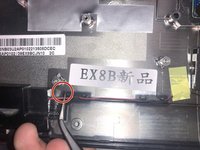
Disconnect the gold cap that connects to a black wire using the metal spudger.
-
-
Tool used on this step:Tweezers$4.99
-
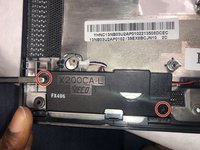
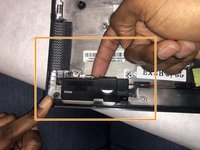
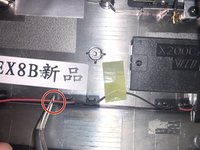
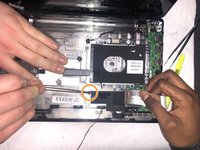
Use the tweezers to free the speaker from the plastic clips.
-
Use a finger to lift the speaker and break the bond between the adhesive on the base plate and the speaker.
-
-
-
-
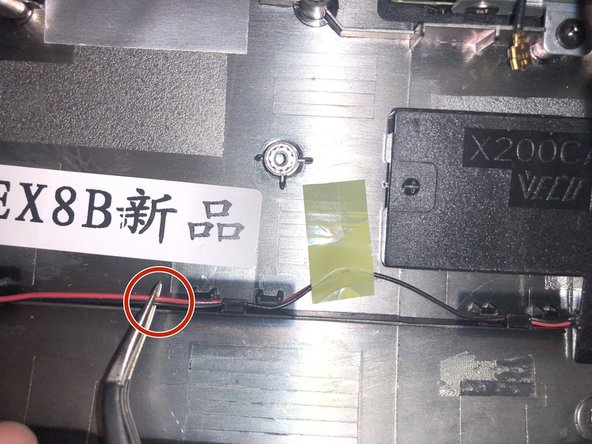
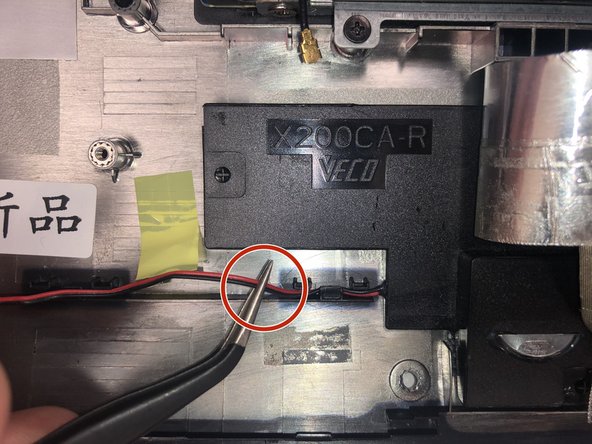
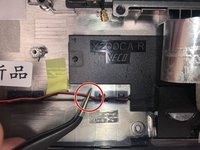
Use the metal tweezers to free the speaker from the plastic clips.
-
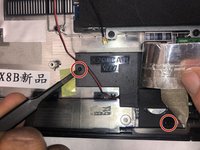
Use the metal spudger to break the bond between the base plate adhesive and the speaker.
-
Lift the speakers and remove them from the base plate.
-
-





To reassemble your device, follow these instructions in reverse [#|order].

Team

IUPUI, Team S2-G4, Stella Fall 2019 Member of IUPUI, Team S2-G4, Stella Fall 2019
IUPUI-STELLA-F19S2G4
4 Members
36 Guides authored
