Free Shipping on Domestic Orders $75+

Asus W2W-A1 Keyboard Replacement

What you need

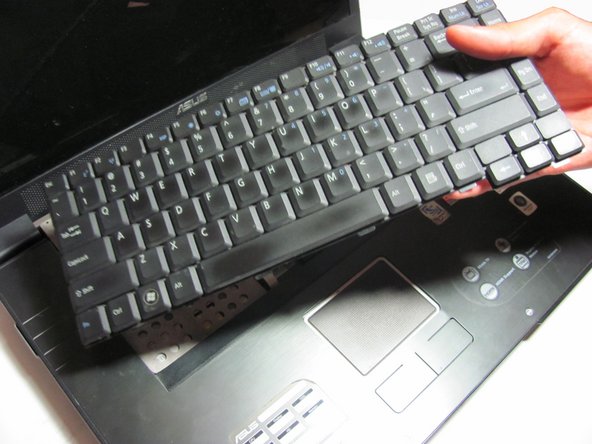
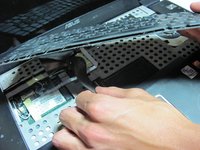
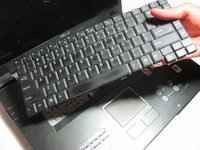
    1. Asus W2W-A1 Keyboard Replacement, Keyboard: step 1, image 1 of 3 Asus W2W-A1 Keyboard Replacement, Keyboard: step 1, image 2 of 3 Asus W2W-A1 Keyboard Replacement, Keyboard: step 1, image 3 of 3
      • Remove the battery, then unscrew the 7 3 mm Phillips screws behind the battery. Make sure they go in separate, organized piles.

      • Unscrew the 2 4 mm Phillips head screws by the battery.

      Ask FixBot

      Add Comment

    2. Asus W2W-A1 Keyboard Replacement: step 2, image 1 of 1
      • Remove the panel above the keyboard with a plastic spudger.

      Ask FixBot

      Add Comment

    3. Asus W2W-A1 Keyboard Replacement: step 3, image 1 of 1
      • Once the panel is removed, use the spudger to pry out the keyboard.

      • Do not fully remove, for the keyboard is still attached to the ribbon cable.

      Ask FixBot

      Add Comment

    4. Asus W2W-A1 Keyboard Replacement: step 4, image 1 of 2 Asus W2W-A1 Keyboard Replacement: step 4, image 2 of 2
      • Detach the ribbon cable from the keyboard by pulling the end of the ribbon cable that is attached inside of the laptop.

      • Be sure to detach from the root rather than from near the middle. It should slide out with ease.

      • Now you can fully remove the keyboard from the laptop.

      Ask FixBot

      Add Comment

Conclusion

To reassemble your device, follow these instructions in reverse order.

Cancel: I did not complete this guide.

Joe Redfearn

Member since: 04/14/14

97 Reputation

1 Guide authored

Team

Cal Poly, Team 13-29, Maness Spring 2014 Member of Cal Poly, Team 13-29, Maness Spring 2014

CPSU-MANESS-S14S13G29

4 Members

96 Guides authored

0 Guide Comments

Add Comment

View Statistics:

Past 24 Hours: 1

Past 7 Days: 4

Past 30 Days: 38

All Time: 589