Free Shipping on Domestic Orders $75+

Asus VivoTab Smart Speaker Replacement

What you need

    1. Asus VivoTab Smart Speaker Replacement, Speaker: step 1, image 1 of 3 Asus VivoTab Smart Speaker Replacement, Speaker: step 1, image 2 of 3 Asus VivoTab Smart Speaker Replacement, Speaker: step 1, image 3 of 3
      • Power off the device before you begin disassembly.

      • Place the device face down on a flat surface.

      • Remove the back panel with the plastic opening tool by sliding the tool around the edge of the panel.

      Ask FixBot

      Add Comment

    2. Asus VivoTab Smart Speaker Replacement: step 2, image 1 of 3 Asus VivoTab Smart Speaker Replacement: step 2, image 2 of 3 Asus VivoTab Smart Speaker Replacement: step 2, image 3 of 3
      Tool used on this step:
      Tweezers
      $4.99
      Buy
      • Take care not to break the speaker wire when unplugging it from the device.

      • Carefully unplug the speaker wire from the device by grabbing the wire near the white plug with tweezers and pulling gently.

      Ask FixBot

      Add Comment

    3. Asus VivoTab Smart Speaker Replacement: step 3, image 1 of 2 Asus VivoTab Smart Speaker Replacement: step 3, image 2 of 2
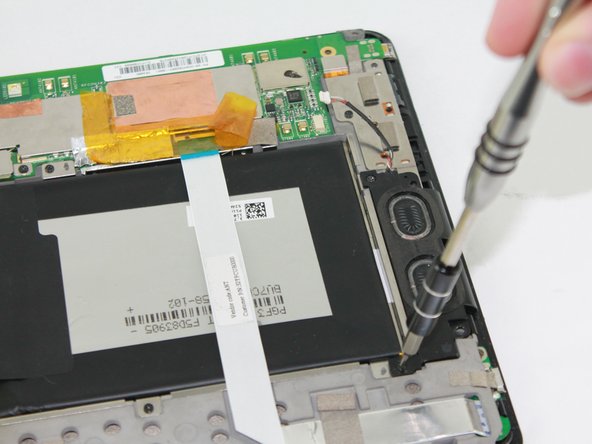
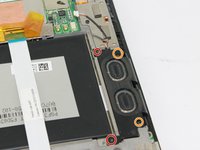
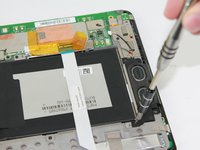
      • Remove two 2.7 mm Phillips #00 screws.

      • Remove two 3.7 mm Phillips #00 screws.

      Ask FixBot

      Add Comment

    4. Asus VivoTab Smart Speaker Replacement: step 4, image 1 of 1
      • Remove the speaker from the device by lifting up on it.

      Ask FixBot

      Add Comment

Conclusion

To reassemble your device, follow these instructions in reverse order.

Cancel: I did not complete this guide.

Zach Hatten

Member since: 10/06/16

563 Reputation

4 Guides authored

Team

USF Tampa, Team 2-4, Sullivan Fall 2016 Member of USF Tampa, Team 2-4, Sullivan Fall 2016

USFT-SULLIVAN-F16S2G4

4 Members

20 Guides authored

0 Guide Comments

Add Comment

View Statistics:

Past 24 Hours: 3

Past 7 Days: 11

Past 30 Days: 58

All Time: 775