
Asus VivoBook S200E-RHI3T73 Keyboard Replacement

Alyssa McFall and 3 other contributors
Last updated on May 7, 2024
Views: 1.1K
View statistics:
- Past 24 Hours:
- 2
- Past 7 Days:
- 14
- Past 30 Days:
- 85
- All Time:
- 1,108
Comments: 0
No one has left comments on this guide. Will you be first?
Go to guide commentsCompleted: 1 2
1 person has marked this guide "completed." Will you be next?
2 people have marked this guide "completed." Including you — great job!
Favorites: 0 1
No one has favorited (and subscribed to) this guide. Will you be the first?
1 person has favorited (and subscribed to) this guide — and that's you!
Introduction
Go to step 1 ↓As the primary component used to enter text on any computing device, the keyboard is one of the most important parts of your ASUS VivoBook S200e-RHI3T73. If you notice any physical damage, excessive dust and debris, or unresponsiveness from your device’s keyboard, it might be time to replace it.
Before using this guide, I suggest you inspect the keyboard of your ASUS VivoBook S200e-RHI3T73 to acknowledge any easy-to-remove debris. If it seems like build up could be the problem, try blowing the keyboard out with compressed air. If that is not the solution, follow this guide to replace your ASUS VivoBook keyboard.
Be sure to unplug and power off your device completely before going on to complete this guide.
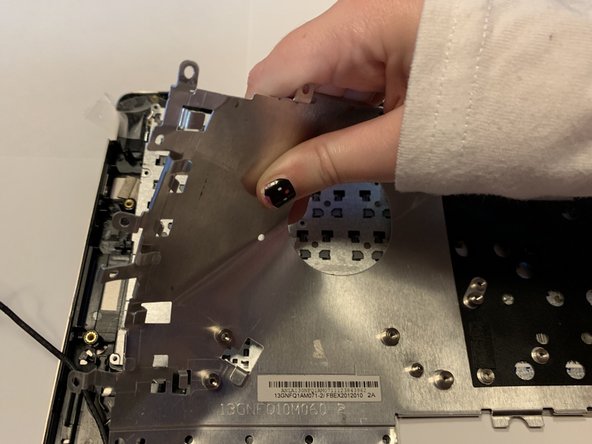
The metal panel as well as the actual keyboard, in steps 5 and 6 are extremely easy to bend! Be sure to use caution and gentle hands when removing these pieces as physical damage (like bending) can decrease the chances of your device returning to its original, functioning state.
What you need
Tools
-
-
Spudger4.9


-
-
-
Use a Phillips #0 screwdriver to remove the nine 50mm screws and lift the panel.
 Ask FixBot
-
-
-
Use the Phillips #0 screwdriver to remove the twelve 50mm screws around the battery.
-
-
Tool used on this step:Tweezers$4.99
-
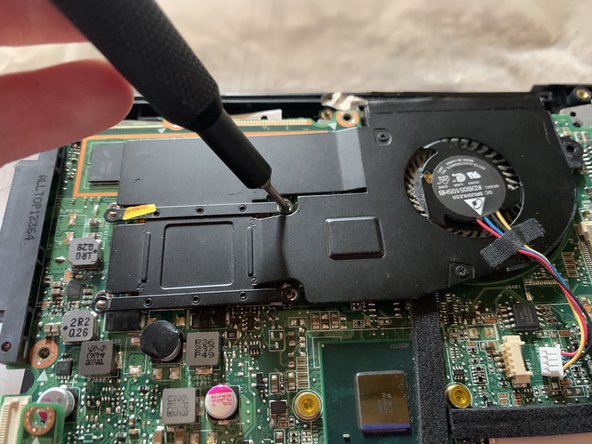
Use the Phillips #0 screwdriver to remove the five 5mm screws around the fan.
-
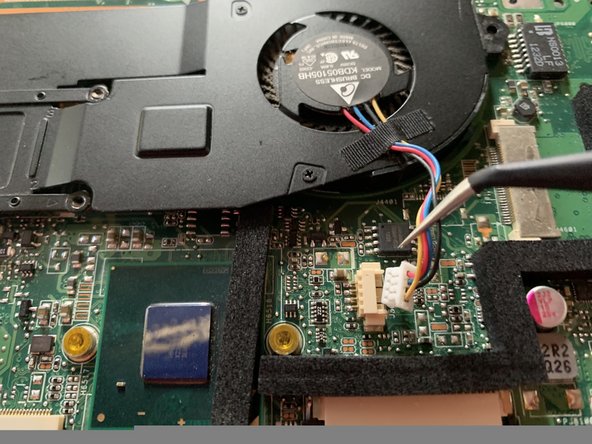
Use the precision tweezers to unplug the fan cords.
-
-
-
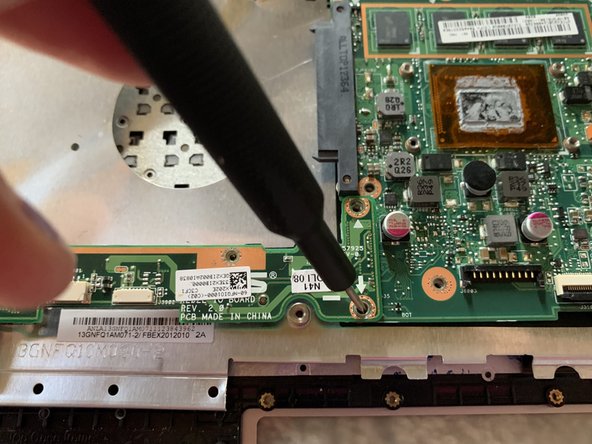
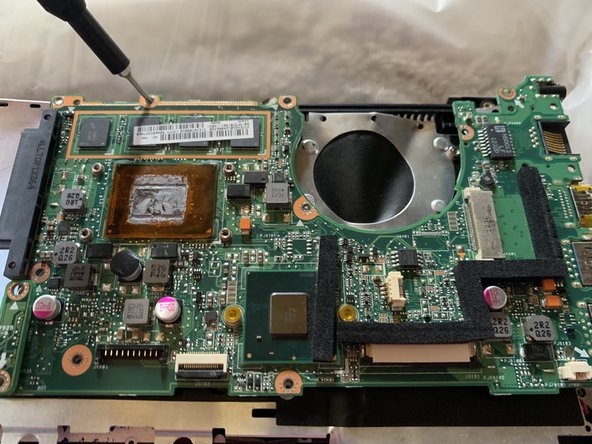
Use the Phillips#0 screwdriver to unscrew the 3.5mm screws from around the motherboard and the 6mm screws from around the PCB.
-
-
-
-
Use the Phillips#0 screwdriver to remove the 50mm screws on the boarder of the metal panel.
-
-
-
Using the Phillips#0 screwdriver, remove the 50mm screws surrounding the keyboard.
-
Gently remove the keyboard.
-
-








To reassemble your device, follow these instructions in reverse order.
Cancel: I did not complete this guide.
One other person completed this guide.

Team

University of North Alabama, Team S1-G4, Winner Fall 2019 Member of University of North Alabama, Team S1-G4, Winner Fall 2019
UNA-WINNER-F19S1G4
3 Members
36 Guides authored
