Introduction
If the laptop powers on when the charger is connected, but fails to power on or stay on when disconnected, then your battery may need to be replaced. This guide will show you how to replace the battery.
What you need
-
-
-
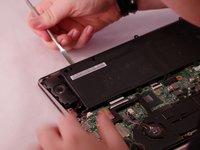
Use a metal spudger to pry the bottom panel open.
-
Lift the back panel to expose the inside of the laptop.
 Ask FixBot
-
-
-
Using the same Phillips #0 screwdriver, remove the eight black 50mm screws surrounding the battery.
-
-
-
Tool used on this step:Tweezers$4.99
-
Using a set of precision tweezers, lift the motherboard connector tab.
-
-
-
Use a nylon spudger or your fingers to gently pry the battery up.
-
Remove the battery.
-
-


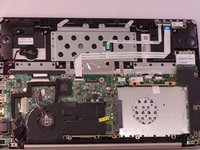
To reassemble your device, follow these instructions in reverse order.
Cancel: I did not complete this guide.
4 other people completed this guide.

Team

Eastern Washington University, Team S2-G3, Rowley Spring 2017 Member of Eastern Washington University, Team S2-G3, Rowley Spring 2017
EWU-ROWLEY-S17S2G3
4 Members
48 Guides authored
