Free Shipping on Domestic Orders $75+

Asus VivoBook 14" F412DA Battery Replacement

What you need

  1. Asus VivoBook 14" F412DA Battery Replacement, Remove the screws: step 1, image 1 of 1
    Tool used on this step:
    Anti-Static Wrist Strap
    $7.95
    Buy
    • Start by removing the marked screws

    • Remove the four 6mm screws

    • Remove the two 8mm screws

    • Remove the four 9mm screws

    • These screws are different lengths, remember which order you removed them. Putting the wrong size screw in the wrong hole can cause damage.

    • The center screw is covered by a sticker that must be removed.

    • It is recommended to wear an anti-static wrist strap for this procedure.

    • Charged Lithium-ion batteries can explode if damaged or punctured, reduce the risk of an explosion by discharging your battery completely before removing.

    Ask FixBot

    Add Comment

  2. Asus VivoBook 14" F412DA Battery Replacement, Remove the bottom: step 2, image 1 of 3 Asus VivoBook 14" F412DA Battery Replacement, Remove the bottom: step 2, image 2 of 3 Asus VivoBook 14" F412DA Battery Replacement, Remove the bottom: step 2, image 3 of 3
    • Using a opening tool, pry and lift at the edge of the bottom until you feel it open.

    Ask FixBot

    Add Comment

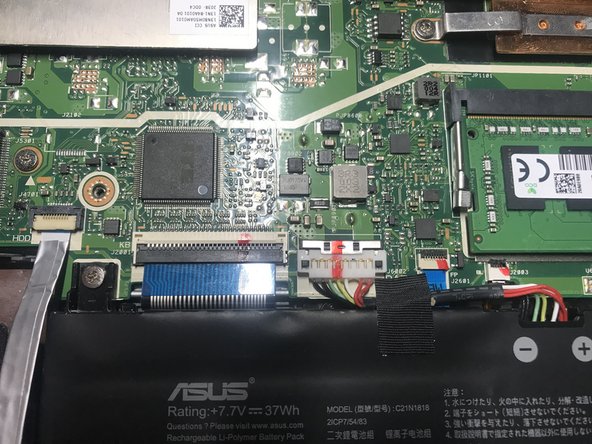
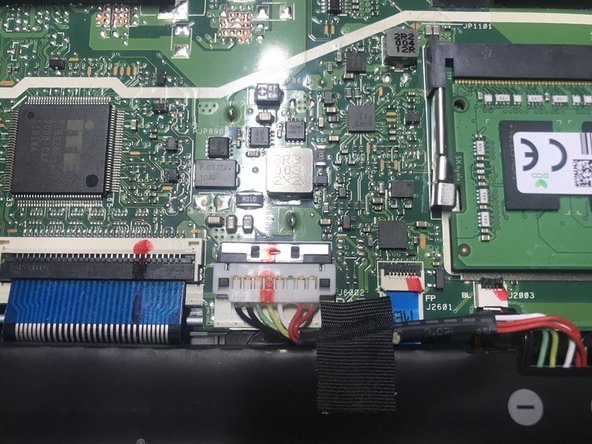
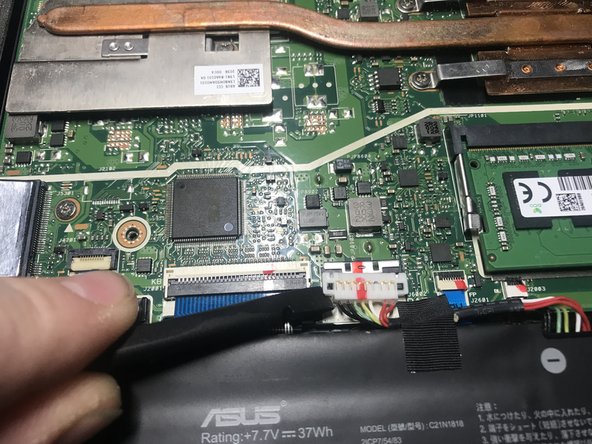
  3. Asus VivoBook 14" F412DA Battery Replacement, Release battery connector: step 3, image 1 of 3 Asus VivoBook 14" F412DA Battery Replacement, Release battery connector: step 3, image 2 of 3 Asus VivoBook 14" F412DA Battery Replacement, Release battery connector: step 3, image 3 of 3
    • Using a fingernail or spudger move back the retaining clip holding the battery connector in place.

    • Be gentle releasing the connector, it's very fragile.

    Ask FixBot

    Add Comment

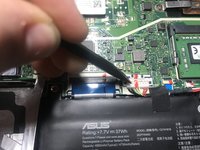
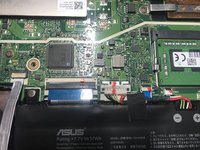
  4. Asus VivoBook 14" F412DA Battery Replacement, Disconnect the battery: step 4, image 1 of 3 Asus VivoBook 14" F412DA Battery Replacement, Disconnect the battery: step 4, image 2 of 3 Asus VivoBook 14" F412DA Battery Replacement, Disconnect the battery: step 4, image 3 of 3
    • Put a spudger under the battery connector and twist, the connector should lift off.

    • Caution: Use a plastic tool, to avoid risk of puncturing the battery. A punctured battery may leak dangerous chemicals or catch fire.

    Ask FixBot

    Add Comment

  5. Asus VivoBook 14" F412DA Battery Replacement, Unscrew the battery: step 5, image 1 of 1
    • Remove the two 5mm screws.

    • Remove the 4mm screw.

    • These screws are different lengths so take extra care to track where each one come from.

    Ask FixBot

    Add Comment

  6. Asus VivoBook 14" F412DA Battery Replacement, Remove the battery: step 6, image 1 of 1
    • Carefully lift the old battery out of the computer.

    • The battery should be easy to remove. If the battery does not come out easily, double check that all screws are removed.

    Ask FixBot

    Add Comment

Conclusion

To reassemble your device, insert the new battery and follow these instructions in reverse order.

Cancel: I did not complete this guide.

7 other people completed this guide.

Jonathan D Banwart

Member since: 04/19/21

847 Reputation

2 Guides authored

1 Guide Comment

Can I get a link of the RAM 🙏

Mrs burrito - Reply Share

Add Comment

View Statistics:

Past 24 Hours: 6

Past 7 Days: 30

Past 30 Days: 200

All Time: 17,994